Operating Instructions
23
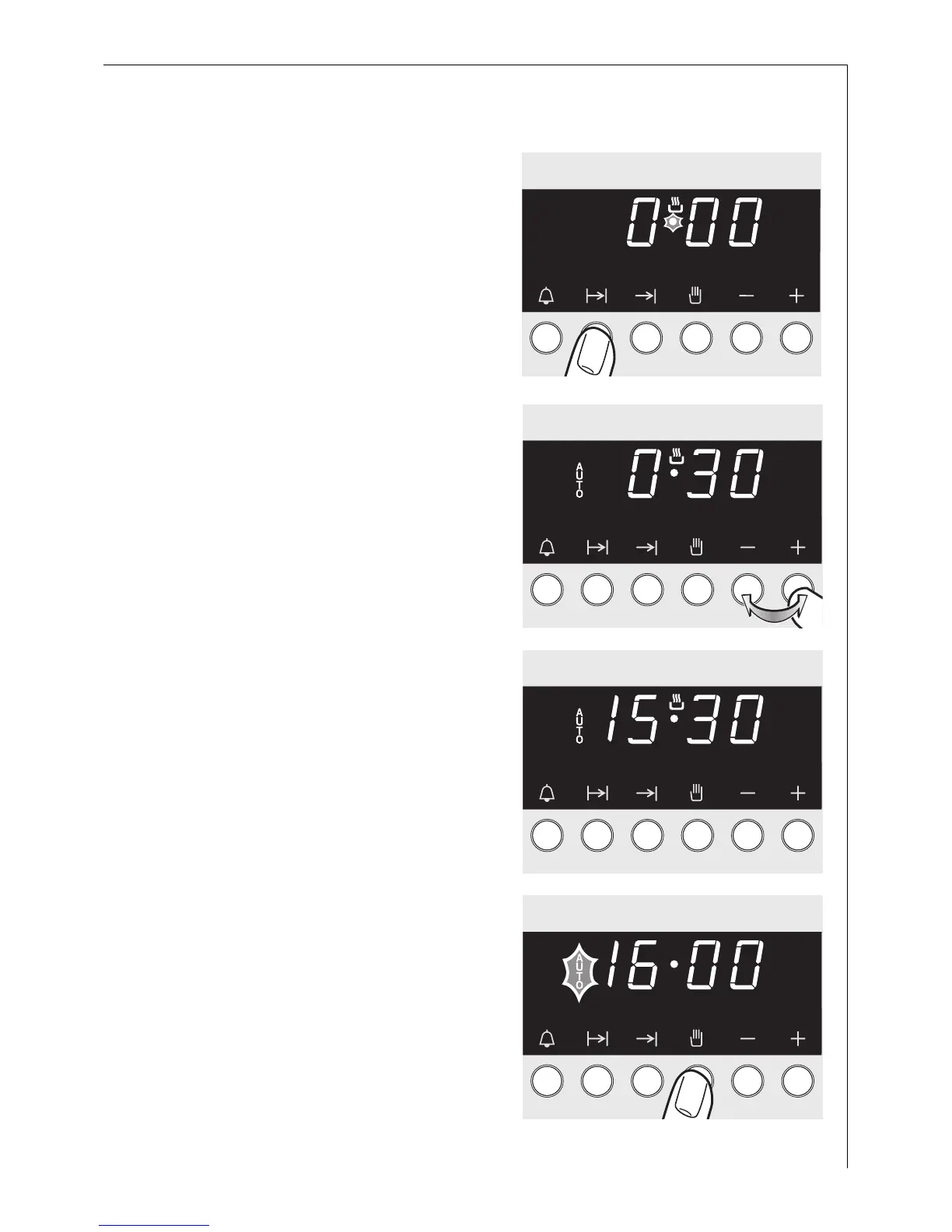
Cook time <
1. Press the < button.
2. Set the desired cooking time (up to
10 hours) using the + or - but-
tons.
The display shows the current time
again after about 5 seconds. The
AUTO symbol indicates that the
oven is now in Automatic operation.
When the set time has elapsed, a
signal sounds for 5 minutes, and the
oven switches itself off.
3. Press the M button to stop the
signal and the programme. Turn
the oven function and tempera-
ture selectors to OFF.






 To Next Page