Operating Instructions
24
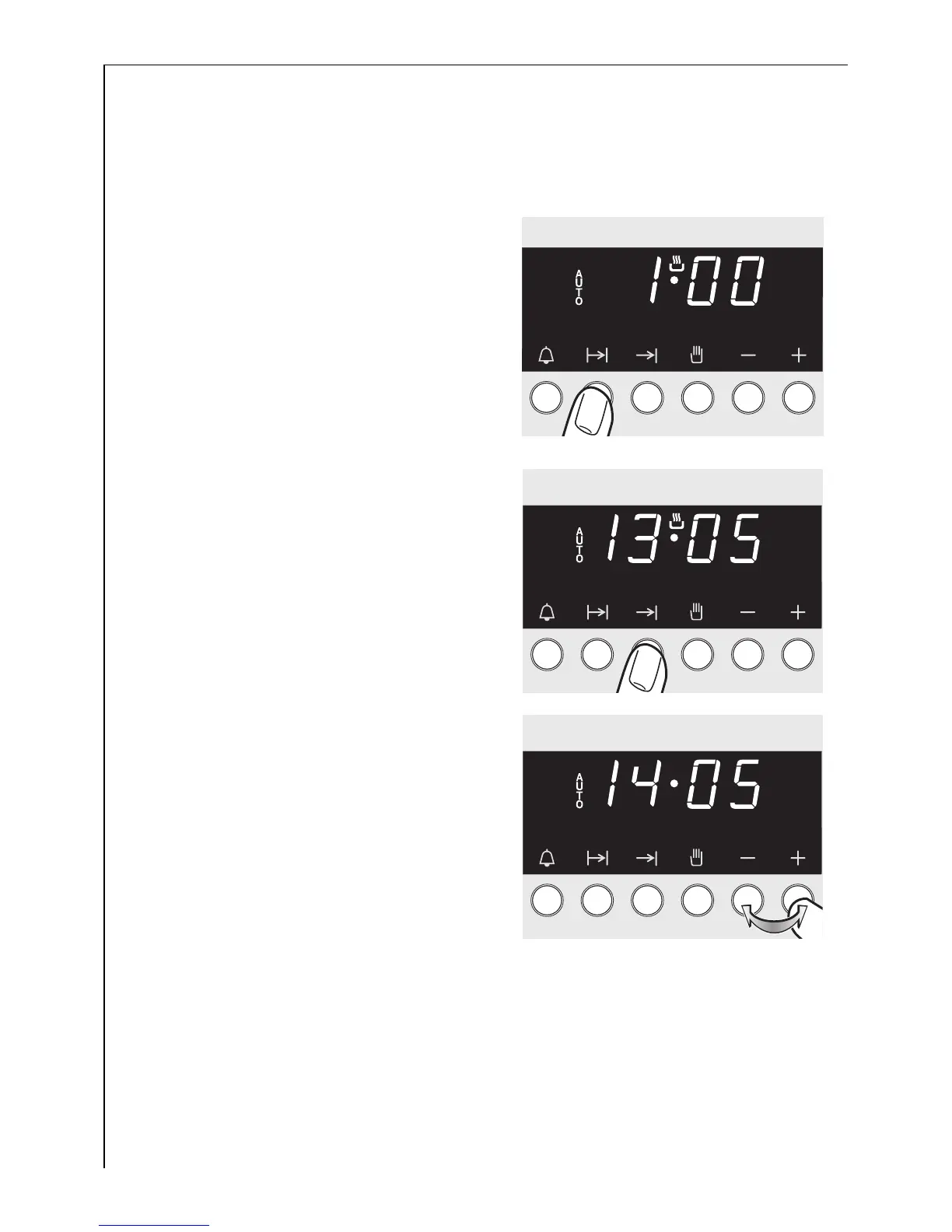
Combining the Cook Time < and End > functions
3
Cook Time < and End > can be used together, to switch the oven on
or off automatically at a later time.
1. Select the desired oven function
and temperature.
Use the Cook Time function < to
set the length of time necessary to
cook the meal.
For example, 1 hour.
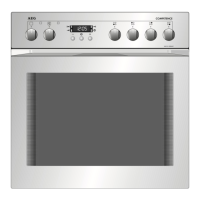
2. Press the > button.
Set the desired switch-off time us-
ing the + or - buttons.






 To Next Page