About the DVB-T Receiver
The signals received by the antenna cannot be processed by a TV. The
signals are converted with an integrated DVB receiver, so that audio
and video signals are available for output to the TV.
DVB-T abbreviated for:
Digital Video Broadcasting Terrestrial: A universal digital broadcasting
technology for picture, graphic sound and text, typically for data in
any possible form and any possible applicable quality.
NOTE:
You can only select the DVB-T settings menu during DVB-T
■
operation.
A variety of external interferences can inuence the DVB-T
■
reception quality.
Connect Antenna
Connect the antenna cable to “ANT.” (Fig. 1/1).
Initial Installation
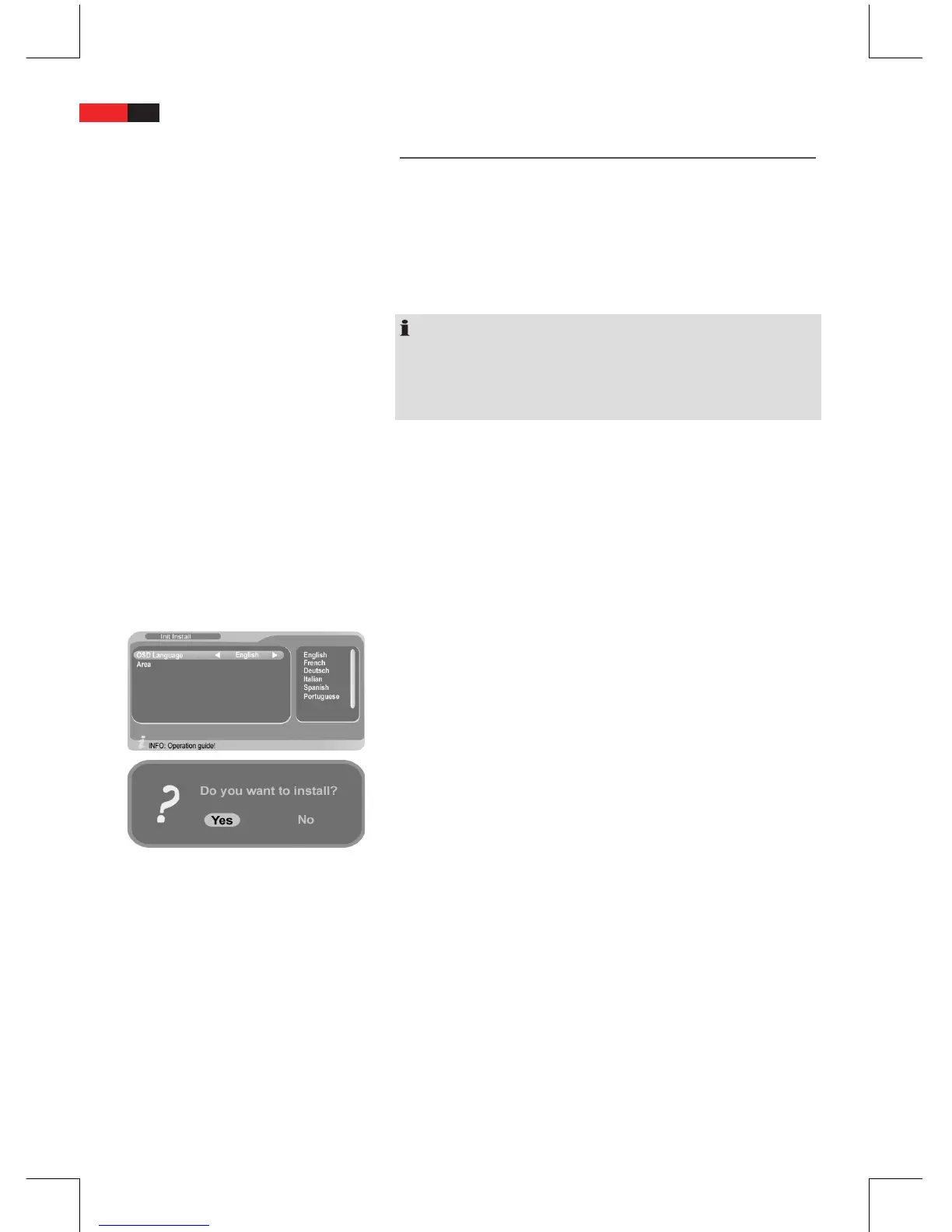
For the initial installation of the system the installation wizard is
displayed.
Use the
B
navigation buttons (▲/▼) to select an option.
Use the
B
navigation buttons (►/◄/▲/▼) to change the setting.
Press
B
ENTER (Fig. 2/21) to conrm.
OSD Language:
■
Select the language to be displayed on screen.
Area:
■
Select your country as the location of the unit.
Press the ENTER button again and select „Yes “ in the security prompt
to start scanning.
The unit switches to TV operation after the installation wizard has
nished the scan (100%).
Perform General Settings
Navigate Menus and Submenus
Use the navigation buttons
B
▼, ▲ on the remote control to
toggle between menu items.
After selecting an option in a submenu it is highlighted in yellow.
Press “ENTER” to conrm the selected menu item.
B
The settings for this menu item are displayed.
Use the navigation buttons
B
▼ and ▲ to move from one setting
to the next.
The selected setting is highlighted.
Press ENTER to access the setup menu.
B
You can:
B


 To Next Page