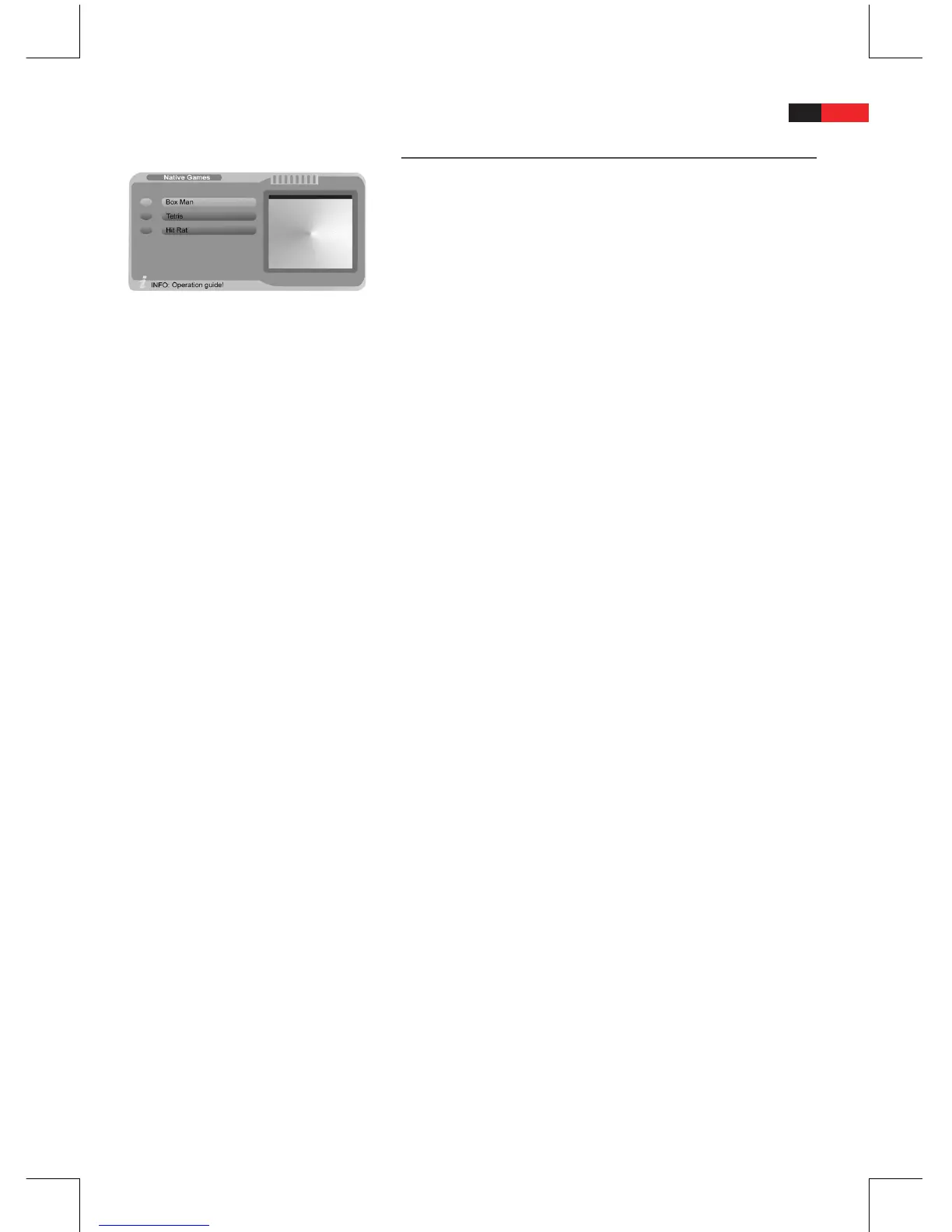
Games
Press the “MENU” button and select the “Native Games” submenu.
B
Select among Box Man, Tetris and Hit Rat.
Box Man
Select “Box Man” and press “ENTER” to play the Box Man game.
B
Press the “ENTER” button in eld “New Game” to start the game.
B
Move the box man to slide the boxes over the stars.
Use the navigation buttons
B
►, ◄, ▼ and ▲ to move the box
man.
Press the “ENTER” button to pause the game and to change to
B
the left option column. In the option column the following menu
items are available:
New Game = Start a new game.
•
Reset = Start again at the current level.
•
Continue = The game continues.
•
Level = The current level is displayed.
•
Help = Press
•
/ to page through the help le at the
bottom left.
Exit Game = Return to the “Native Games” submenu.
•
Tetris
Select “Tetris” and press “ENTER” to play the Tetris game.
B
In this game you must rotate 4-part building blocks in such way that
they form a seamless wall. A seamless wall is removed. The game is
over when the building blocks reach the upper edge of the screen.
Press the “ENTER” button in eld “Start Game” to start the game.
B
Rotate the building blocks with the
B
▲ button and move the
blocks with the navigation buttons ◄ or ► and ▼.
Press the “ENTER” button to pause the game and to change to
B
the left option column. In the option column the following menu
items are available:
Start Game = Start a new game.
•
Setting = Set speed and diculty level. Select “OK” to save
•
the changes.
Help = Press
•
/ to page through the help le at the
bottom left.
Score List = The score list is displayed at the bottom left.
•
Exit Game = Return to the “Native Games” submenu.
•
Continue = The game continues.
•
Main Menu = Return to the “Tetris” menu.
•


 To Next Page