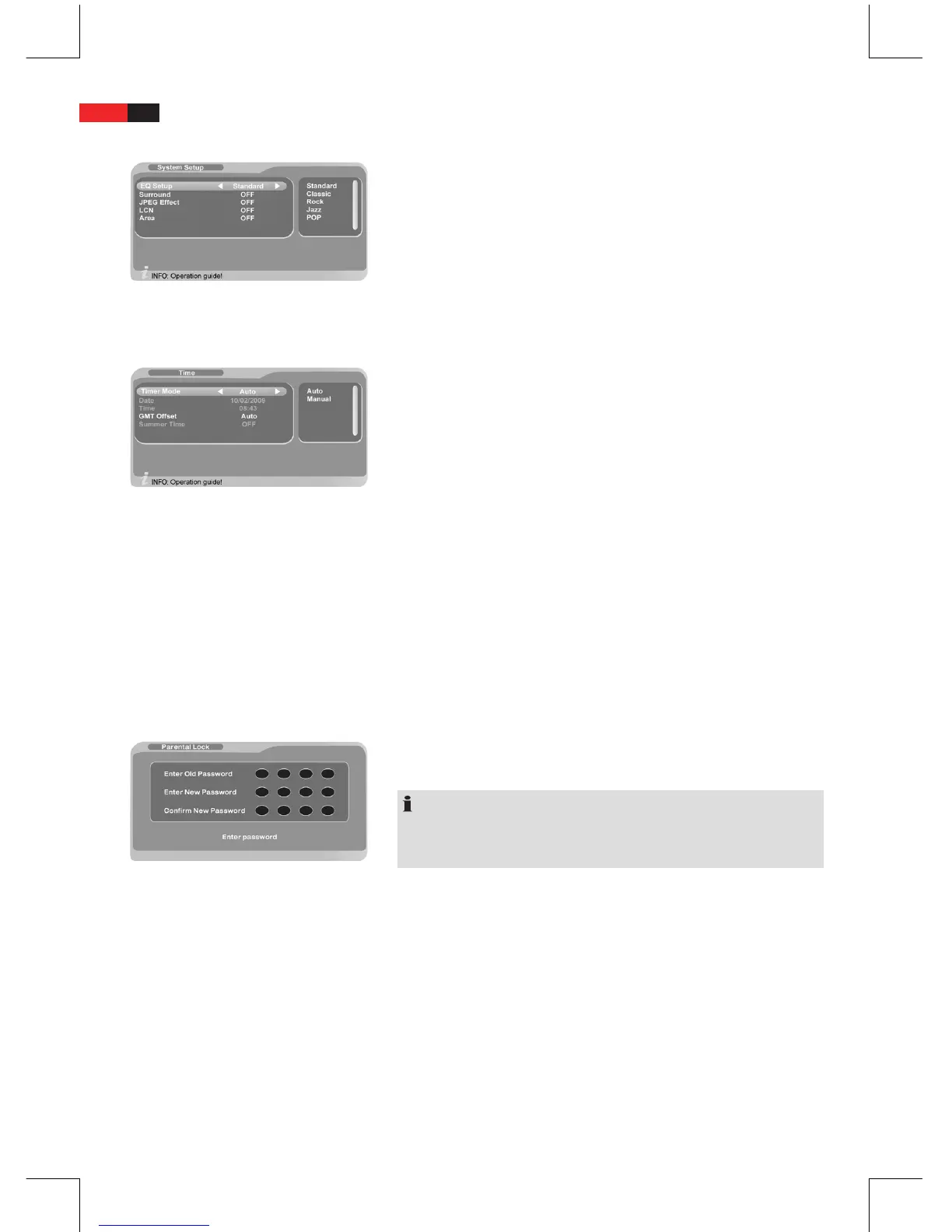
System Setup
EQ Setup:
■
Set the desired sound option.
Surround:
■
Set the desired sound option.
JPEG Eect:
■
Set the transition eects for photo mode.
LCN:
■
If supported by the broadcaster regional stations are sorted
independently from their frequency. The channel numbers are
moved with activated LCN function.
Area:
■
Set the country as your location.
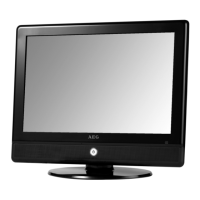
Time
Set the system time of the receiver.
Select between the following options:
Timer Mode “Auto”:
■
Set the “GMT Oset“ submenu to the devia-
tion of your location from GMT if GMT Oset is activated.
Timer Mode “Manual”:
■
Use the navigation buttons
B
▼ or ▲ to select the eld “Date“
if GMT Oset is deactivated.
Use the navigation buttons
B
▼, ▲, ◄, ► to select the date
and press “ENTER” to conrm.
Use the navigation buttons
B
▼ or ▲ to select the eld “Time“
to set the current time.
Enter the current time with the numeric buttons.
B
Press “ENTER” to conrm.
B
Summer Time:
■
Set the summer time to “On” or “O” if you did
not select the auto option “GMT O set“.
Parental Lock
Change the default password and enter a 4-digit code as your personal
password. The default password is “0000”.
NOTE:
Please remember your new password.
In case you forget your personal password use the master password
“8888” to set a new password.
Change Password
Enter the old password with the numeric buttons.
B
The display automatically changes to menu item “New Password”.
Enter the new password with the numeric buttons.
B
The display automatically changes to menu item “Conrm New PW”.
Enter the new password again.
B
The new password is accepted.


 To Next Page