Select the desired submenu.
B
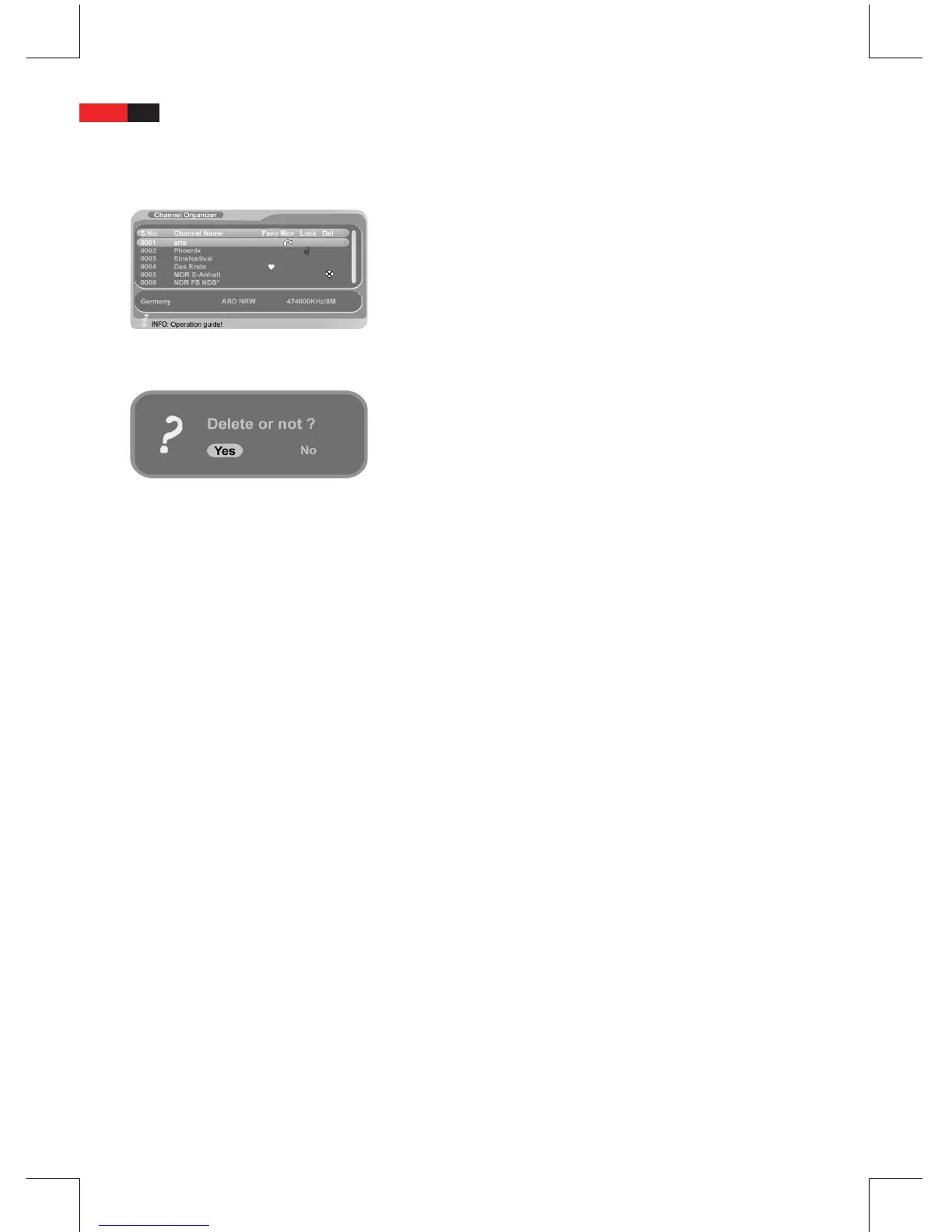
Channel Organizer
Delete
You can delete the channel from the channel list.
In the “Channel Manager” menu select the “Channel Organizer”
B
submenu.
Use the navigation buttons
B
▼ and ▲ to select the channel to
be deleted.
Press the “green” button on the remote control to delete the
B
channel. You are prompted to enter the password. Enter the
valid password with the numeric buttons. The selected channel is
market with “X“.
Repeat these steps for the next channel to be deleted.
B
Press the “EXIT” button to exit the menu.
B
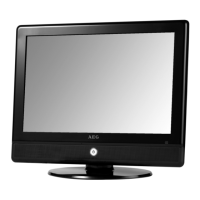
When prompted with the security question, select “Yes” and press
B
“ENTER” button.
The selected channels are removed from the channel list.
Remove the mark with the “green” button if you do not want to
B
delete the channel.
Press the “EXIT” button to exit the submenu.
B
Favorite List
Bundle your favorite channels in the favorite list for easier selection.
In the “Channel Manager” menu select the “Channel Organizer”
B
submenu.
Use the navigation buttons
B
▼ and ▲ to select the desired
channel.
Press the “red“ button on the remote control to assign the chan-
B
nel to the favorite list.
The selected channel is marked with a heart icon.
Repeat these steps for the next channel to be included in the
B
favorite list.
Select a channel with the navigation buttons
B
▼ and ▲ and
press the “red“ button again to remove from the favorite list.
Press the “EXIT“ button after selecting all desired favorite
B
channels.
The channels are now saved in the favorite list.
Lock
You can lock channels, which cannot be accessed without entering the
password.
In the “Channel Manager” menu select the “Channel Organizer”
B
submenu.
Use the navigation buttons
B
▼ and ▲ to select the channel to
be locked.


 To Next Page