16 22/10 – 5905355_00
5 PARAMETRISATION MENU
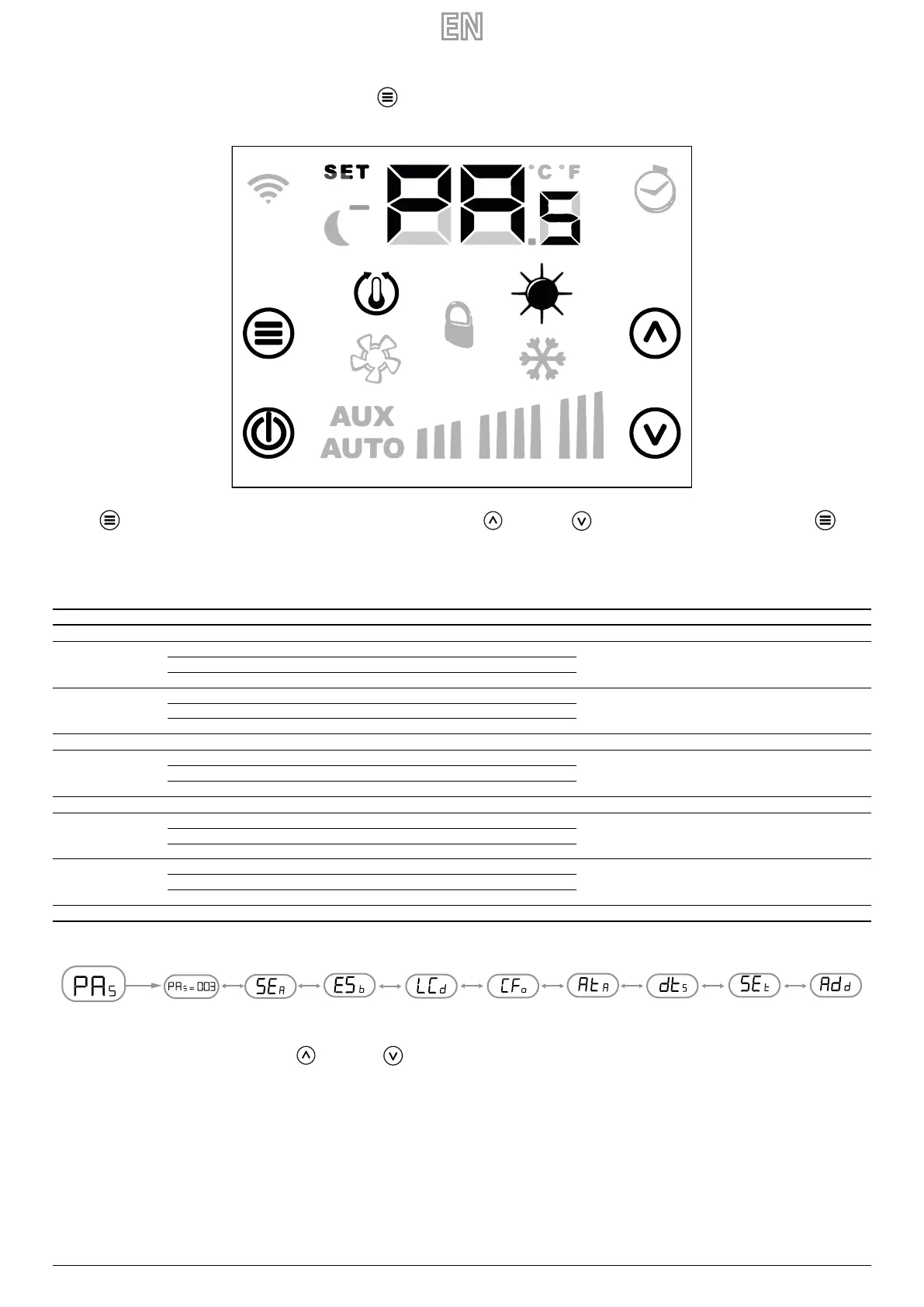
To enter the parameterisation pages, press the Mode/Select button the suitable submenu for the type of installation and the functional necessity can be selected from
the PA
S
(password) page.
Press the Mode/Select button to enter the password, which will be chosen using the Increase and Decrease buttons; at the end, conrm via the Mode/
Select button.
PARAMETERS WITH PASSWORD 3
Parameter Description Min value Max value Default Type
PA
S
Password page 0 999 --- ---
SE
A
Operating season parameter
0 1 0 ---
0: modalità rarescamento
1: modalità riscaldamento
E5
b
Change of operating season from supervision:
0 1 0 ---
0: blocco del cambio modo
1: abilitazione del cambio modo
LC
d
LCD standby parameter 0 2 0 ---
CF
0
Selection parameter °C/°F:
0 1 0 ---
0: visualizzazione in °C
1: visualizzazione in °F
At
A
Temperature probe correction -5,0 +5,0 0 °C
dt
5
Setpoint deviation interval:
0 1 0 ---
0: scostamento +/- 6°C
1: scostamento +/- 3°C
SE
t
Display type of the setpoint:
0 1 0 ---
0: setpoint in valore assoluto
1: setpoint come scostamento
Ad
d
Modbus serial address 0 254 0 ---
To scroll through the parameter list, simply use the increase and decrease buttons.


 To Next Page