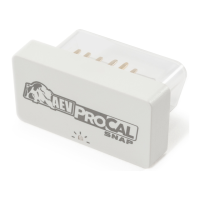
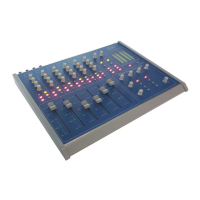
BSM Evolution USB - Compact ON AIR console
AEV Broadcast Srl, via della Tecnica 33 – 40050 Argelato (BO) Italy
Web site www.aev.eu e-mail info@aev.eu
5
Features
audio inputs:
6 double-channels
Microphones and line inputs, USB audio I/O interface
Faders:
Faders (100 mm) with A/B input selector, 2 bands tones control on each input.
Input functions and channels
- Four Microphone inputs ( MIC1,..,MIC4 )
- Six stereo line inputs ( LIN1,....LIN6 )
- Two USB audio inputs ( USB1, USB2 )
- Two telephone hybrids ( TEL1, TEL2 )
Input channels configuration:
Channel 1 : MIC1 / LINE1
Channel 2 : MIC2 / LINE2
Channel 3 : MIC3 / LINE3
Channel 4 : MIC4 / LINE4
Channel 5 : USB1 / LINE5
Channel 6 : USB2 / LINE6
Input setting
All settings are independent for each input.
Channel setting:
- Gain / Level adjustment -12÷+12 dB
- Input balance -12÷+12 dB
- tone equalizer High, Low -14÷+14 dB
- C. Room Mute ON (microphone inputs)
- ST MU ON (microphone inputs)
- Tally ON (microphone inputs)
- Talk back on C.Studio ON
- Phantom Power (only for Micro inputs) OFF/ON for each channel activable with dip switch
Also you can to select the Bus assignment pushing the following buttons:
- PGM
- UTL
- AUX
- CUE
Master Outputs
PGM:Analog balanced stereo with XLR connectors
UTL: Analog unbalanced stereo with RCA connectors
AUX: Analog unbalanced stereo with RCA connectors


 To Next Page