16
Light Source and Power Meter Test Mode
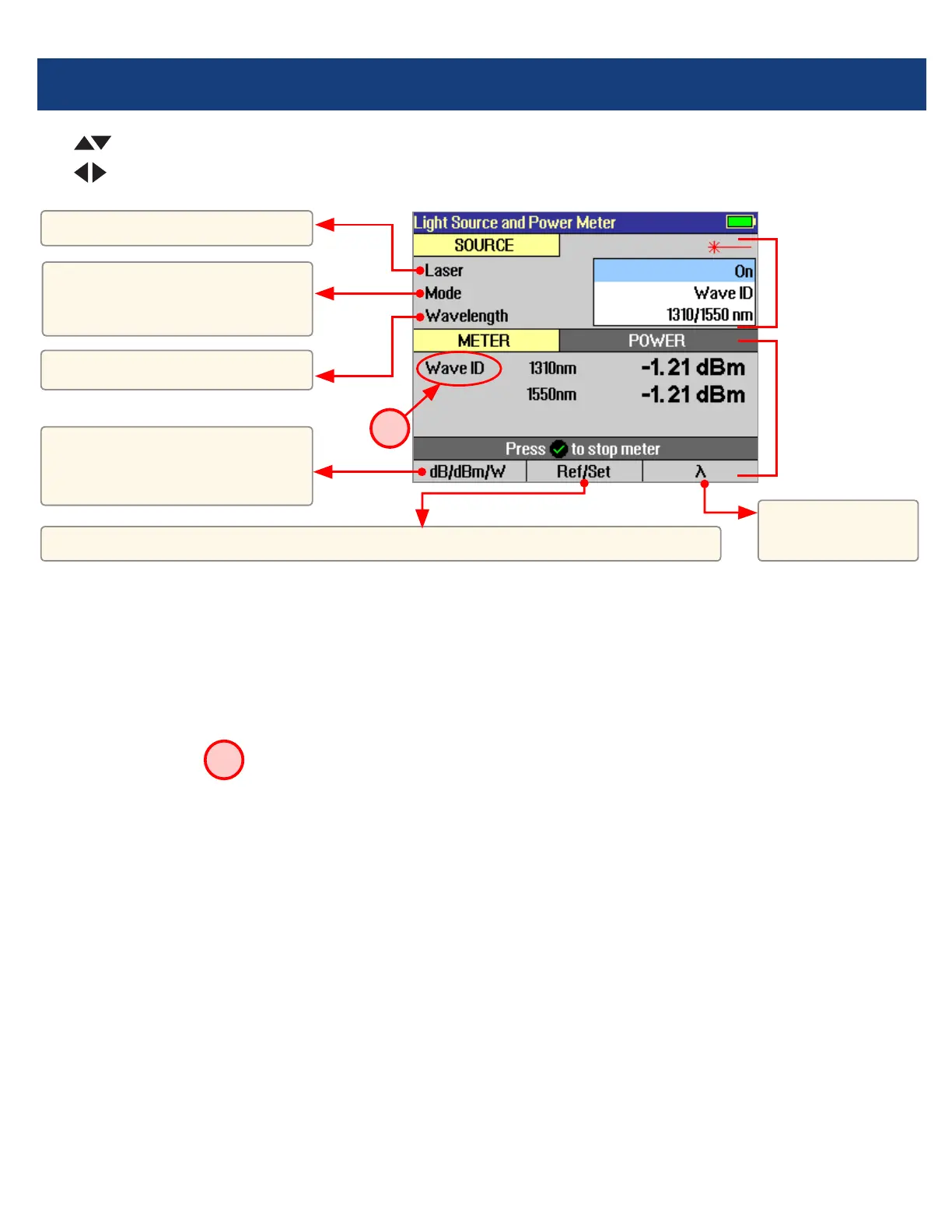
Wave ID Mode Feature
The Wave ID (automatic wavelength identication) feature signicantly increases efciency:
• Cutstesttimeinhalf(ormore)bytestingmultiplewavelengthssimultaneously.
• Eliminatesusersetuperrorandtheneedtocoordinatemanualsettingofwavelengthsbyuserslocatedat
opposite ends of the ber under test.
The “Wave ID” eld
A
to the left of the displayed Power Meter wavelength will display one of the following:
• 270Hz,330Hz,1kHz,2kHz,orWaveID.Ifnoneofthesearedetected,thisOPMeldisblank.
• WhenWaveIDisdisplayed,Powerorlossismeasuredanddisplayedfortheautomaticallydetectedwavelengths.
• Inothermodes,thewavelengthmustbemanuallysetbuttonefrequencyisautomaticallydetected.
Press to toggle units:
• dBtomeasureloss,
• dBmorWtomeasurepower
Press to toggle
OPM wavelength.
Hold to set OPM reference level. Press briey to see current reference levels.
Turn laser On/Off.
Select wavelength(s).
Select test mode: CW, 270
Hz,330 Hz, 1 kHz and 2 kHz
tones, or Wave ID.
Use keys to navigate Light Source menu.
Use
keys to change Light Source menu items.
Light Source
settings
Power Meter
settings
source
source
source
meter
meter
meter
A



 To Next Page