17
Using the Detector
1) Press the On/Off key to turn on the detector.
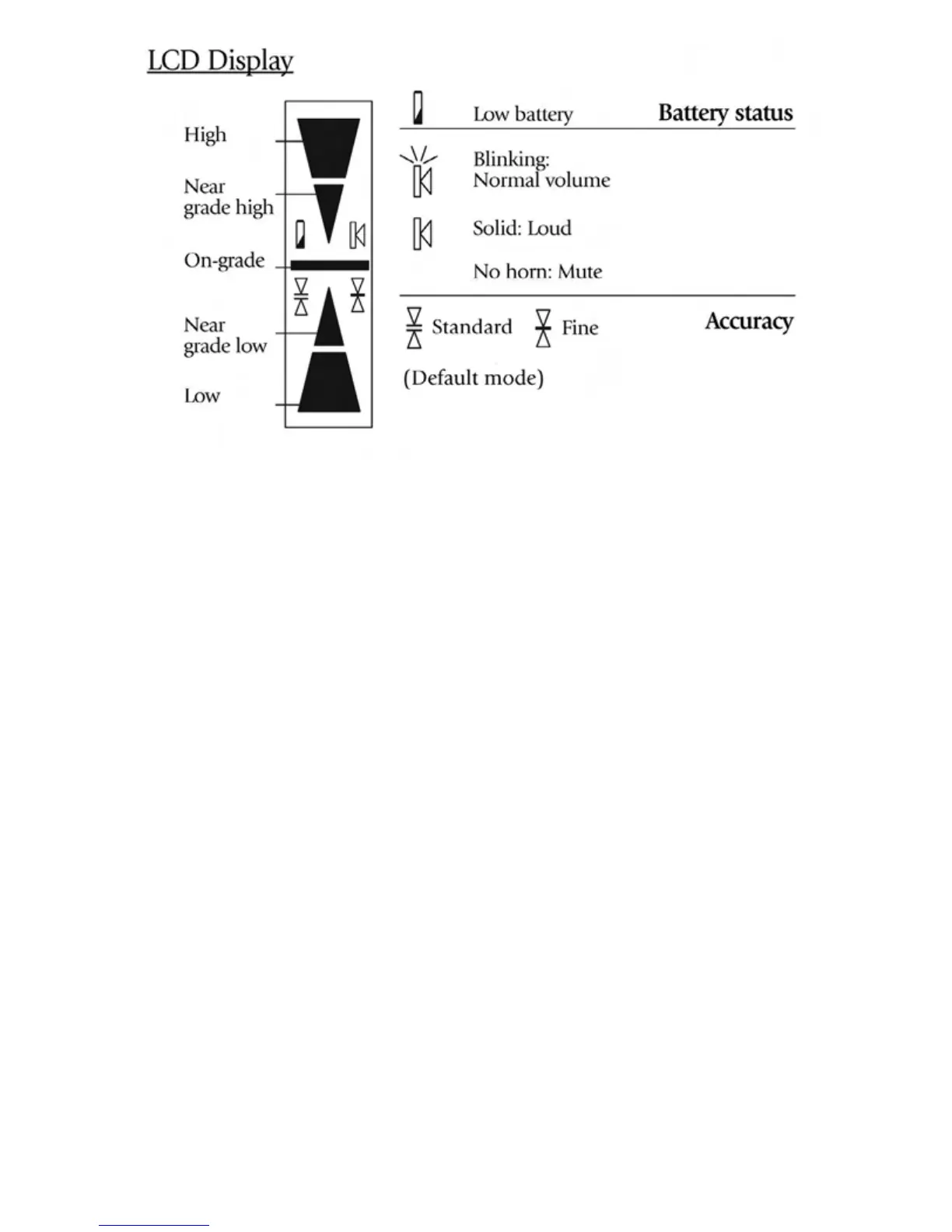
2) Press the middle key to select the accuracy (deadband).
3) Press the top key to select the sound level.
4) Turn the detection window towards the laser beam, and move the
detector up or down according to the information given on the LCD
display. There are five channels of information, or grade indicators.
A down arrow indicates you must move the detector down to reach the
laser reference; an up arrow, move it up.
When a horizontal line appears on the display, the detector is at the
same level as the laser beam.
5) Press the On/Off key to turn the detector off. It will automatically shut
off after ten minutes if not used (and give a warning beep).
6) Keep the detection window clean, using a soft cloth and glass cleaner.



 To Next Page