8
Checking and Adjusting the LT300
THIS CHAPTER IS VERY IMPORTANT: Here are a few simple
instructions to check your laser for calibration. Remember that
the laser is a precision instrument and it is important that you
keep it calibrated and in proper condition. The accuracy of your
work is completely your responsibility and you should regularly
check your instrument, especially prior to important jobs.
How to Check and Calibrate
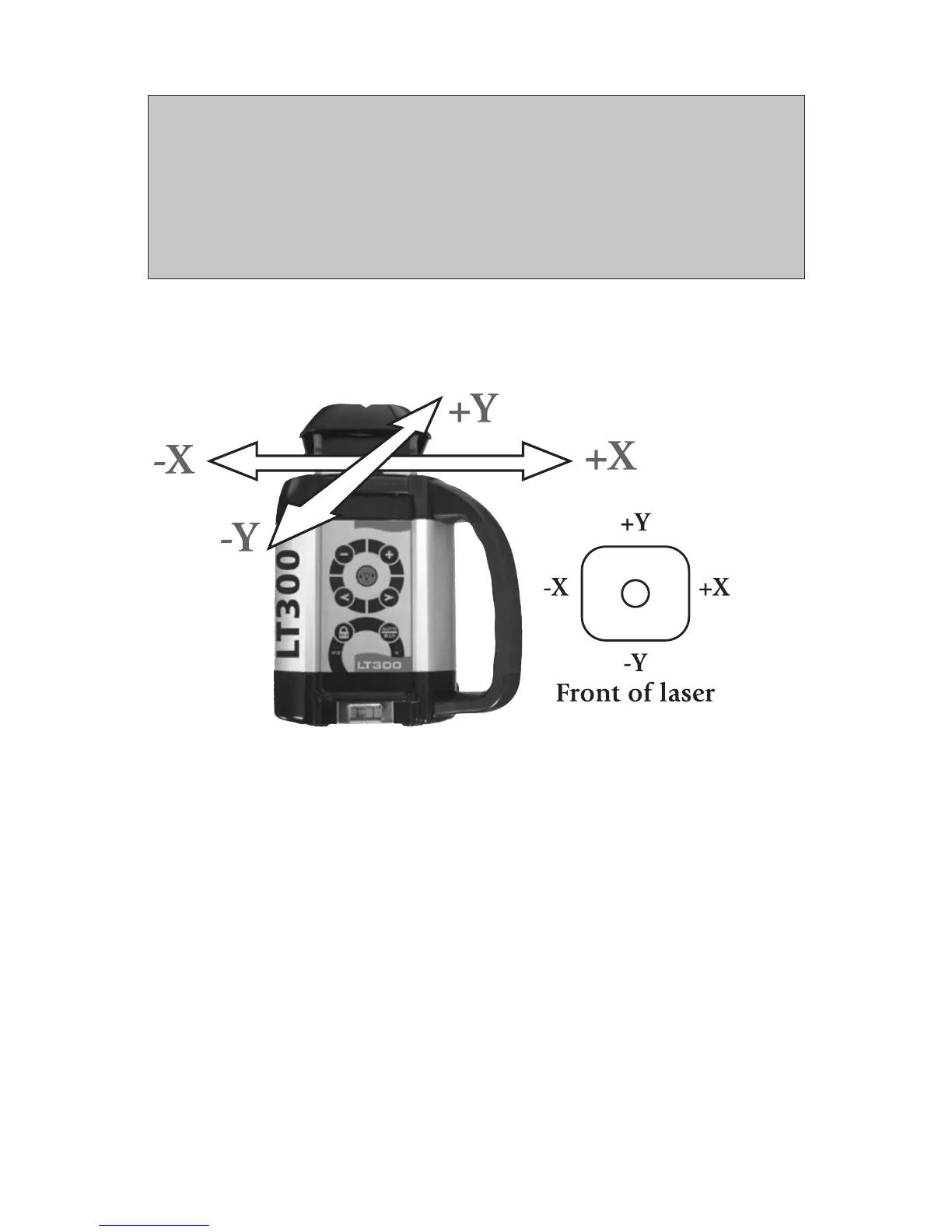
The laser has 3 axes: X and Y (horizontal) and Z (vertical).
Each axis must be checked for calibration. If needed, the axis can be
calibrated, carefully following the instructions. You may also take the laser
to a service center for calibration.
Check and calibrate in this order:
Check both sides of X axis.
• If X is within spec, proceed to check both sides of Y.
• If X needs calibration, calibrate X.
Check both sides of Y axis.
• If Y is within spec, proceed to final X to Y check
• If Y needs calibration, calibrate Y; proceed to X to Y check
Final X to Y check: compare +X, -Y, -X, +Y
Check Z and calibrate if necessary



 To Next Page