9
Calibration Overview
Calibration is electronic, using the optional detector/remote control or the
small remote control (preferred method).
If you do not have a remote, the laser keypad may also be used. This meth
od
will take longer due to the laser making self-adjustments during movement.
Be very careful not to jar or move the laser when pushing the laser keys, or
your calibration will not be accurate.
Fast/Slow Blinking
When in calibration mode, the X or Y/Z LED on the laser keypad should
blink slowly.
When the laser is self-leveling or making an adjustment, the LED will blink
rapidly. Wait until the LED blinks slowly again before proceeding.
Moving the Beam to Calibrate
When pressing an arrow key to move the beam up or down to reach proper
calibration, use short, rapid clicks. Do not hold the key down. After
pressing the key, the LED will blink rapidly as the laser reacts. Wait until
the LED
returns to a slow blink to proceed.
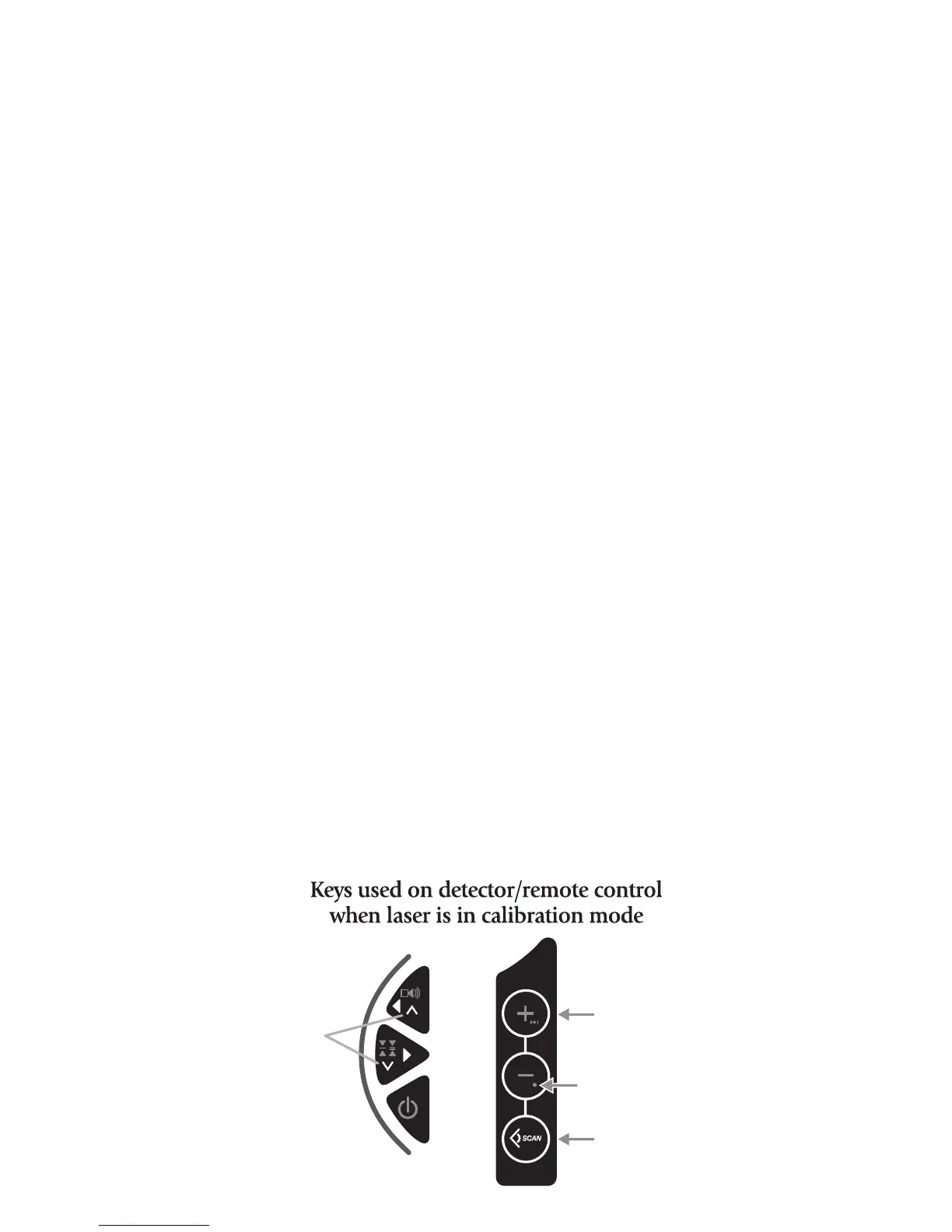
Use the
∧
or
∨
keys on the remote (< or > on the laser keypad) to move
beam up or down to the calibration target. If the +X axis is toward the wall
with the marks, use the
∧
key (<) to raise beam, and the
∨
key (>) to lower
beam. If the –X axis is toward the wall, it’s the opposite: use the
∨
key (>) to
raise the beam and the
∧
key (<) to lower the beam.



 To Next Page