6
Scanning
Scanning mode allows you to see the beam easier at a distance.
To switch from rotation to scan, press the scanning key (3).
Use the + or - keys on the keypad to change scan lengths.
H
old down the < or > arrows to move the scan left or right.
To stop scanning, press again on the scanning key (3).
Slope Match
The laser can be used to match manual slope on both
X and Y axes. Two modes are available:
•
Complete manual mode: X and Y axis will be both manual
•
Semi-automatic mode: X in automatic / Y in manual.
Semi-Automatic Mode
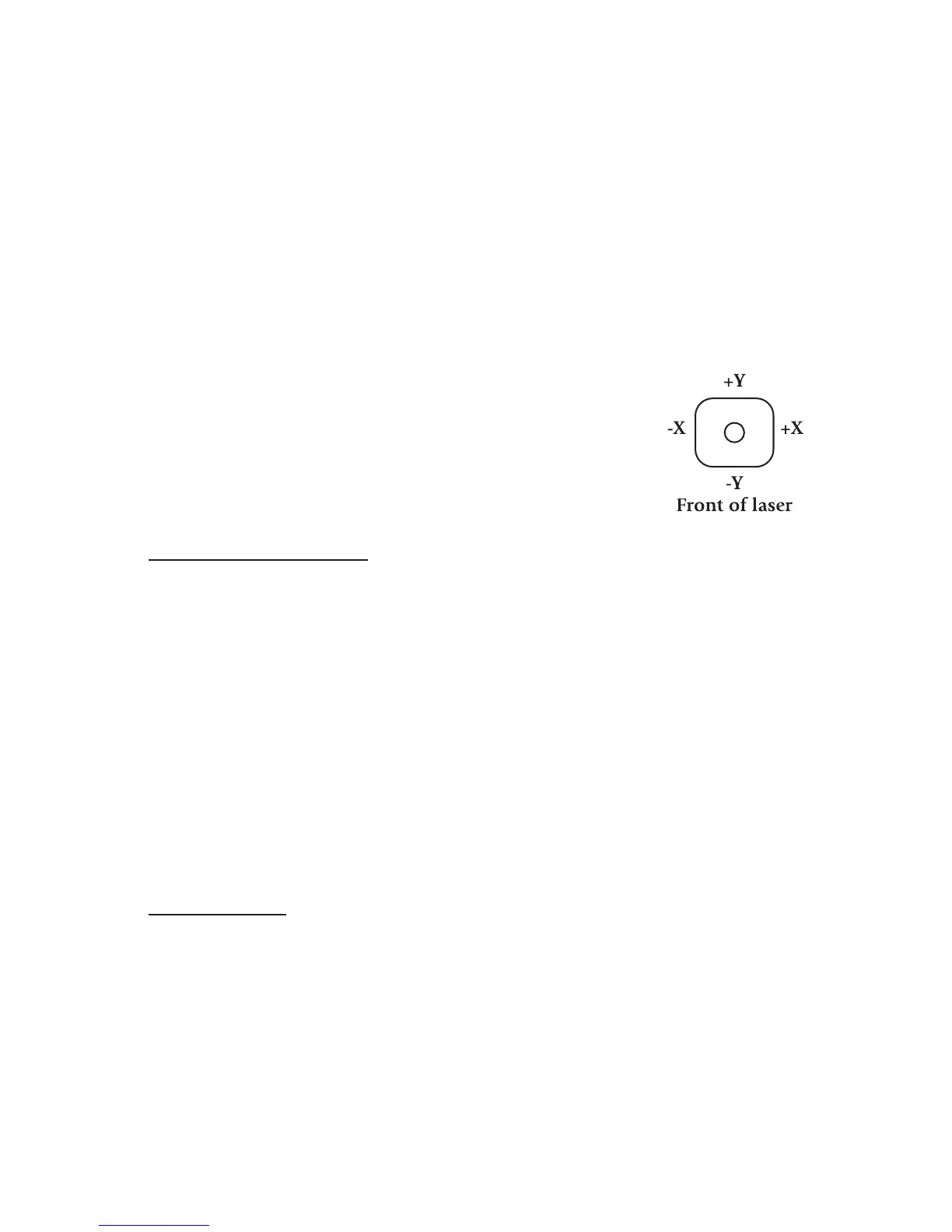
Set the laser over a start point. Turn the laser so that the back of the laser, +Y,
faces the direction of the slope (and -Y faces away). Use the sighting groove
on the top of the housing to roughly align the Y axis of the laser to the
second point.
After turning the laser on and allowing it to self-level, hold the Auto/Man
key for a few seconds until the LED below it (8) is lit continually. The laser is
in automatic self-leveling mode in X axis, and manual mode in Y axis. Press
< on the keypad or remote to match a positive slope in Y and > to match a
negative slope. The X axis will stay level.
Press twice on the Auto/Man key to return to the automatic mode.
Manual Mode
Set the laser over a start point. Turn the laser so that +X faces the direction
of the slope (and -X faces away). Use the sighting groove on the top of the
housing to roughly align the X axis of the laser to the second point.
After turning the laser on and allowing it to self-level, press the Auto/Man
key. The LED below it (8) will blink, indicating you’re in manual mode and
can match slope in the X axis. The head will start rotating.
Press < on the keypad or remote to match a positive slope in X and > (9) to
match a negative slope.



 To Next Page