DX-D 100 Mobile X-ray Unit
User Manual
64
0188K EN 20201116
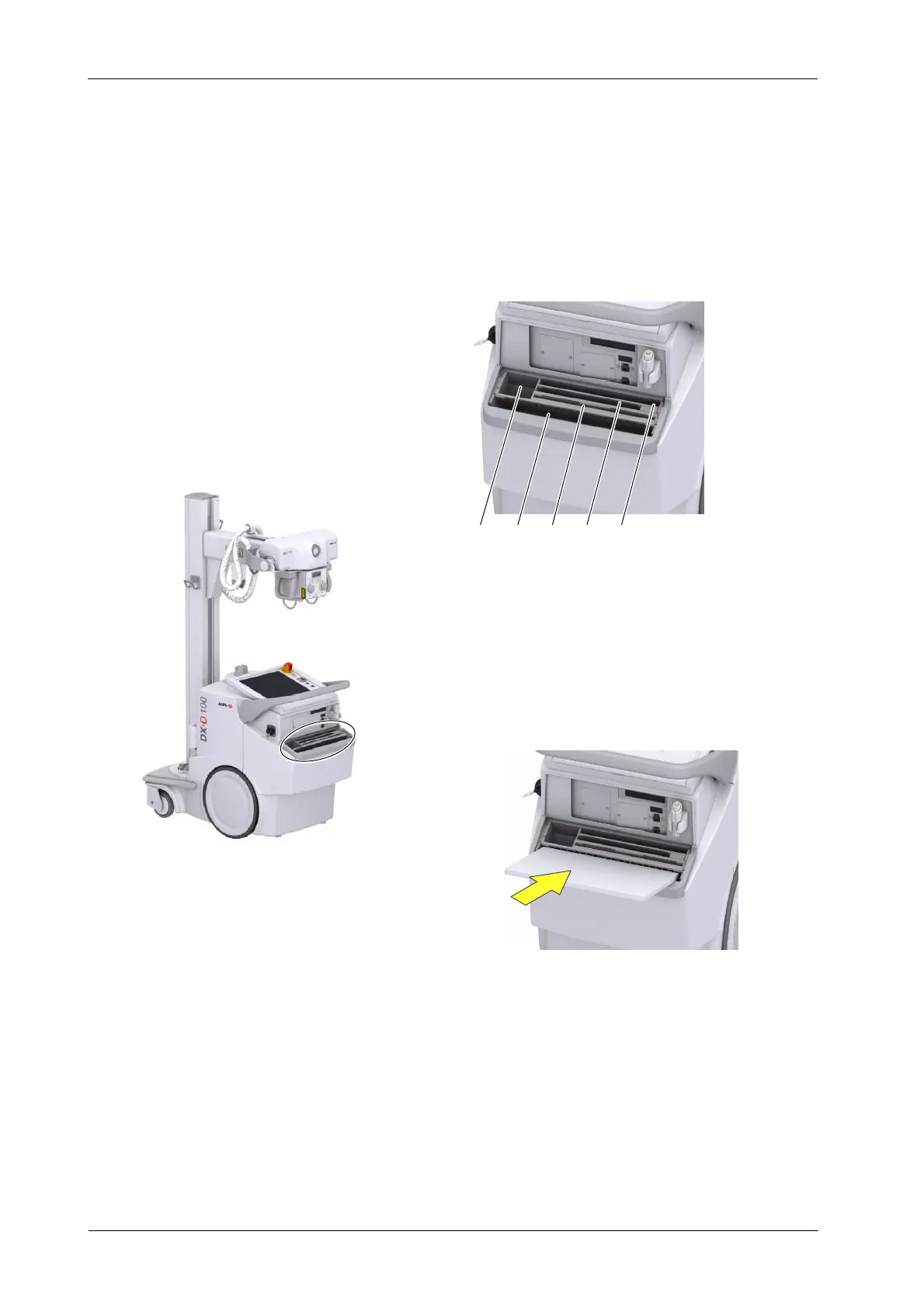
The configuration for Wireless DR Detectors includes a Storage Bin with slots
for the specific components of the system as detailed below in figure 1.
To cover the DR Detector in a Protective Bag, refer to figure 2.
12 543
1. Box/Roll of Protective Bags for DR Detector
2. Wireless DR Detector, Large format
5. Notepad
3. One slot for DR Detector Batteries
Slot for positioning the DR Detector to c over it with Protective Bags
Figure 1. Storage Bin:
1. Position the DR Detector tilted forward in the front slot of the Storage Bin
2. Take a Protective Bag from slot 1.
3. Slide the Protective Bag over the DR Detector
Figure 2. To cover the DR Detector in a Protective Bag:
4. Wireless DR Detector, S mall format
(Battery size depends on Detector Model)
To clean inside the Storage Bin, take out all the partitions.



 To Next Page