Appendix B — Using the automatic document feeder 60
Cleaning the automatic document feeder
Cleaning the transparent guide flap
The guide flap on the underside of the ADF keeps documents in the correct
scanning position and guides them into the output tray after scanning. To
prevent printing ink and other contaminants from accumulating on the flap and
interfering with image quality, wipe it periodically with an ink-free cloth or
moistened cotton swab. Clean it on both sides.
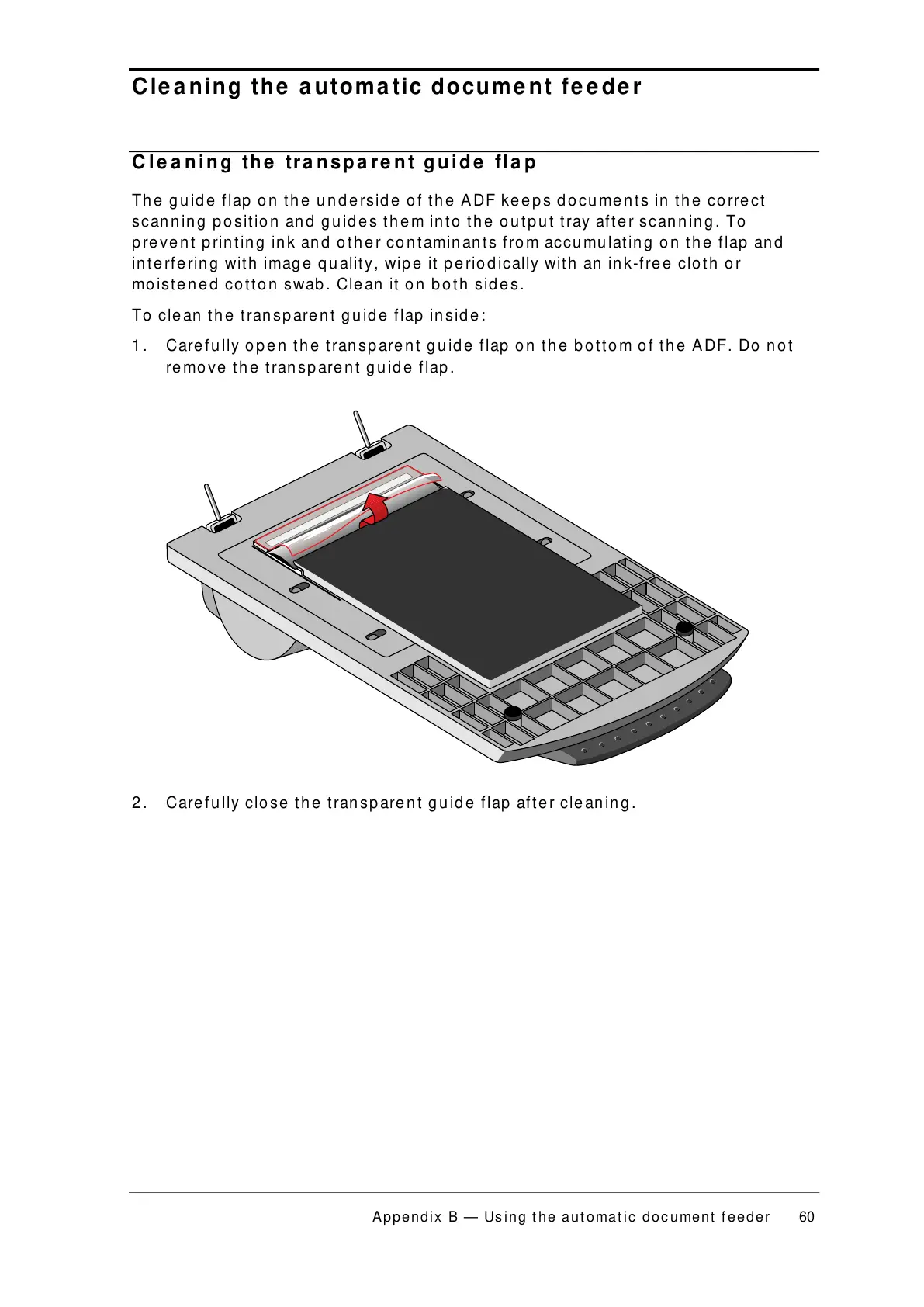
To clean the transparent guide flap inside:
1. Carefully open the transparent guide flap on the bottom of the ADF. Do not
remove the transparent guide flap.
2. Carefully close the transparent guide flap after cleaning.



 To Next Page