
 Need help?
Do you have a question about the Agilent Technologies 6490 and is the answer not in the manual?
Access help via F1 key or Help menu for software details and guidance.
Lists available manuals for installation, upgrade, maintenance, and guides.
Information on training courses and guides for software programs.
Step 1: Initiate the Data Acquisition program and explore its interface.
Step 2: Prepare LC modules, including switching to waste and purging.
Step 3: Prepare the Triple Quad instrument by performing Checktune and Autotune.
Step 4: Set up and run acquisition methods, including parameters and worklists.
Step 5: Review acquisition results using the Qualitative Analysis program.
Step 6: Analyze acquired data using the Quantitative Analysis program.
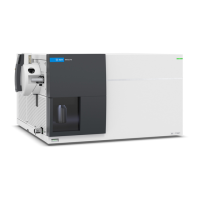
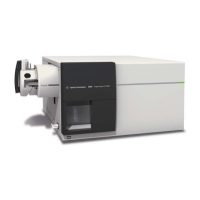
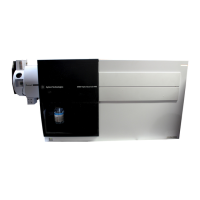
The Agilent 6400 Series Triple Quadrupole LC/MS System is a liquid chromatograph triple quadrupole mass spectrometer designed for MS/MS analysis. It utilizes three sets of parallel rods (quadrupole, hexapole, quadrupole) to separate ions. The first quadrupole isolates precursor ions, which are then fragmented in the hexapole into product ions, and finally separated by the second quadrupole. This system is particularly adept at Multiple Reaction Monitoring (MRM) mode, allowing the sequential monitoring of two or more precursor ions and their product ions. With Dynamic MRM, it can monitor up to 4000 MRM transitions.
The Agilent 6490 and 6495 Triple Quadrupoles incorporate iFunnel Technology, which significantly enhances the sampling efficiency of ions into the mass spectrometer. This technology comprises the Dual Offset Ion Funnel, Agilent Jet Stream Technology, and a shorter desolvation assembly with a Hexabore Capillary. The Agilent Jet Stream Technology, a standard feature on the 6495, 6490, and 6460 Triple Quad LC/MS models, employs a super-heated sheath gas to collimate the nebulizer spray, leading to a dramatic increase in the number of ions entering the mass spectrometer.
The system is compatible with Agilent 1100, 1200, 1260, or 1290 Infinity LC modules. It operates with Agilent MassHunter Workstation Software, which includes three primary programs: Data Acquisition, Quantitative Analysis, and Qualitative Analysis.
This program provides a single interface for tuning the mass spectrometer, controlling and monitoring instrument parameters, setting up acquisition methods, and managing worklists for multiple samples. It also allows real-time monitoring of run plots. The Data Acquisition program for the 6400 Series Triple Quadrupole offers several new features in revision B.07.00. It supports models 6420A, 6430A, 6460A, 6460C, 6490A, and 6495A, as well as LC models 1100, 1200, 1260, 1290, HTS, and HTC. Autotune functionality is available for the 6495 with Agilent Jet Stream and is faster for both the 6490 and 6495. The 6495 model supports Unit, Wide, and Widest resolutions, though fast scan autotune is not supported for it. The Optimizer feature allows users to set injection volume and the number of transitions for compound optimization, and to open different databases.
The main window of the Data Acquisition program is organized into eight key windows: Instrument Status, Chromatogram Plot, Method Editor, Spectrum Plot, Actuals, Sample Run, Worklist, and Tune.
This program is a primary tool for analyzing and reporting Triple Quad LC/MS results. It enables users to set up batches and methods for automatic quantitation of acquired data files, review results through the Batch-at-a-Glance screen, and identify and use outliers to refine methods and requantitate data for improved calibration curve fits or other settings.
This program allows users to review results for acquisition method development, select appropriate precursor and product ions for MRM analyses, find and identify compounds, and perform molecular feature extraction.
Installation Guide provides instructions for configuring the instrument initially and whenever the LC configuration changes.Data Acquisition icon on the desktop launches the program. The software engines start automatically, but can be restarted by right-clicking the Acq System Launcher icon and selecting Start Engines.View menu or by clicking the 'X' icon, resize them by dragging borders, and float/dock them by double-clicking the title bar or right-clicking and selecting Floating.Acquisition and Tune contexts to access different functionalities.Waste when not acquiring data. The LC pump needs to be purged according to the User Guide. LC parameters are typed into the Method Editor and downloaded to the LC by clicking Apply. Non-method control parameters for LC modules can be adjusted by right-clicking the module in the Instrument Status window.Actuals window and configure chromatogram plot displays to monitor effluent and baseline stability.Method Editor. Methods can be saved and downloaded to the instrument. The Scan Type can be selected from a list, and Scan segments can be added and configured.Sample Run window, where sample name, data file name, path, and additional information are entered. Runs can be started by clicking the Run button.Worklist window. Users can add multiple samples, specify sample positions, and configure worklist run parameters. Worklists can be run in locked or unlocked mode.Dynamic MRM or Triggered MRM, transitions can be copied and pasted from the original Scan segments table to the new one.Acquisition is automatically set by the tune file and cannot be manually adjusted.Fast Scan Autotune, Checktune only checks MS2; if tuned with Autotune, it checks both MS1 and MS2. Checktune should be performed regularly.Autotune fails, users can select Start from Factory Defaults and re-run.Checktune fails. Users can select Peak Width (Unit, Wide, Widest) and adjust Gain & Offset for MS1 or MS2.Checktune and Autotune reports are automatically generated upon successful completion. General
| Type | Triple Quadrupole LC/MS |
|---|---|
| Dynamic Range | > 5 orders of magnitude |
| Polarity Switching | Yes |
| Polarity Switching Speed | 20 ms |
| Mass Range | m/z 5 to 3, 000 |
| Ion Source | Agilent Jet Stream |
| Data Acquisition Rate | Up to 500 per second |
| Resolution | 0.7 Da at unit resolution |
| Mass Accuracy | 0.1 amu |




 To Next Page

