19
4.1.2.2 Chatting privately
You can chat privately with a specific member of your DMC group.
This option is also available through the Cardo Connect app.
To chat privately:
1. In the Cardo Connect app, select the rider you want to speak with in private or pair with
the rider's device on Bluetooth
®
channel 2. (For details on pairing, see Pairing Your Unit to
Bluetooth
®
Devices).
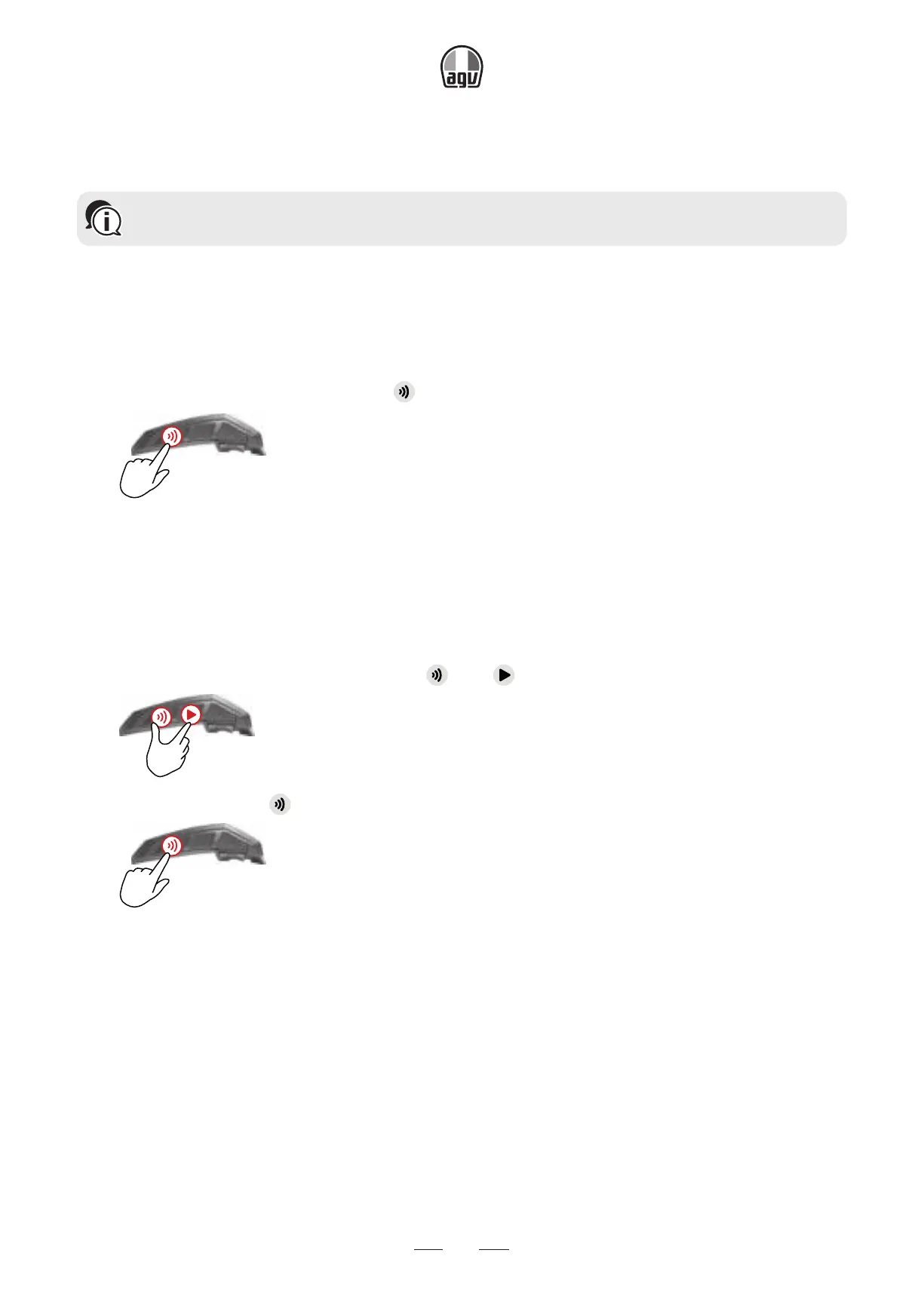
2. To start or stop a private chat, tap
twice .
x2
4.1.2.3 Muting/unmuting DMC intercom groups
Muting the DMC intercom mutes your microphone and speaker. Unmuting the DMC intercom re-
stores sound to your microphone and speaker.
To mute/unmute the DMC group:
1. Confirm your INSYDE is in DMC intercom mode (LED flashes green slowly).
If your INSYDE is not in DMC mode, tap and .
x1
2. On your unit, press for 2".
2”
4.1.2.4 Background audio level and audio source priorities
The INSYDE can use parallel audio streaming to stream audio from two connected sources si-
multaneously, so that you can listen to your music or the FM radio while holding a DMC intercom
conversation. INSYDE automatically manages your music and FM radio volume while using DMC
intercom. INSYDE also automatically manages DMC intercom volume with mobile phone calls
and GPS. For more information on background audio level and audio source priorities, see Using
Parallel Audio Streaming.


 To Next Page