20
4.2 BLUETOOTH
®
INTERCOM
To connect your unit to another unit with a Bluetooth
®
intercom, such as a Cardo Bluetooth
®
unit
or other Bluetooth
®
enabled devices, you must first pair their channels. Once paired, the units
automatically recognize each other whenever they are in range (line of sight up to 1.3 km subject
to terrain).
Pairing a channel replaces any existing paired unit on that channel with the new unit.
The Intercom range with other models is limited to the distance of the unit with the
shorter range. For details on how to pair and use your INSYDE with other Cardo
units, go to Setting Up Non-DMC Intercom Groups.
4.2.1 SETTING UP NON-DMC INTERCOM GROUPS
DMC is always the best way to connect a group of riders. If you happen to ride with a group of
riders that do not have DMC devices (such as Bluetooth
®
communicators by Cardo or by other
brands), you can switch your unit to Bluetooth
®
mode and create or join a non-DMC group. The
participating riders are connected in a chain with a maximum total of four riders.
To set up a Cardo non-DMC group:
1. Confirm your unit is in Standby Bluetooth
®
intercom mode (LED flashes blue slowly).
If your unit is not in Bluetooth
®
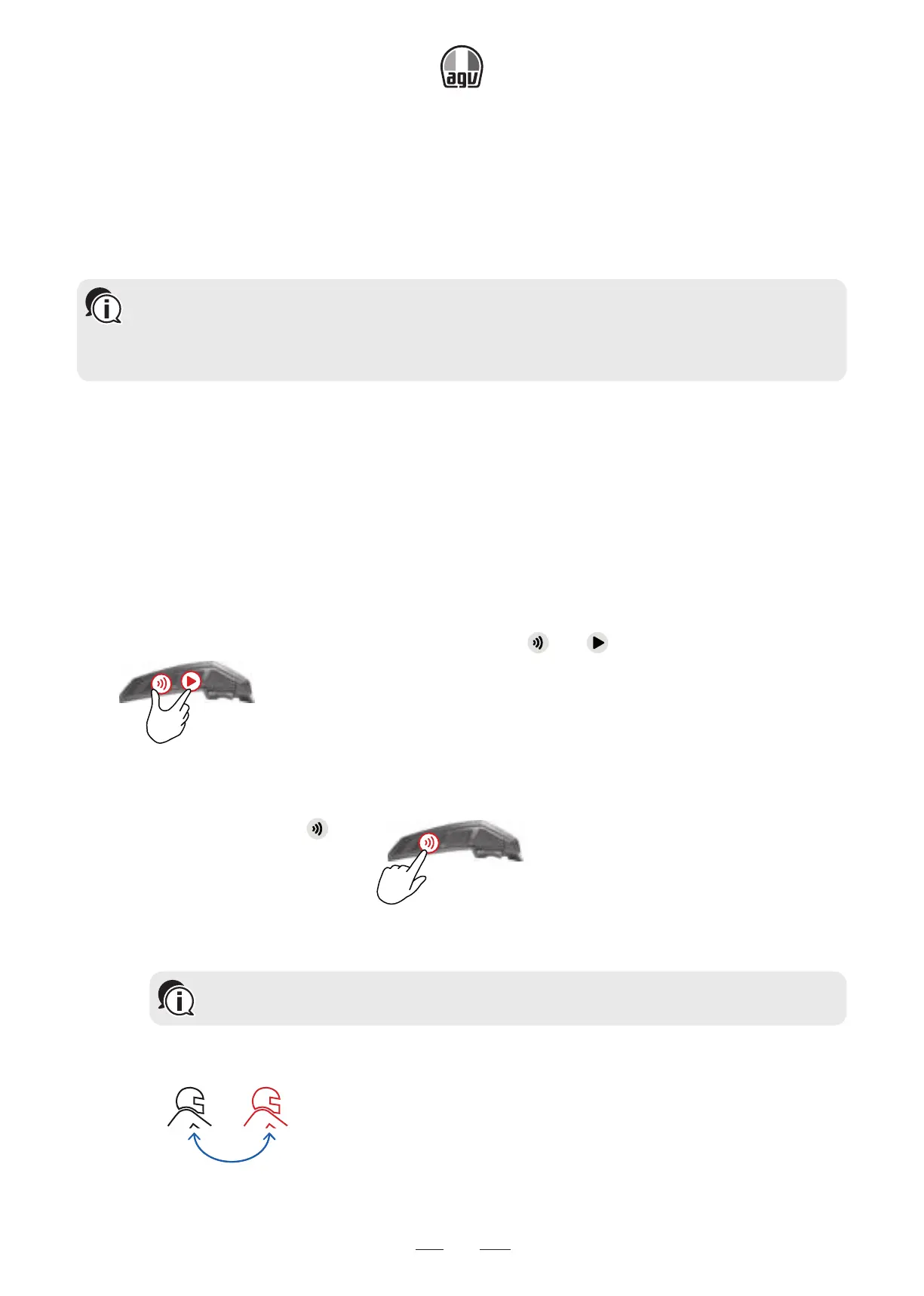
intercom mode, tap
and .
x1
For more information, see Switching between Intercom modes.
2. To initiate 2-way pairing:
• On your unit, press
for 5"
5”
to enter pairing mode with the device of
another user.
Bluetooth
®
intercom pairing needs to be initiated on the other device.
• The unit confirms that pairing has succeeded.
Rider 1 You
→ The following announcement is heard: Rider A pairing.


 To Next Page