Installation
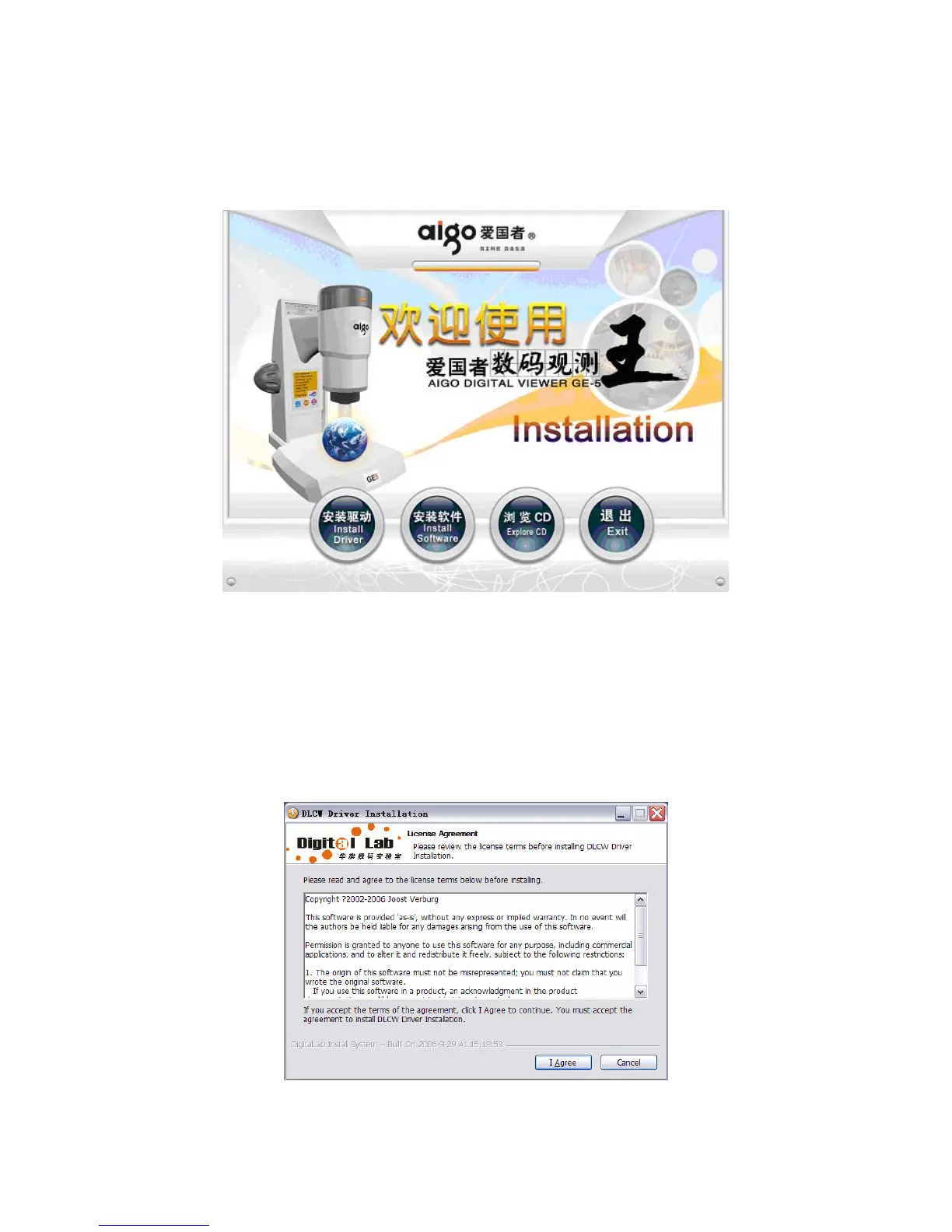
Place the disk in CD-ROM and the installation interface would pop up automatically.
Install Drivers
1. Connect the GE5 digital microscope to the computer and click “Install Drivers”, you would
find the following interface popping up. After reading the agreement, please click “I Agree”
to start the installation. Make sure that GE5 has to be connected with the computer when the
drivers are installed, or the installation may end in failure.
12


 To Next Page