FAQ
How is G d with PC?
GE5 is connected with PC through USB2.0 terface. What to do is to insert USB
cable of GE5 into the USB2.0 interface of PC (those in the ainframe are preferred),
and no power supply wire is necessary.
How to do when it is reminded that “open interface fail”
GE5 has not been connected with PC, which makes it im to find the
equipment. Please get them connected before running the so
How to do in case that no response is made after GE5 is
Maybe ains in the memory ing to the a rogram. In
such a case, the user could conclude the operation of G xe in the windows task
manager or reboot PC and run GE5 agai If there is se, please contact the
technicians of this company.
How to do in case that no image is displayed after GE5 i
Direct X has not been installed or an outdated on is ins ed Direct
X, and the version 9.0 or above is suggested.
How to do in case that the image is very co se and the not be set up to be
1280*1024 after GE5 is run?
The reason is that the PC of the user doesn’ pport USB2 USB1.1. The user should
adopt a PC supporting USB2.0 to run GE5.
How image is unclear?
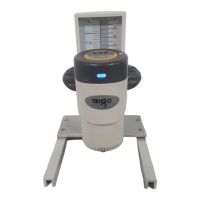
The reason is that focusing has not been do The user c n the bracket of
GE5 Digital Microscope to make focusing a t clear ima
How to do in case that nothing except white colors could
The problem is caused by the too high valu exposal. T e adjusted to
e proper level, and the function of automatic white balance is suggested to adjust the exposal
alue automatically.
ow to cope with incorrect colors of images?
he reason is that no white balance adjustment has ever been done. White balance should be
djusted before the observation of objects is started, and automatic white balance is suggested.
E5 connecte
in the user has
back panel of m
after GE5 is run?
possible for the program
ftware again.
run?
the program rem ow bnormal conclusion of the p
E5_Viewer.e
n. still no respon
s run?
versi
talled. Please install an updat
ar resolution could
t su .0 as it does
to do in case that the
ne. ould adjust the knob o
nd ge ges.
be seen in the images?
e of he exposal value should b
th
v
H
T
a
30


 To Next Page