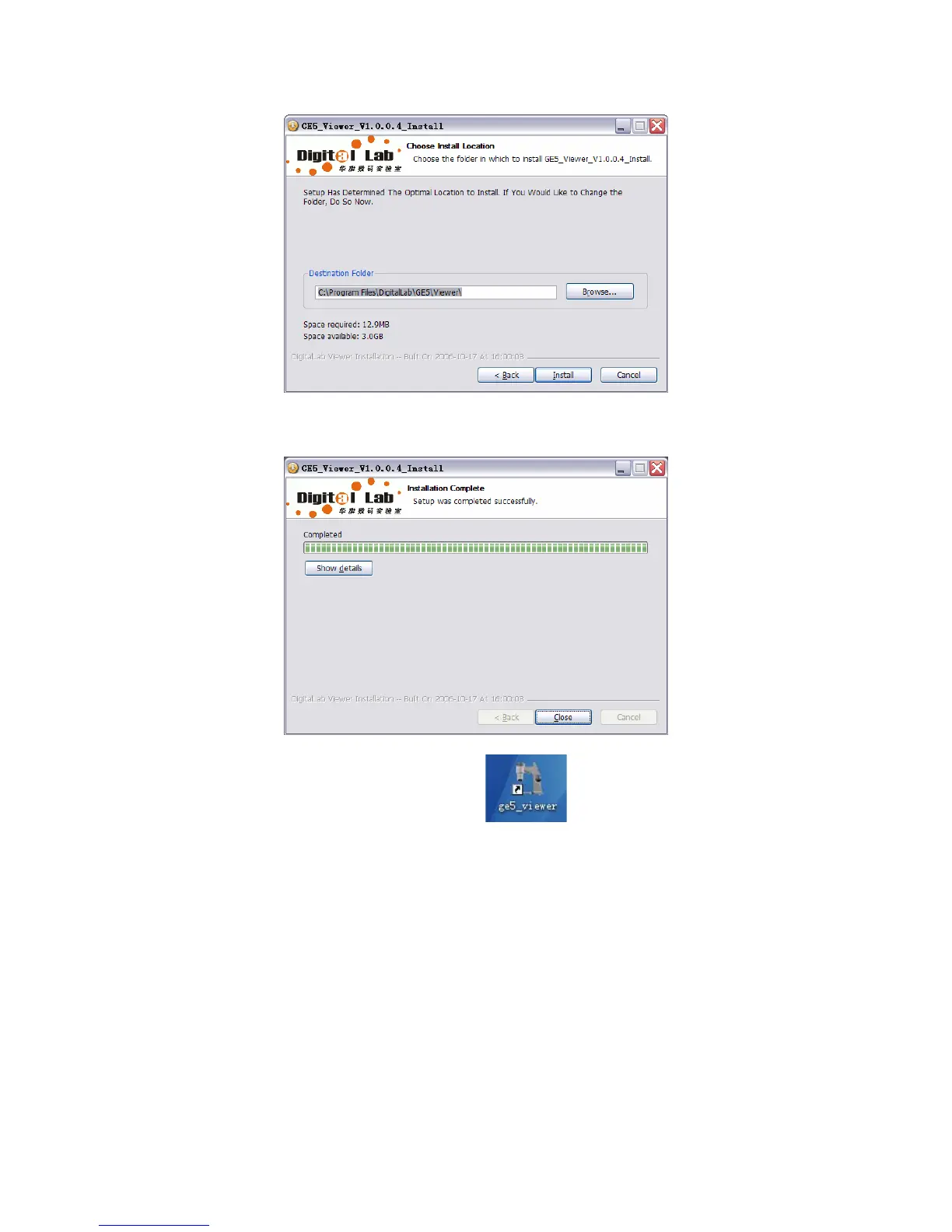
4. Click “Close” after the installation is finished.
5. After the installation is completed, a shortcut
would appear in the desk, whose
double clicks could lead to the operation of this software.
Lay Digital Viewer GE-5 on the table and insert the USB plugs into the USB2.0 interfaces of
PC. In order to ensure the stability of the connection with the USB2.0 interfaces, please insert the
plugs into those interfaces in the back panel of the mainframe.
Connection
15



 To Next Page