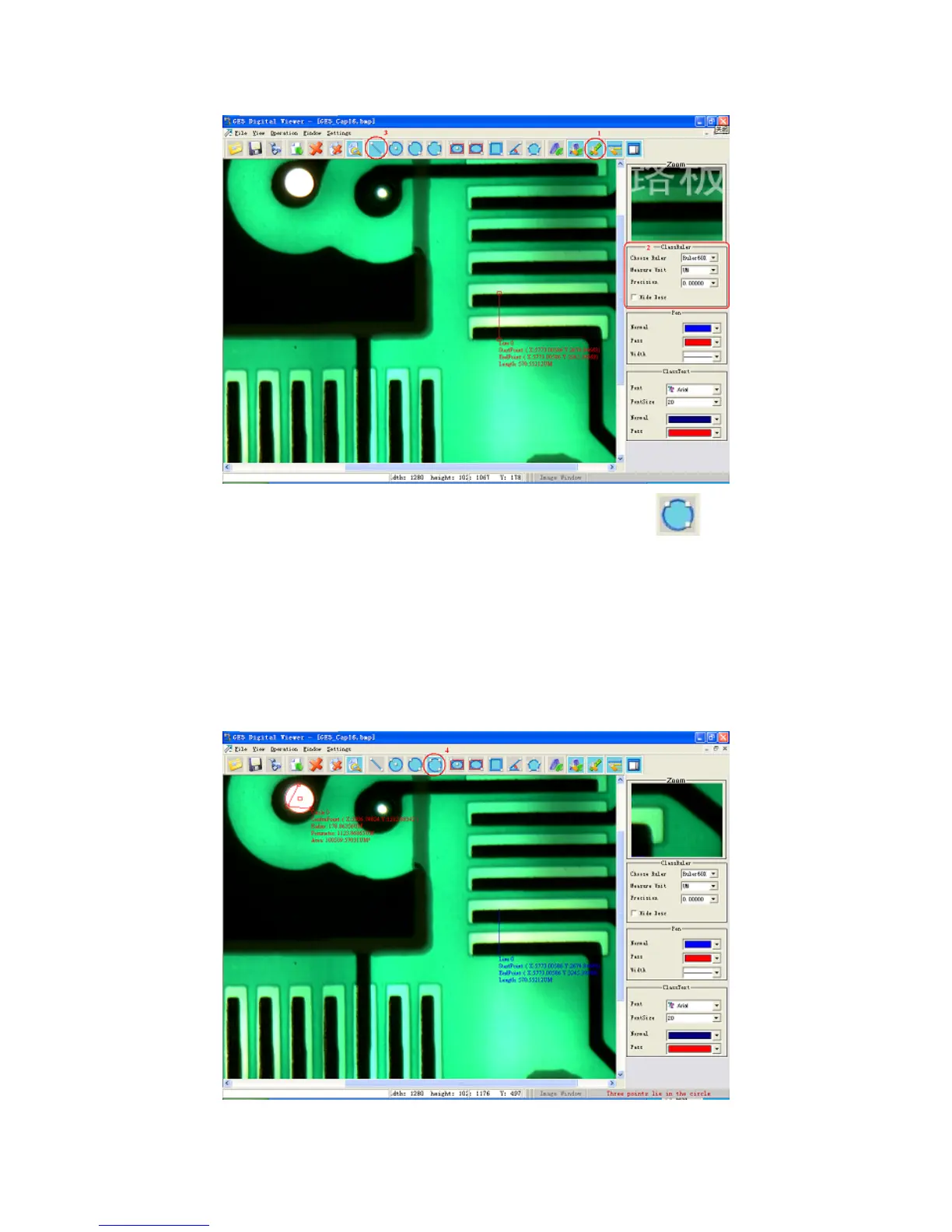
After that, the radius of the hole should be measured. Click the button “
” (marked 4)
in To
the circumference of the hole to be measured in the image, and the software would draw a circle
nd pr n see its radius is 474.14682
icrons.
ame time when the circle is drawn, we can see that the color of the beeline drawn in
the past step is changed from “Pass Status” (red) to “Normal” (blue). Since the circle is an image
that draw ass Status”; and the beeline is not an image that is
, so its color is changed to be blue.
olbar and define a circle with three points. Define three points with the left key of mouse on
with the three points a ovide its parameters beside it. We ca
m
At the s
is being n or selected, its color is “P
being drawn or selected
28


 To Next Page