6
Menu operations
1
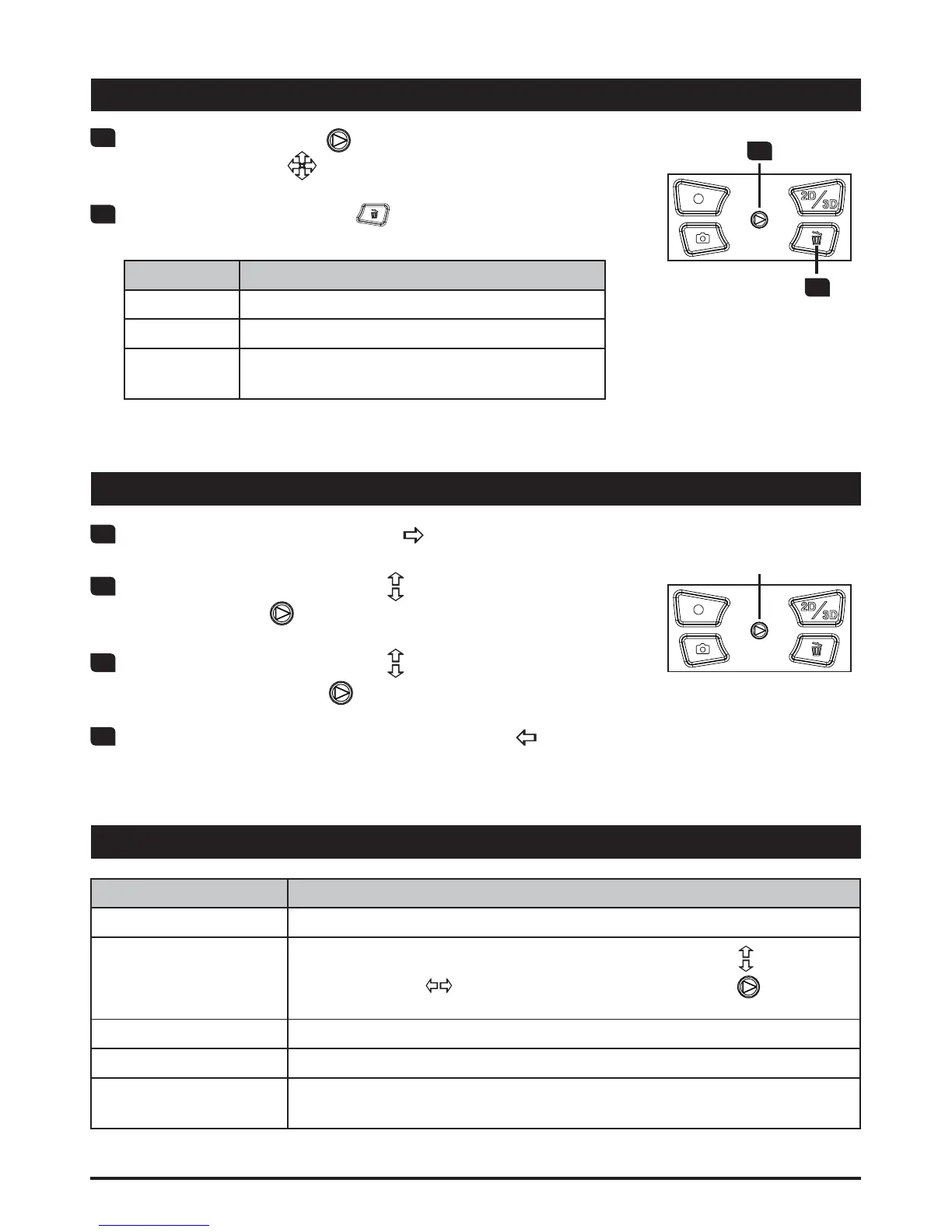
Push the Joystick to the right ( ) to bring up menu.
2
Move the Joystick up/down ( ) to select a menu item
and Press OK (
) to enter.
3
Move the Joystick up/down ( ) to select your desired
option and press OK (
WRFRQ¿UP
4
To exit menu, push the Joystick to the left ( ).
5-way
Joystick
1
Press the OK button ( ) to enter Playback mode and
use the Joystick (
WRVHOHFWD¿OH
2
Press the Delete button ( ) and 3 options will be
available:
Option Description
Yes 'HOHWHWKHVHOHFWHG¿OH
No ([LWPHQXZLWKRXWGHOHWLQJWKH¿OH
All
'HOHWHDOOYLGHRDQGLPDJH¿OHVLQWKHVDPH
folder (3D or 2D)
2
1
'HOHWLQJ¿OHV
Menu items
Menu items Description
Language Select the language for the Camcorder.
Date & Time
To setup the date and time, move the Joystick up/down (
) to adjust
value; left/right (
WRVKLIWEHWZHHQ¿HOGV3UHVV2. ) to save
the changes.
Date Stamp Print a date and time mark on each photo (photo only).
Icon Enable or disable the icons shown on the display.
Flicker
6HWÀLFNHUIUHTXHQF\WR+]RU+]6HHWKH³)OLFNHUWDEOH´IRUPRUH
details.










 To Next Page