5
1
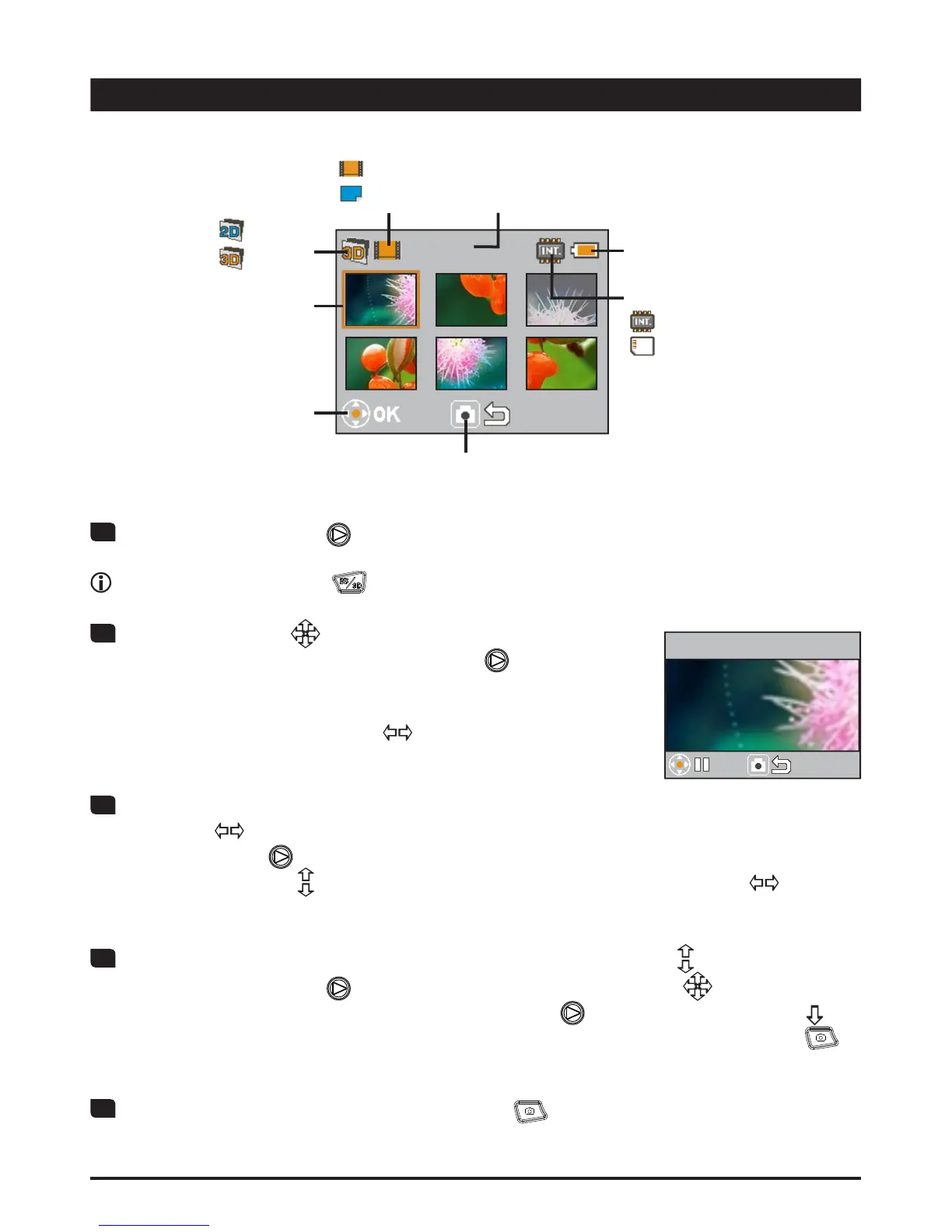
Press the OK button ( ) to enter Playback preview mode.
Press the 2D/3D button ( WRVZLWFKEHWZHHQ'RU'¿OHV
2
Use the Joystick ( ) to navigate through your
UHFRUGLQJVDQGVHOHFWD¿OH3UHVV2.
) to view the
¿OHLQIXOOVFUHHQ:KHQD¿OHLVYLHZHGLQIXOOVFUHHQ
and is not playing or being zoomed and locked, you can
move the Joystick left/right (
) to shift between the
SUHYLRXVRUQH[W¿OH
3-1
When playing a video, you can move the Joystick
left/right (
) to fast rewind or fast forward, or press
the OK button (
) to pause or resume the playback. You can also move the
Joystick up/down (
) to bring up volume control and then left/right ( ) to
adjust volume.
3-2
When viewing a photo, you can move the Joystick up/down ( ) to zoom in/out.
Press the OK button (
) to lock ratio and use the Joystick ( ) to browse the
photo. To exit the zoomed condition, press OK (
) and use the Joystick ( ) to
zoom out the image until back to normal ratio, or simply press the Shutter (
)
button.
4
To exit Playback mode, press the Shutter ( ) button.
Playback
0001/0010
Battery life
File type 1:
'¿OH
'¿OH
File type 2:
: video
: picture
Press Shutter to return
to previous screen
Press OK to
display in full
screen
&XUUHQW¿OH7RWDO¿OHV
Highlight frame
Storage:
: internal
: memory card
Full screen playback
0001/0010
00:00:10










 To Next Page