13
Components Installation
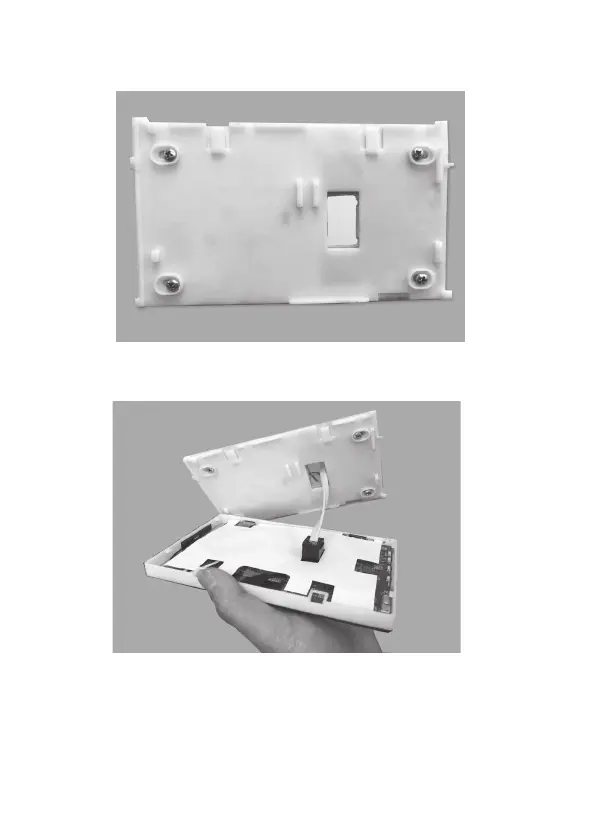
d. Cut the rectangular hole for the cable and x the back base to the wall by
using four screws on the marked positions.
e. Retrieve the console cable (from main control module) out of the cable hole
and plug it into the console.
f. Align the bottom edge of the back base with the bottom inside of the front cover
and the two side edges of the back base with the front cover.
Continued on next page


 To Next Page