OPERATING INSTRUCTIONS
10
Operating instruction
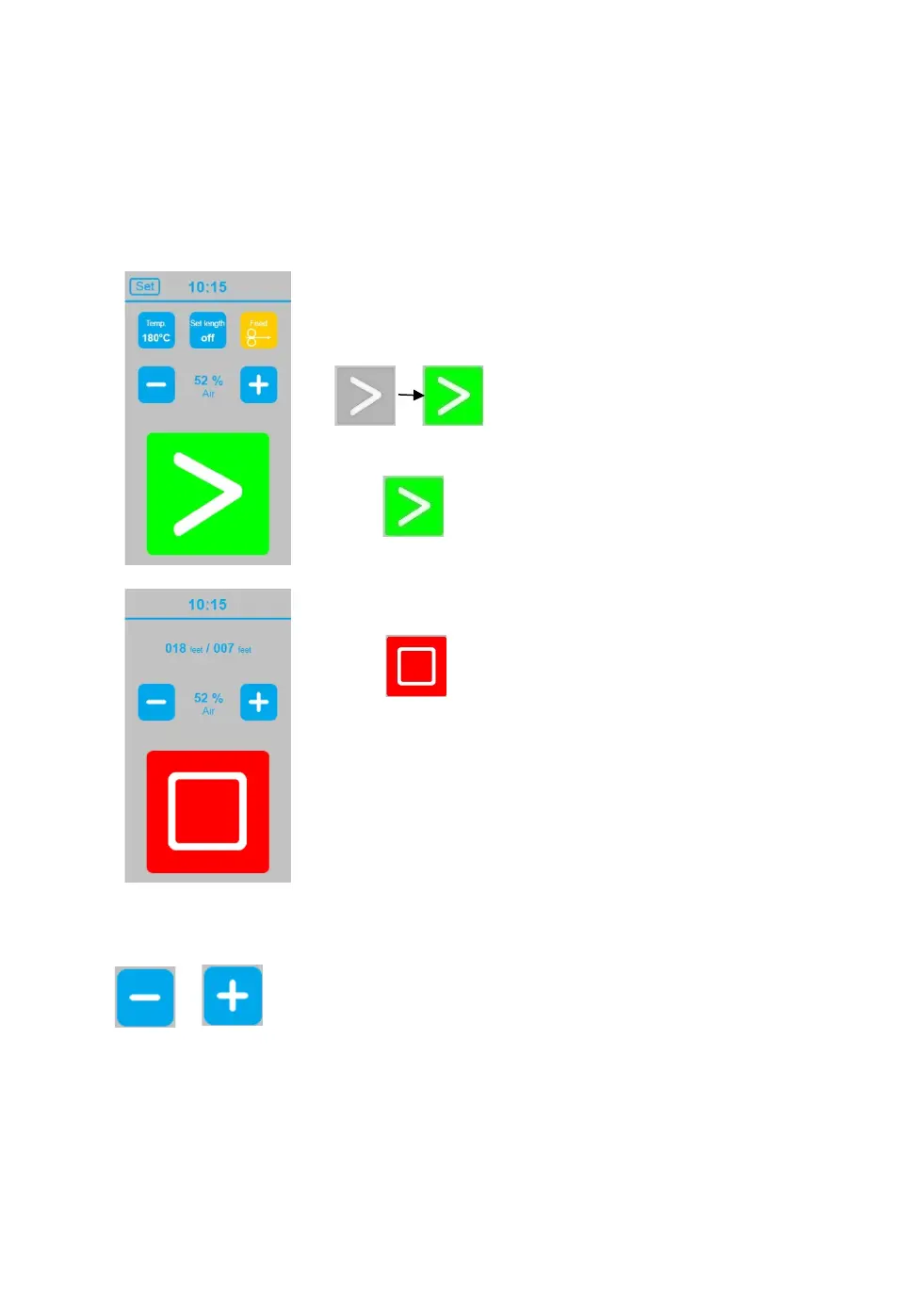
Use the touch display to set the sealing temperature, film length, and air volume.
Start, Stop function
Once machine is powered on the sealing unit starts heating
up. When set target temperature is achieved „Start panel“
change color.
and machine is ready to use.
When a roll of film is loaded and all settings are correct,
touch to start the production of air cushions.
During production of air cushions display show Stop panel.
Touch to stop production of air cushions
Adjust air volume
Adjust air volume of the air cushions between 0 and 100, by touching
or at touch display.
The air volume can be adjusted before production of air cushions at start screen and also
during air cushion production at stop screen.
Please see recommended settings for adequate air volume for the different cushion types.


 To Next Page