OPERATING INSTRUCTIONS
13
Lock function
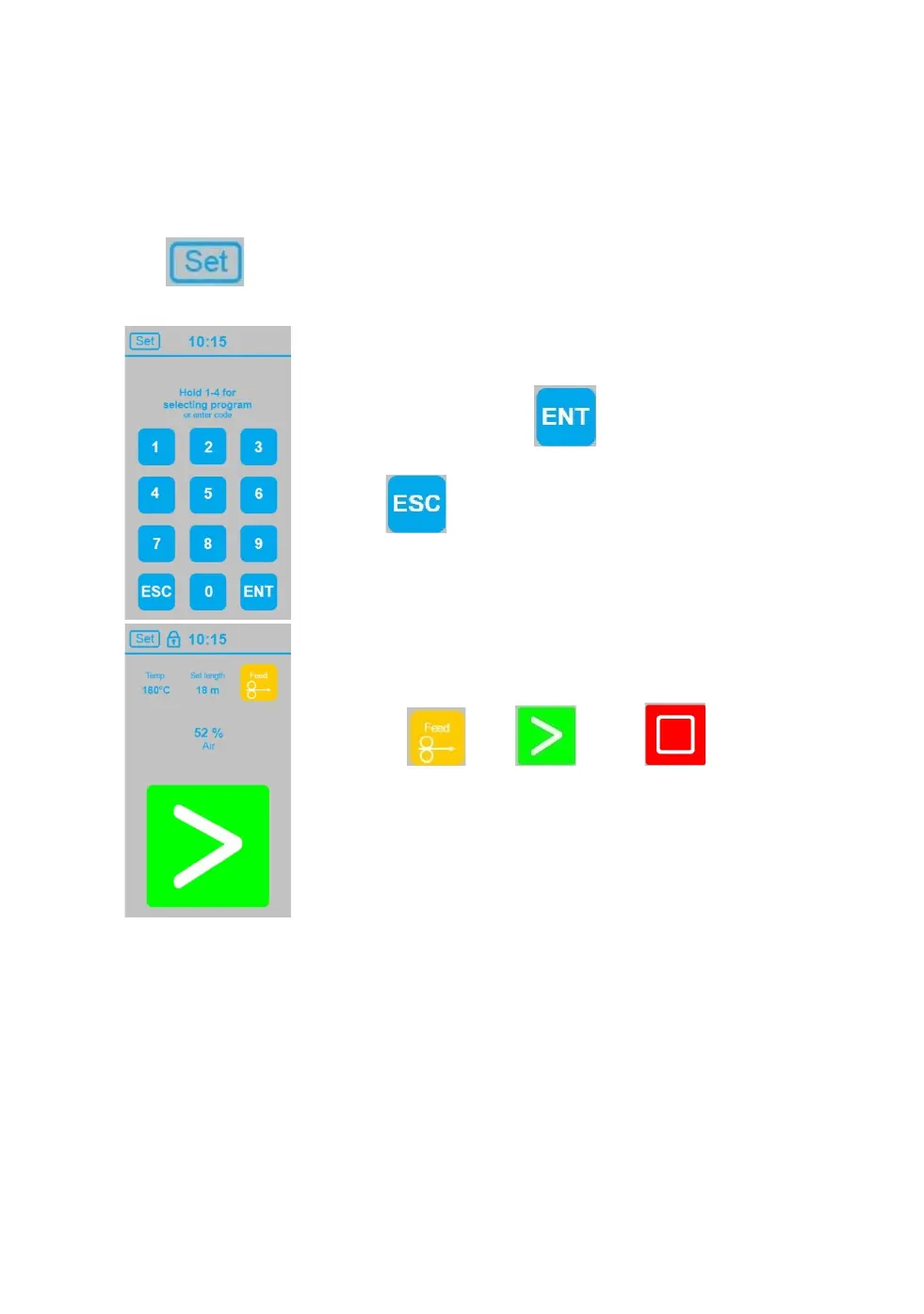
Control panel can be locked, to prevent setting changes by unauthorized person.
Touch at start screen to get to the screen for entering code.
Enter code “1-2-3”, touch to confirm and return to
start screen
Touch to return to start screen without lock
function.
A little padlock symbol show that touch display is locked.
If so, it is only possible to
feed film , start , or stop air cushion
production.
Temperature, air volume or production length is not
possible to change. Therefore display needs to be unlocked.
Touch “SET” enter code and touch “ENT” to confirm and
return to start screen.


 To Next Page