OPERATING INSTRUCTIONS
11
Adjust seal temperature
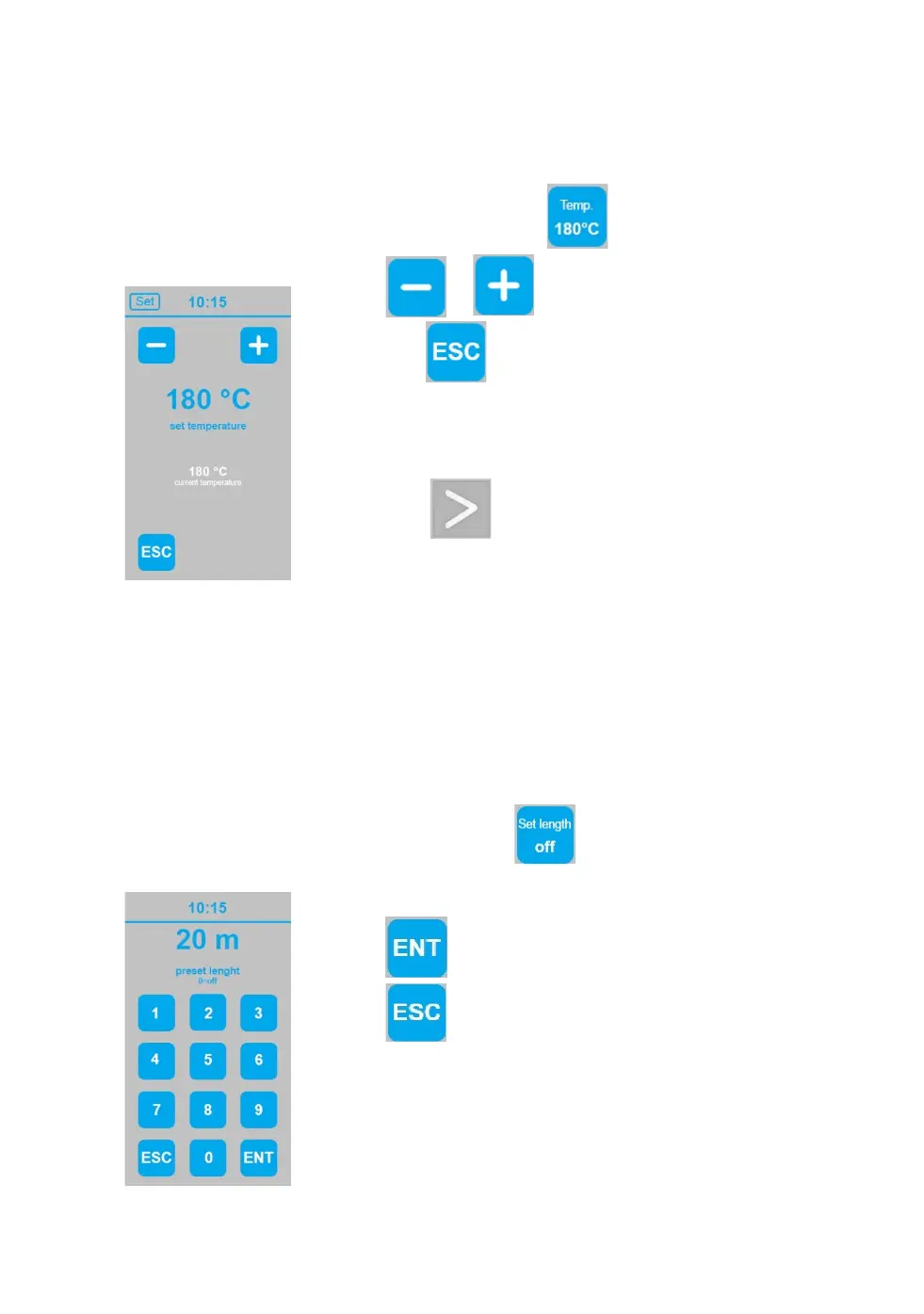
Adjust seal temperature by touching temperature panel
Touch or to adjust target temperature.
Then touch to close setting page and return to start
screen. The machine starts heating or cool down until set
temperature.
Please have a little patience. Air cushion production can
only start when target temperature is achieved.
If you touch during heating up or cooling down
process the machine will get in waiting position and will
start air cushion production by itself once target
Please see “recommended settings” for the different cushion types.
To change displayed unit, please see “advanced settings”.
Preset film length
The length of the air cushion film you want to produce can be preset in meters, as needed.
This value is set to 0 by default, which tells the machine to produce air cushions
continuously.
To set requested length of air cushion strand, touch at start screen.
Enter the requested length
Touch to confirm and return to start screen
Touch to discontinue and return to start screen
without changed setting.
Please note that preset length will be kept until delete or
new adjustment.
To change displayed unit, please see “advanced settings”.


 To Next Page