Need help?
Do you have a question about the Airzone Flexa and is the answer not in the manual?
Overview of the Flexa system's wiring.
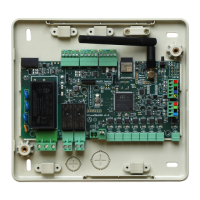
Diagram of the main control unit and its components.
Detailed descriptions of components on the Flexa main board.
Visual guide to icons on BlueFace and EnerFace interfaces.
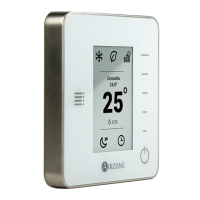
Visual guide to icons on Tacto Flexa thermostats.
Visuals for mounting user interfaces.
Visuals for connecting kits and motors.
Crucial safety instructions for system handling and installation.
Procedures for environmentally responsible equipment disposal.
Description of the Flexa zoning system and its wireless communication.
Details on the Control Unit, User Interfaces, and Gateways.
Explanation of deflectors, security, and bypass dampers.
Steps for mounting and wiring the Flexa System Control Unit.
Procedures for installing BlueFace, EnerFace, and Tacto Flexa.
Guidance for integrating communication gateways and measuring kits.
Instructions for assembling deflectors, dampers, and other mechanical parts.
Initial procedures for powering on the main control unit.
Steps to start and configure BlueFace, EnerFace, and Tacto Flexa.
Process for pairing Tacto Flexa thermostats with the system.
Configuration options for BlueFace/EnerFace controllers.
How to access and modify Tacto Flexa thermostat settings.
Detailed explanations of various configurable system parameters.
Methods for connecting the system to air conditioning units.
Procedure for establishing an infrared connection to AC units.
Connecting the system via HVAC communication gateways.
Troubleshooting guide for error codes displayed by the thermostat.
How to perform a system self-test for diagnostics.
Recommendations for optimal thermostat installation location.
Steps to enable and disable the thermostat's battery saving mode.
Instructions for resetting the main controller and zone thermostats.
 General
| Brand | Airzone |
|---|---|
| Model | Flexa |
| Category | Control Unit |
| Language | English |

 To Next Page