13
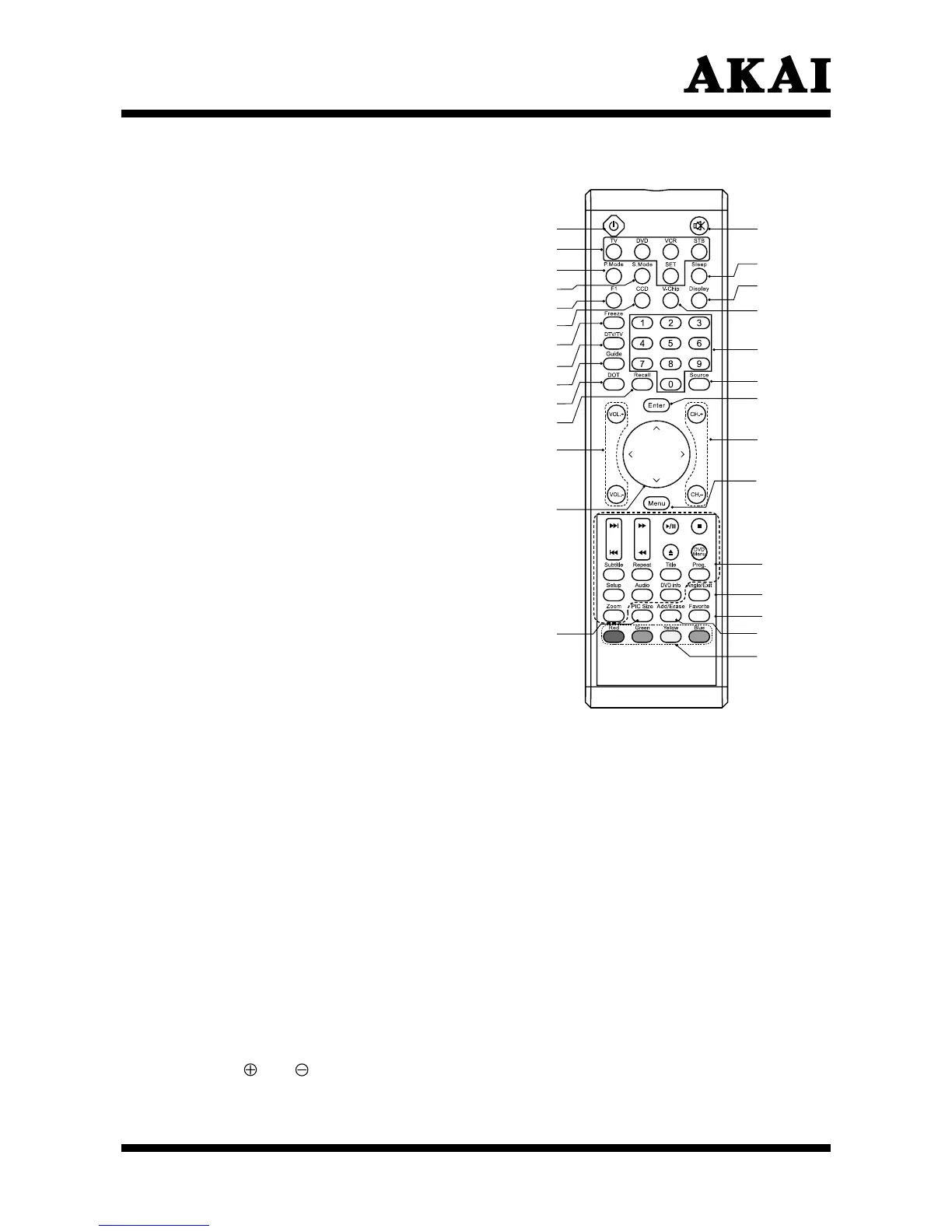
0~9 Number Buttons: Press 0~9 to
select a channel, and input the
password.
DTV/TV: Press to choose DTV/TV
(high definition channels) directly.
Guide (Digital TV Timetable): Press
to display the (Digital TV Timetable)
mode. Press again to exit.
Source: Press to select the signal
source, such as DTV, TV, AV, S-Video,
YPbPr1, YPbPr2, VGA, HDMI 1 or
HDMI 2.
DOT: Press number buttons with it to
select the channels directly in DTV.
(i.e. channel 108-1 would need the
DOT button after the 8).
Enter: Press to enter or confirm.
Recall: Press to return to previous
channel. (Only for TV)
CH +/- : Press to select the channel
forward or backward.
VOL +/-: Press to adjust the audio
levels.
Menu: Press to enter into the
on-screen setup menu, press again to
exit.
∧, ∨, <, >: Press ∧, ∨, <, > to
move the on-screen cursor.
Insertion of Batteries:
- Turn the remote control upside down, press and slide off the battery cover.
- Insert two 1.5V (AAA) batteries into the compartment, take care to observe
the
and markings indicated inside.
- Replace the cover and slide in reverse until the lock snaps.
These buttons are not for controlling the television.
Exit: Press this button to exit.
Favorite: Press to cycle through the favorite channel list.
Pic Size: Press to change the screen size, such as Full, 4:3, Panoramic.
(Note: In VGA mode, it can select picture size is Full. )
Add/Erase: Press to add or delete favorite channels.
Red: This is a special control function for the Digital tuner.
Green: This is a special control function for the Digital tuner.
Blue: This is a special control function for the Digital tuner.
Yellow: This is a special control function for the Digital tuner.
Note: Pressing CH+/- button on the remote control can turn on the TV set from
standby mode.



 To Next Page