29
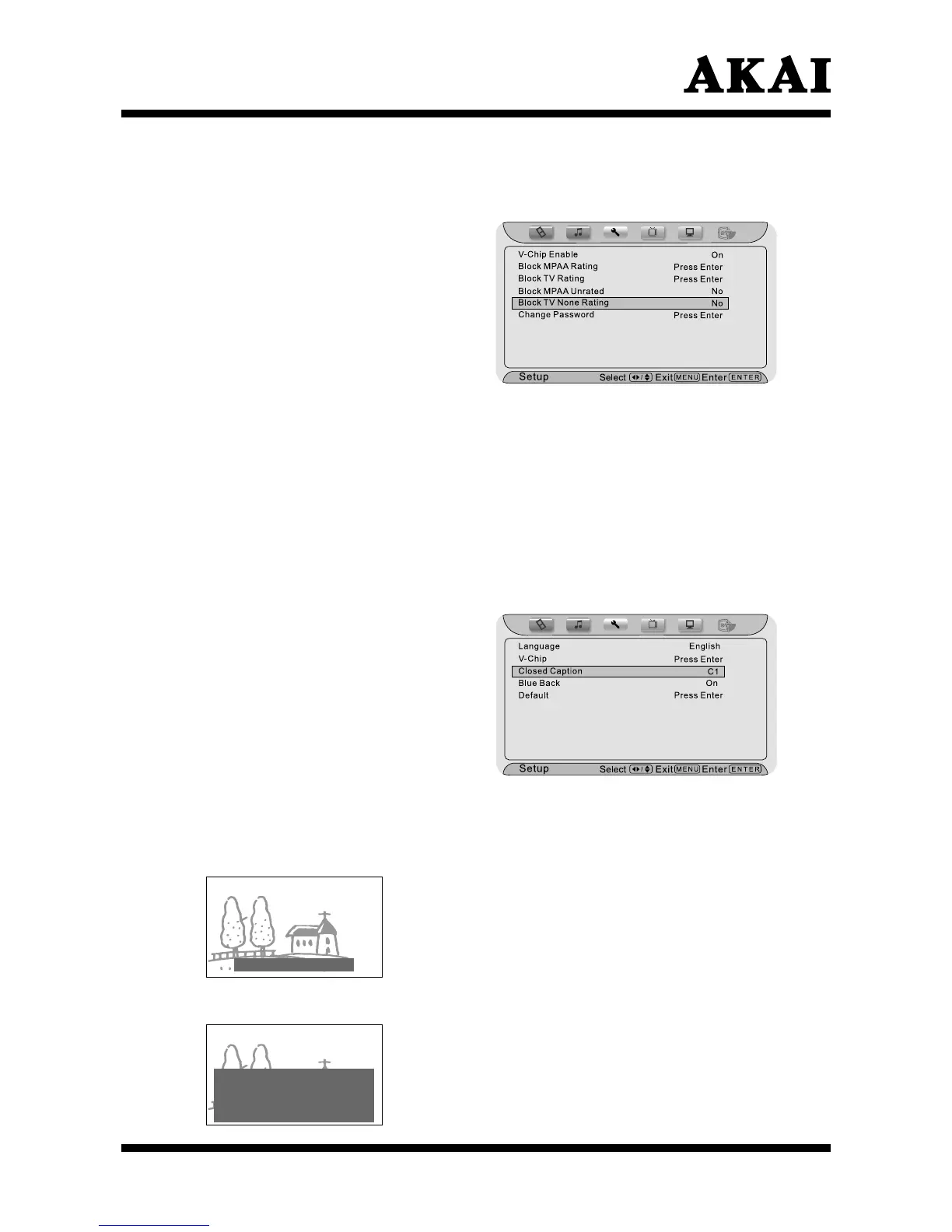
Using the “Block TV None Rating” item
After entering the “V-Chip” menu, press ∧ or ∨ button to highlight the “Block
TV None Rating” item.
P
ress
< or >
button to select
“No” or “Yes”.
Yes : You can not watch the
“TV None Rating” programs.
No : You can watch the “TV None
Rating” programs.
Press the Menu or Exit button to
return or exit.
The closed caption features has two options:
Adjustment only for TV, AV, S-VIDEO input signal.
• Captions: An on-screen display of the dialogue, narration, and sound
effects of the TV programs and videos that are closed captioned
(usually marked as “C/C” in TV listings.)
• Text : An on-screen display of information not related to the current
program, such as weather or stock data (when provided by
individual stations).
To view captions or text:
Press the Menu button, and then
press < or > button until the
“Setup” menu appears.
Press ∧ or ∨ button to highlight
your selection.
Press < or > button to choose
one of “C1”, “C2”, “C3”, “C4”, “T1”,
“T2”, “T3”, “T4”, “Off” as follows:
Selection of “Closed Caption” (Analog)
Trees near the church.
Note: If the program or video you selected is
not closed captioned, no captions will
display on-screen.
• To view captions, highlight C1, C2, C3, or C4 (C1 displays translation of
the primary language in your area).
• To view text, highlight T1, T2, T3, or T4.
Note: If text is not available in your area, a
black rectangle may appear on-screen.
If this happens, turn off the Closed
Caption feature.
World Weather
Temp Current
F C Weather
New York 53 12 Sunny
London 51 11 Cloudy
HongKong 80 25 Clear



 To Next Page