34
Press the Menu button, and then
press
< or >
button until the
“Geometric” menu appears.
Press ∧ or ∨ button to highlight
your selection.
Press Enter button to confirm.
Press the Menu or Exit button to
return or exit.
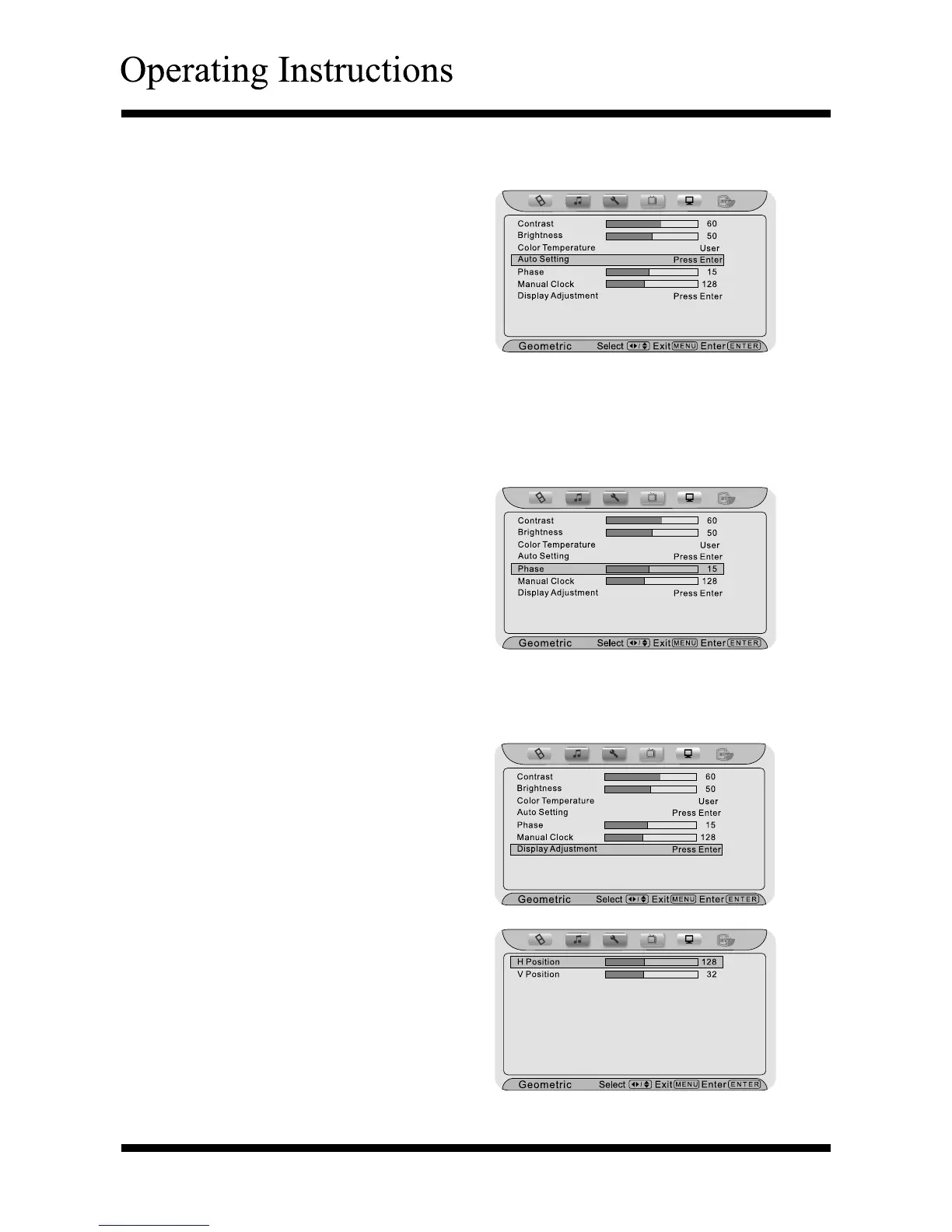
Using “Auto Setting”
Using “Phase” and “Manual Clock”
Press the Menu button, and then
press
< or >
button until the
“Geometric” menu appears.
Press ∧ or ∨ button to highlight
your selection.
Press < or > button to adjust.
Press the Menu or Exit button to
return or exit.
Press the Menu button, and then
press
< or >
button until the
“Geometric” menu appears.
Press ∧ or ∨ button to highlight
your selection.
Press the Enter button to enter the
Sub Menu.
Press ∧ or ∨ button to select the
item.
Press < or > button to adjust.
Press the Menu or Exit button to
return or exit.
Using “Display Adjustment”
Note: This item will auto-adjust the picture display.



 To Next Page