30
Note: This will only reset the items in the setup menu and does not include the
protected-items. ( Needs pin code enter).
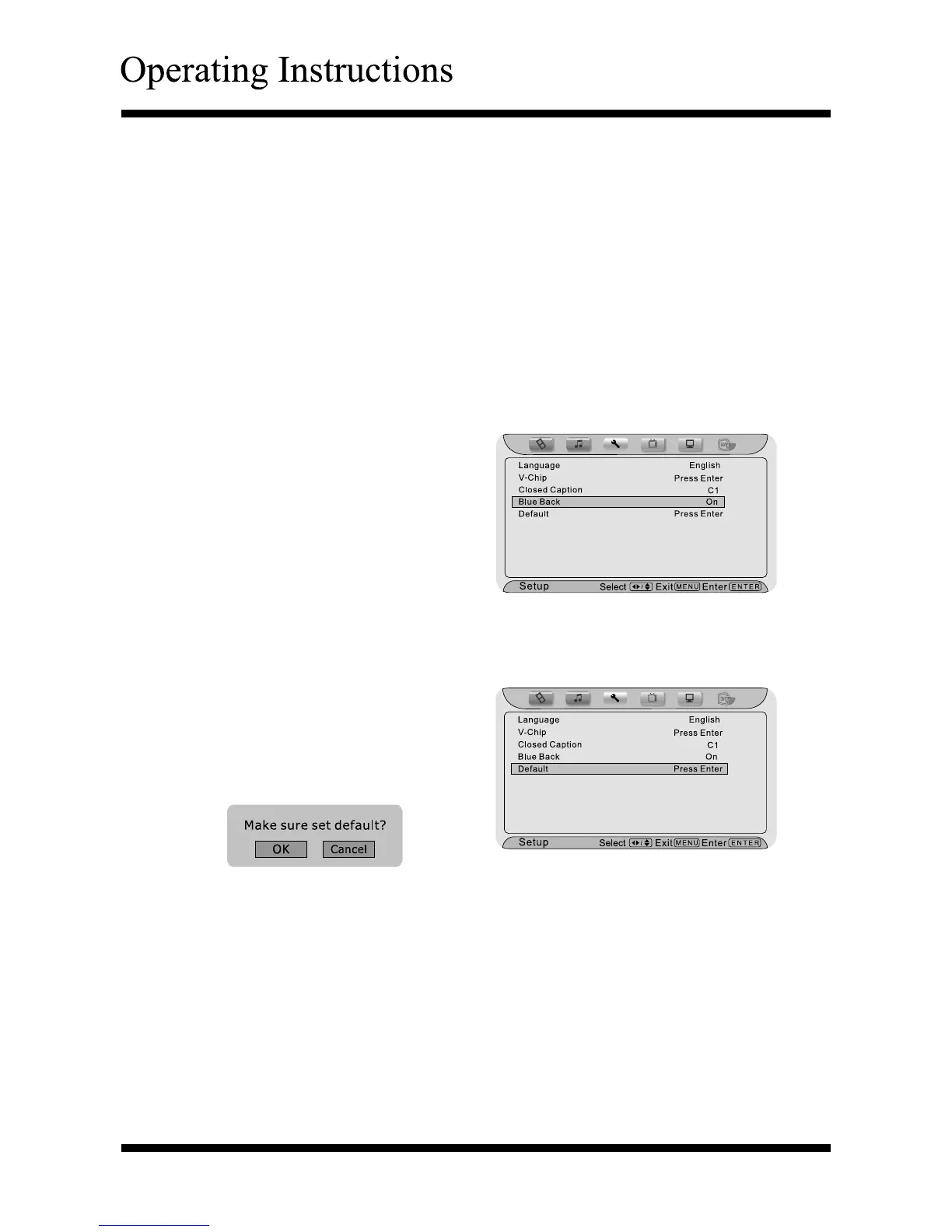
To “Reset Default” from the factory settings to your own custom settings
Press the Menu button, and then press < or > button until the “Setup” menu
appears.
Press ∧ or ∨ button to highlight
your selection
Press the Enter button to confirm
and pop up a menu.
Press the Enter button to confirm, it will reset to restore factory default
settings. After that, a confirmation message will pop up.
Selection of “
Blue Back
”
Press the Menu button, and then
press < or > button until the
“Setup” menu appears.
Press ∧ or ∨ button to highlight
your selection.
Press < or > button to select
“On” or “Off”.
Press the Menu or Exit button to
return or exit.
Note: A closed caption signal may not display in the following situations:
▪ when a videotape has been dubbed
▪ when the signal reception is weak
▪ when the signal reception is nonstandard
Select “Off” to close this function.
PresstheMenu button to return or exit.
Hot keys:
- You can also press the CCD button on the remote control to enter Closed
Caption menu.



 To Next Page