28
Unlocking programs temporarily
If you try to watch a program that
exceeds the TV Guideline you set,
the system enters program lock
mode. You can either unlock the
program temporarily or select a
non-locked program to watch.
To temporarily unlock the program, press the Number buttons (0~9) to enter
your 4-digit
PIN code.
V-Chip BLOCK
TV-PG
DLSV
Enter Password
- - - -
Hot keys:
- You can also press the V-Chip button on the remote control to enter V-Chip
menu.
If the correct code is entered, the program lock mode is released and the
normal picture appears.
[In DTV signal source]
If you try to watch a DTV program that exceeds the DTV Guideline you set,
the DTV enters program lock mode. You can either unlock the program
temporarily or select a non-locked program to watch, press CH+/- button to
select the program.
To temporarily unlock the program, press the Enter button, and then press the
Number buttons (0~9) to enter your 4-digit PIN code.
Password
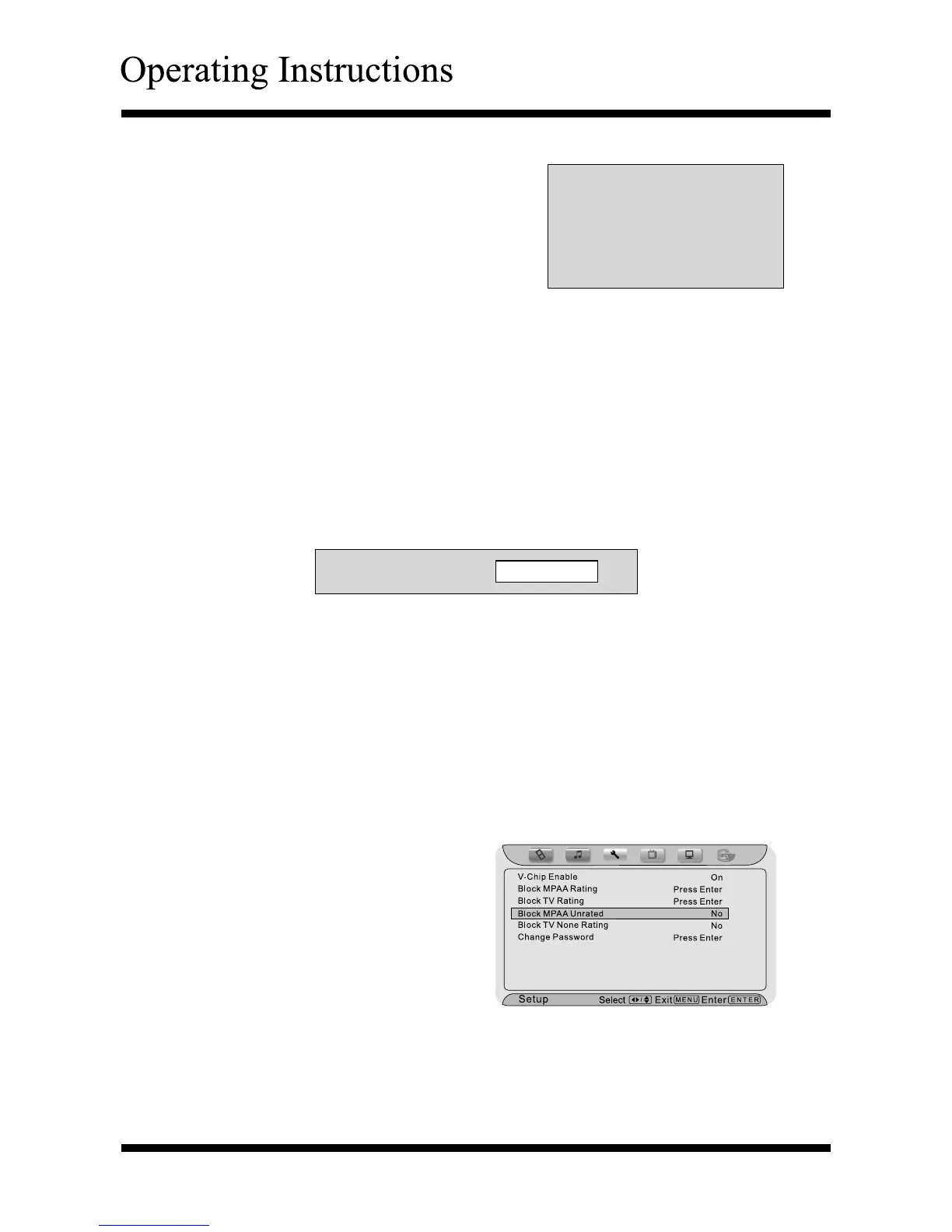
Using the “Block MPAA Unrated” item
After entering the “V-Chip” menu, press ∧ or ∨ button to highlight the “Block
MPAA Unrated” item.
P
ress
< or >
button to select
“No” or “Yes”.
Yes : You can not watch the
“MPAA-
Unrated
” programs.
No : You can watch the
“MPAA-
Unrated
” programs.
Press the Menu or Exit button to
return or exit.



 To Next Page