17
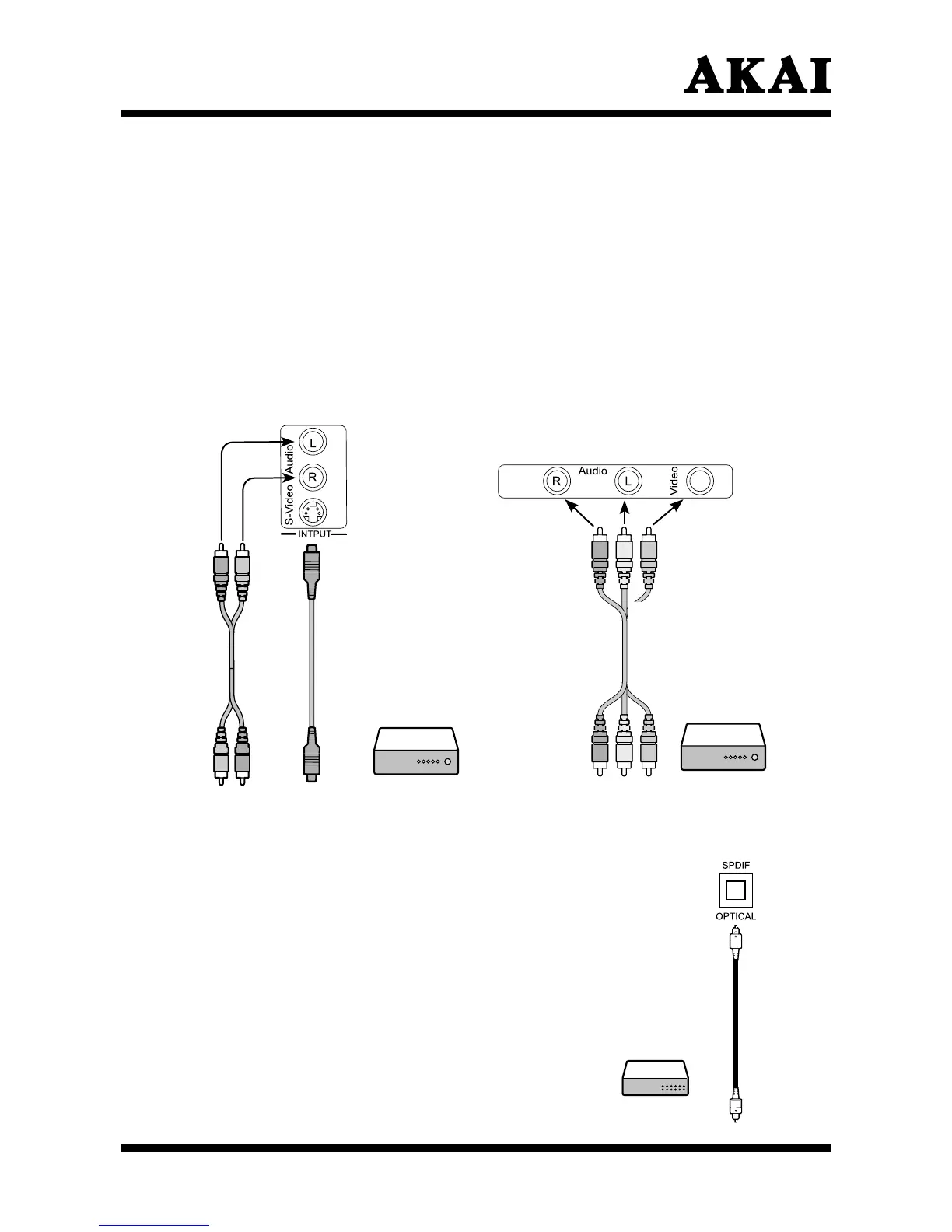
Send the LCD TV’s audio to external audio equipment via the Optical port.
(only for ATSC)
Remove power from the unit (unplug from the wall outlet) and external equipment
before connecting cables.
1. Connect one end of an optical cable to the TV Digital Audio
(Optical) Output port.
2. Connect the other end of the optical cable to the digital
audio (Optical) input on the audio equipment.
Note:
When connecting the TV to external
audio devices, such as amplifiers and
speakers, please be sure to turn the
TV speakers off.
Caution:
Do not look into the optical output port. Looking
at the laser beam may damage your vision.
Connecting the DVD or VCR player devices
Remove power from the unit (unplug from the wall outlet) and external equipment
before connecting cables.
1. With an S-VIDEO cable connect the LCD TV to the VCR or other device.
S-VIDEO will connect only the video portion (image only) of the signal. With an
AUDIO cable (RCA type) connect the AUDIO OUT from the device to the
AUDIO IN on the LCD TV.
2. With an AV cable, connect to the VIDEO input of the LCD TV to the VCR or
other video apparatus. With an AUDIO cable, connect the AUDIO OUT of the
VCR or other video apparatus to the AUDIO IN of the LCD TV.
3. Please ensure the Power Cord is connected and press the Standby to turn on
the LCD TV, then turn on external equipment.
4. To watch the VCR or other video apparatus, please press the Source button to
select S-VIDEO or AV.
Stereo Amplifier
Red
White
DVD or VCR
player
Red
Yellow
White
DVD or VCR
player



 To Next Page