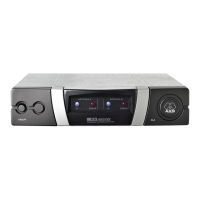
1) Unscrew the four rubber feet (Please note Fig. 6 on page 63) from the antenna splitter
bottom panel.
2) Unscrew the two
fixing screws (2) from each side pa
nel.
3) Use the fixing screws (2) to screw the short bracket (3) to one side panel and the long
bracket (4) to the other side panel. The brackets are contained in the supplie
d rack
mounting kit.
4) Install the antenn
a splitter in your
rack.
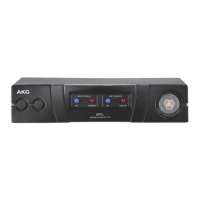
1) Unscrew the four rubber feet (Please note Fig. 7 on page 64) from each antenna splitter's
bottom panel and remove the screws (5) from the rubber feet (1).
2) Unscrew the two fixing screws (2) from the right-hand side panel of one antenna sp
litter
and from the left-hand side panel of the other antenna splitter.
3) Insert one connecting strip (4) into each free slot in the side panel of the first ante
nna
splitter, making sure to align the hole in each connecting strip (4) with the approp
riate
threaded hole in the antenna splitter bottom panel.
4) Fix the two conn
ecting strips (4) on the first antenna splitter using two of the screws (5)
you removed from
the rubber feet.
5) To join the t
wo antenna splitters, slide the connecting strips (4) on the first antenna
splitter through the free slots in the side panel of the second antenna splitter. Make sure
to align the hole in each connecting strip (4) with the appropriate
threaded hole in the
bottom panel of the second antenna splitter.
6) Fix the two conn
ecting strips (4)
on the second antenna splitter using two of the screws
(5) you removed
from the rubber fe
et (1).
7) Screw a short bracket (6) to the
outer side panel of each antenna splitter using for
each
bracket two of the screws (2) you
removed from the antenna splitter side panels.
8) Install the antenna splitters in your
rack.
NOTE
Be sure to keep the remaining screws (5) for later use.


 To Next Page