24 APS4
Getting Started
The following hints on placing antennas apply to both single-channel and multichannel
systems with any number of channels.
Placement
Reflections off
metal parts, walls, ceilings, etc. or the shadow effects of musicians and other
people may weaken or cancel the direct transmitter signal. For best results, place the
antennas as follows:
Place the antennas near the performance area (stage). Make sure, though, that the
transmitter will never get any closer to the antennas than 16 ft. (5 m). Place t
he two
antennas at least 8 inches. (20 cm) from each oth
e
r.
There should always be a direct line of sight between the transmitter and antennas.
Place the receiver at least 5 f
t. (1.5 m) away from any big metal objects, walls, scaffolding,
ceilings, etc.
Do not place antennas in wall recesses.
Place antennas at least 5 ft. (1.5 m) away from any equipment that may emit RF ra
diation
such as lighting r
acks, fluorescent lamps, digital effe
cts units, or PCs.
If you set up tw
o antennas side by side (e.g., for diversity reception), check that t
he two
antennas are spaced at least 20 cm (8 in.) apart.
Mounting Antennas on Floor Stands
When mount
ing the antennas on floor stands, be sure to proceed as follows:
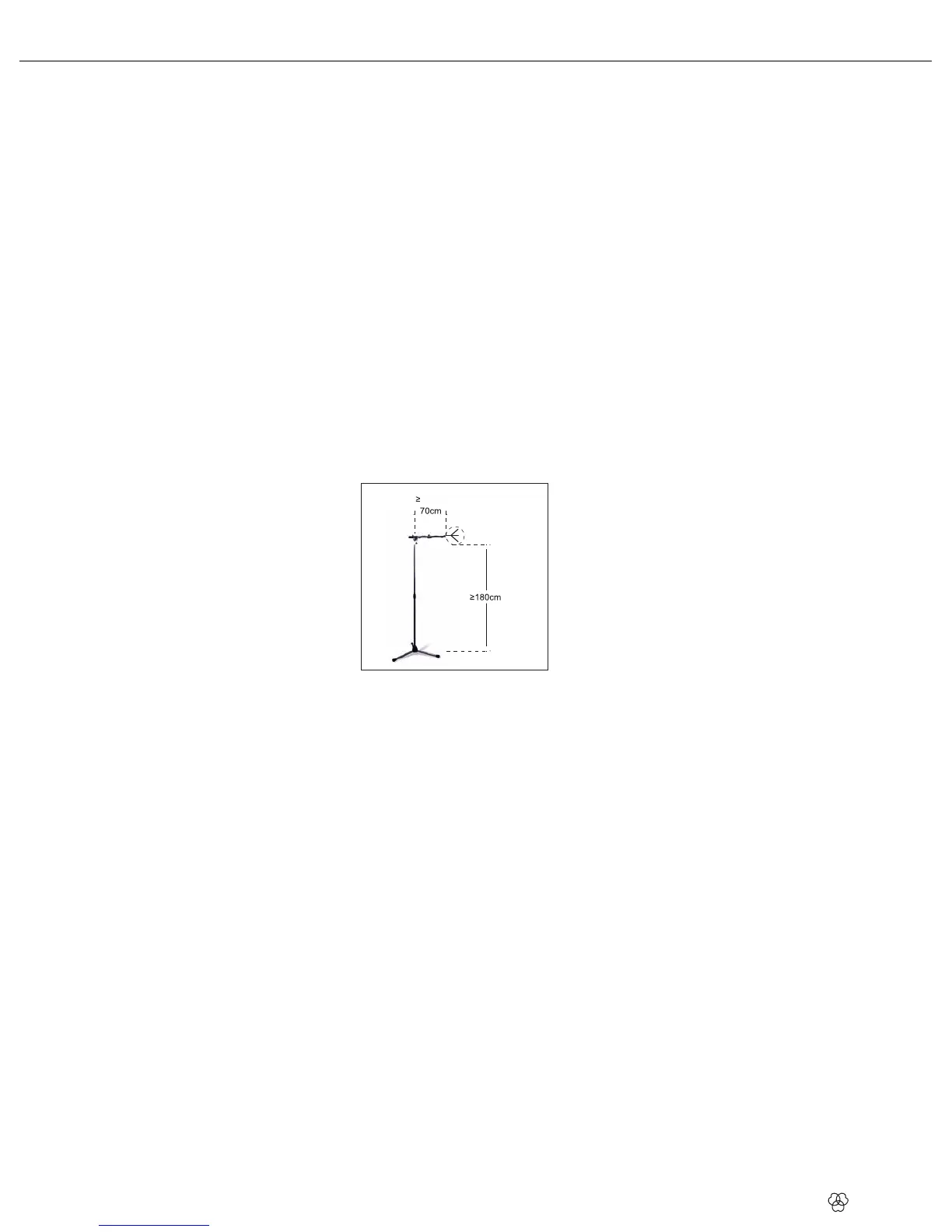
Fig 3: Mounting
Antennas on Floor Stands
Use the supplied SA63 (at RA4000 W, RA4000 B/W) or the integrated stand adapter (at
SRA2 W, SRA2 B/W) to mount the antenna on the boom of a boom
stand.
Pull the boo
m out all the way to one side to make sure the antenna will be at le
ast 28
inches (70 cm) a
way from the sta
nd.
Extend the stand high enough to place the boom a
t least 6 ft. (1.8 m) above the floo
r.
Wind the antenn
a cable around the boom. Do not allow the cable
to sag below the boom
because this ma
y degrade the reception quality.
Setting Up Antennas


 To Next Page