50
Removing covers
for connections
and options
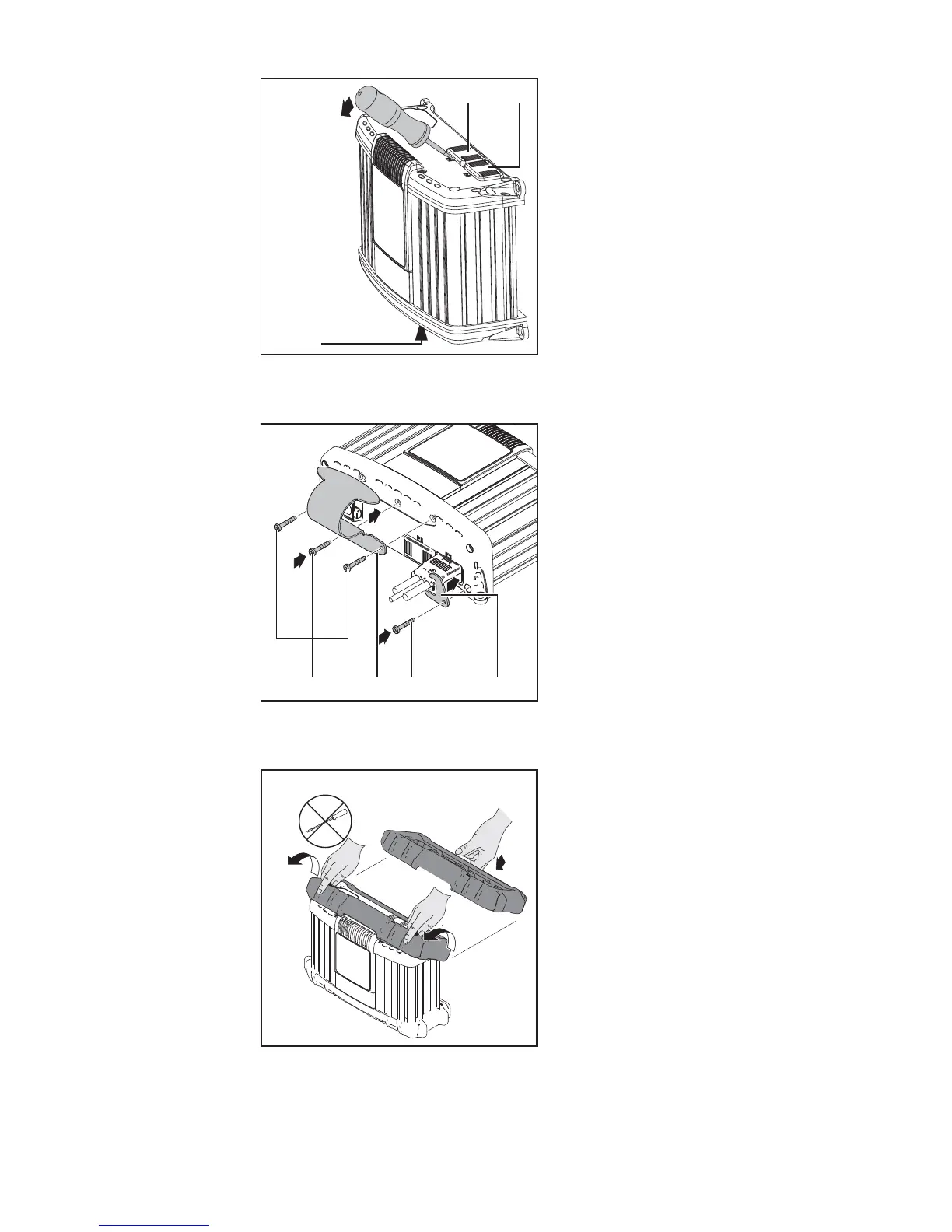
If necessary, use a screwdriver to remove:
- Cover (1) for connection P3 - visual
port
- Cover (2) for connection P4 - multiport
- Cover (3) for connection P2 - I/O port
Leave covers (1), (2) and (3) in place on un-
used P2, P3 and P4 connections.
Fitting the option-
al bracket and
strain relief de-
vice for the charg-
er lead
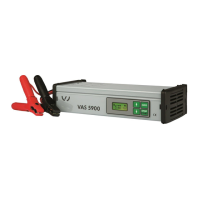
To fit the bracket:
- Undo screws (1)
- Fit bracket (2) using the previously re-
moved screws
To fit the strain-relief device:
- Undo screw (3)
- Fit charger lead strain relief device (4)
using the previously undone screw
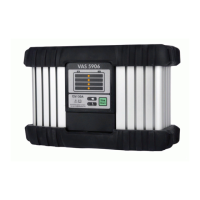
Edge guard op-
tion
The edge guard removal process is the re-
verse of the fitting process.
The bracket cannot be fitted if the edge
guard is already in place.
(2)
(3)
(1)
1
2
3
4
(1) (2) (3) (4)
IMPORTANT! The torque for all screws is
2.5 Nm.


 To Next Page