58
Back-up mode
General informa-
tion
Back-up mode is intended exclusively for relieving the battery during a vehicle diagnosis
or software update. The power used over an extended period of time must be less than the
charger's maximum output current (35 A), otherwise the battery will be drained. Back-up
mode is not suitable for fully charging the battery.
Battery back-up
Plug in charger mains plug
Connect battery - the de-energised charger leads mean there are no sparks when
connecting to the battery, even if the charger is already connected to the mains supply.
- Connect the red charger lead to the positive pole (+) on the battery
- Connect the black charger lead to the negative pole (-) on the battery
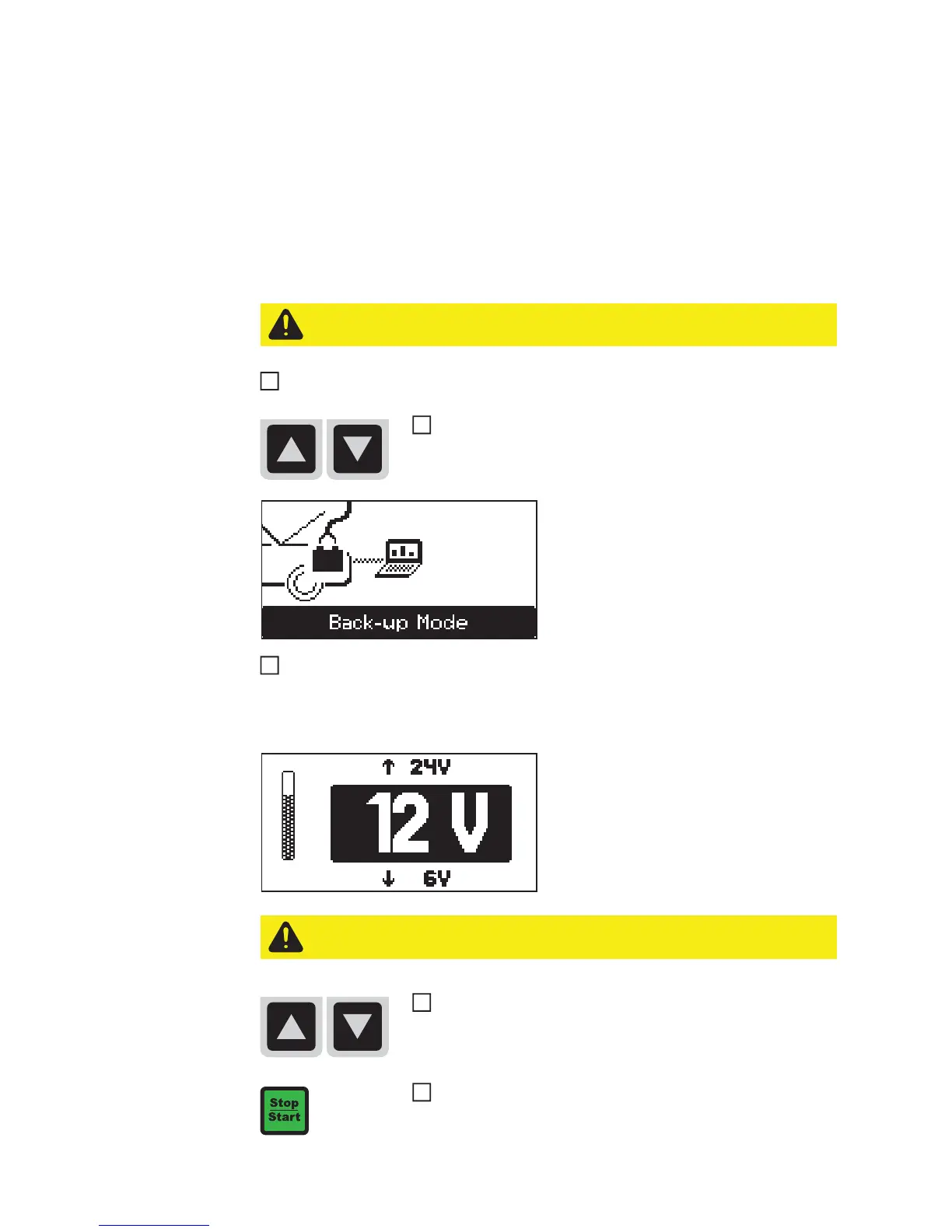
The charger automatically identifies the
battery, e.g. 12 V, and starts the back-up
process after 5 seconds.
If the battery voltage is not correctly identi-
fied (e.g. in the event of a deep-discharge
battery), you have 5 seconds to enter the
correct battery voltage as follows:
CAUTION! Risk of damage when attempting to charge a faulty battery. Before us-
ing Back-up mode, ensure that the battery being backed up is fully functional.
Select Back-up mode using the up/down keys.
1
3
CAUTION! Risk of damage if the wrong voltage is set. Always ensure that the cor-
rect battery voltage is set.
Set the correct battery voltage using the up/down keys (6 V /
12 V / 24 V).
Confirm the selection using the Stop/Start key


 To Next Page