56
If the selection window for the battery voltage does not open, then the battery is in a state
of extreme deep-discharge (less than 2 V). In this case, Refresh mode is advised for reac-
tivating deep-discharged batteries. For more information on this, see the "Refresh mode"
section.
- The relevant warning appears
If Charging mode is still required despite the battery being in a state of extreme deep-dis-
charge
- Acknowledge the OK button in the warning using the Stop/Start key.
- Use the up/down keys to select the correct battery voltage in the subsequent selection
window.
- Confirm the selection using the Stop/Start key
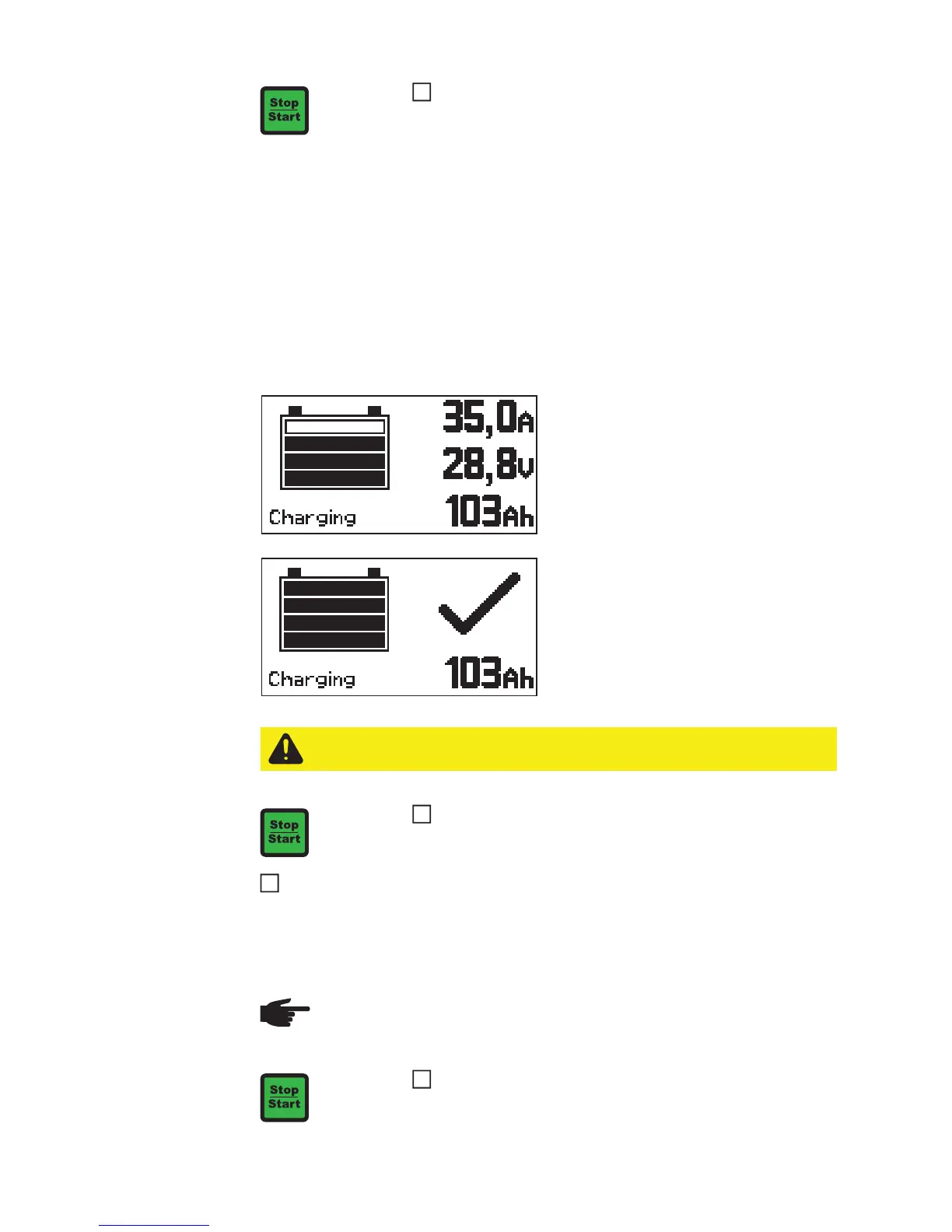
- A set of four bars shows the state of
charge of the battery (e.g. the third bar
represents a state of charge of 80%).
- All four bars are continuously display-
ed.
- The state of charge is 100%.
- The battery is ready to use.
- The battery can remain connected to
the charger for any length of time.
- Conservation charging counteracts
battery self-discharge.
Disconnect the charger
- Disconnect the black charger lead from the negative pole (-) on the battery
- Disconnect the red charger lead from the positive pole (+) on the battery
Interrupting
charging
Confirm the selection using the Stop/Start key
CAUTION! Risk of sparks if the charger leads are disconnected too soon. Before
disconnecting the charger leads, press the Stop/Start key to finish charging.
To cancel charging:
- Press the Stop/Start key
8
NOTE! Danger of damage to connection sockets and plugs. Do not disconnect or
unplug charger leads while charging.
Press the Stop/Start key while charging
- The process is interrupted
1


 To Next Page