Need help?
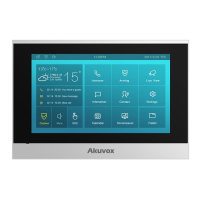
Do you have a question about the Akuvox C313S and is the answer not in the manual?
Guides users through selecting network connectivity upon initial device startup.
Steps to access basic and advanced settings on the device and web interface.
Setting up DHCP or static IP addresses for network connection.
Enabling and configuring direct IP calls for intercom communication.
Registering and managing SIP accounts for making calls.
Configuring emergency contacts and SOS functionality for quick help.
Setting up alarm sensors and arming modes for property security.
Setting up relay switches for triggering door access or chime bells.
Unlocking doors by sending specific DTMF tone sequences.
Process for updating the device's internal software to the latest version.
Updating the password required to access advanced device settings.
Changing the password for accessing the device's web interface.
 General
| Display | 7-inch capacitive touch screen |
|---|---|
| Resolution | 1024 x 600 |
| Audio | Built-in microphone and speaker |
| RS485 | Yes |
| Relay Output | 2 |
| Operating System | Linux |
| RAM | 1GB |
| Storage | 8GB |
| Connectivity | Ethernet, Wi-Fi |
| Wi-Fi | IEEE802.11b/g/n |
| Ethernet | 10/100Mbps |
| Power over Ethernet (PoE) | 802.3af |
| Power Supply | 12V DC |
| Operating Temperature | -10°C |
| Processor | 1.2GHz |


 To Next Page