II Aladin
®
Pro – Survey
12
Switching on display: – automatically, on submerging in water or when adaptation to atmospheric
pressure is necessary.
– manually by operating contacts on housing.
Switching off display: – automatically, after three minutes without operation.
Aladin
®
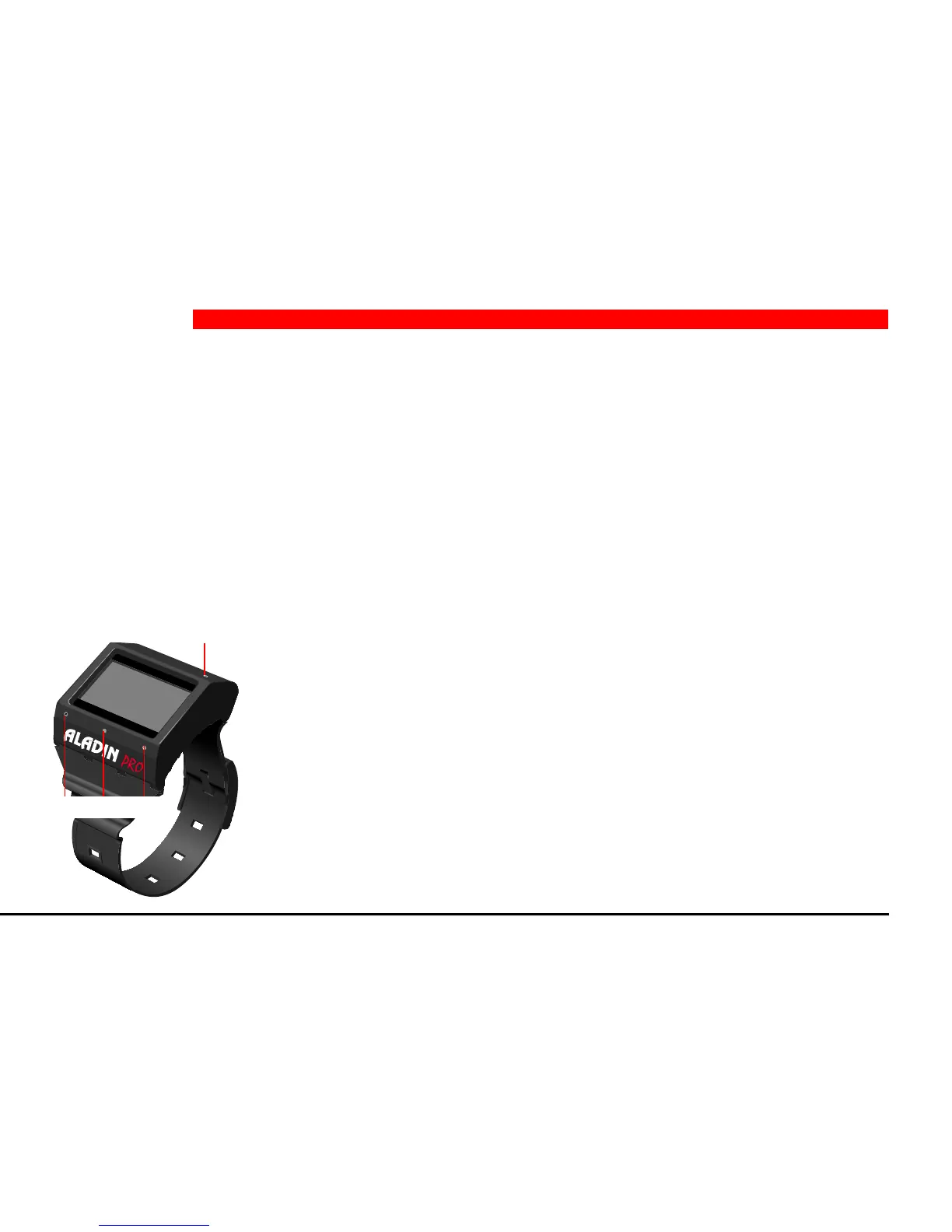
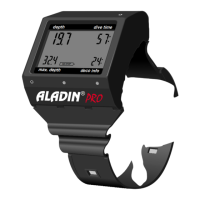
Pro has 4 operating contacts B, E, +, – on the outside of the housing. For manual operation touch base
contact B and any one of the other three contacts above the display with moistened fingers.
Contact B: Base contact, which has to be touched for all
operations
Contact E: Enter contact. It serves to switch on the computer, to
activate the logbook and dive-plan-mode and to
switch between no-stop and decompression planning.
It is also used to confirm inputs and is therefore com-
parable to the ENTER- or RETURN-key of a computer.
+ / – contacts: They serve to select the logbook and dive-plan as well
as to set values (time, depth, dive-number etc.).
depth
dive time
deco info
max. depth
2 Operation
B
– + E


 To Next Page