62
VI Dive Planner
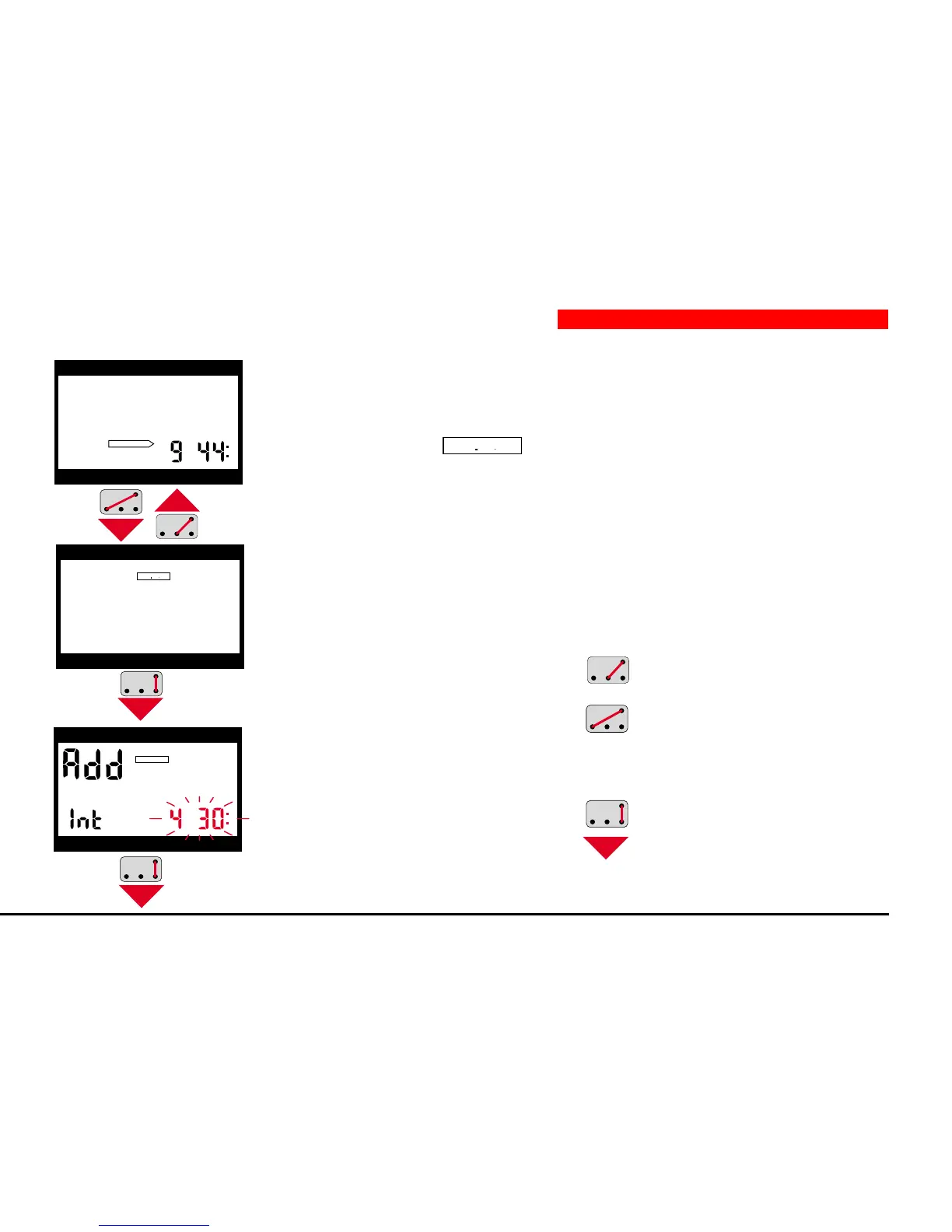
1. From surface-mode, you switch into the dive-plan input stage by B and –.
2. The display shows
DIVEPLAN
. You return to surface mode by B and +.
3. After confirming by B and E, the display shows <Add>, <Int> and the
interval (flashing). Aladin
®
Pro expects your input for the duration of the
dive interval.
4a. If no surface interval is to be
entered, (diving at the
present moment), confirm
this with contacts B and E,
and you switch into no-stop
planning.
h
DESATURATION
depth dive time
max. depth deco info
depth dive time
max. depth deco info
DIVEPLAN
h
depth dive time
max. depth deco info
DIVEPLAN
3 Selection and Activation from Surface-Mode
4b. You can extend the
interval with contacts
B and +.
B and – shorten the
interval.
5. You confirm the new
interval with B and E and
get to no-stop planning
(page 63).


 To Next Page