EasyManua.ls Logo

ALADIN PRO - Selection of Dive

ALADIN PRO
86 pages
Print Icon
To Next Page IconTo Next Page
To Previous Page IconTo Previous Page
Loading...
V Logbook
56
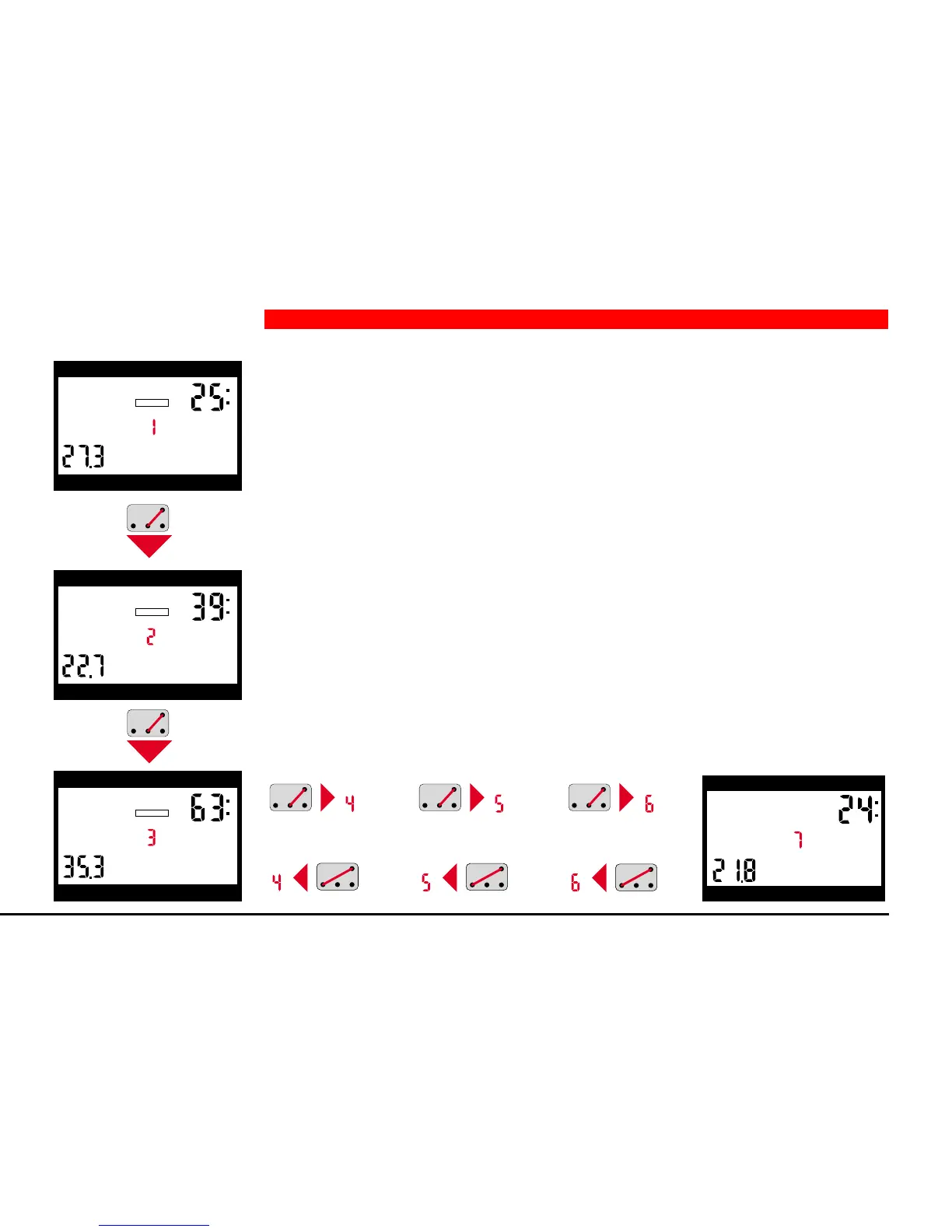
1. Bridge contacts B and + to get the information of the dive preceding the
most recent one. Display <DIVE 2> appears.
2. On every further bridging B and + the logbook jumps to the next older dive
(DIVE 3).
3. On constant bridging of the contacts all dives are displayed successively.
4. Bridging contacts B and – switches back from older dives to more recent
ones.
3 Selection of Dive
depth dive time
max. depth deco info
LOGBOOK
DIVE
depth dive time
max. depth deco info
DIVE
LOGBOOK
depth dive time
max. depth deco info
DIVE
LOGBOOK
DIVE
DIVE
DIVE
DIVE
DIVE
DIVE
depth dive time
max. depth deco info
DIVE

Other manuals for ALADIN PRO

Related product manuals