II Aladin
®
Pro – Survey
20
Wait-mode:
Activation: automatically on reaching the surface.
The wait-mode is activated when the surface is reached after a dive. At the surface,
the dive is not closed and entered into the logbook for an interval of 5 minutes.
This allows a short surfacing for the purpose of orientation.
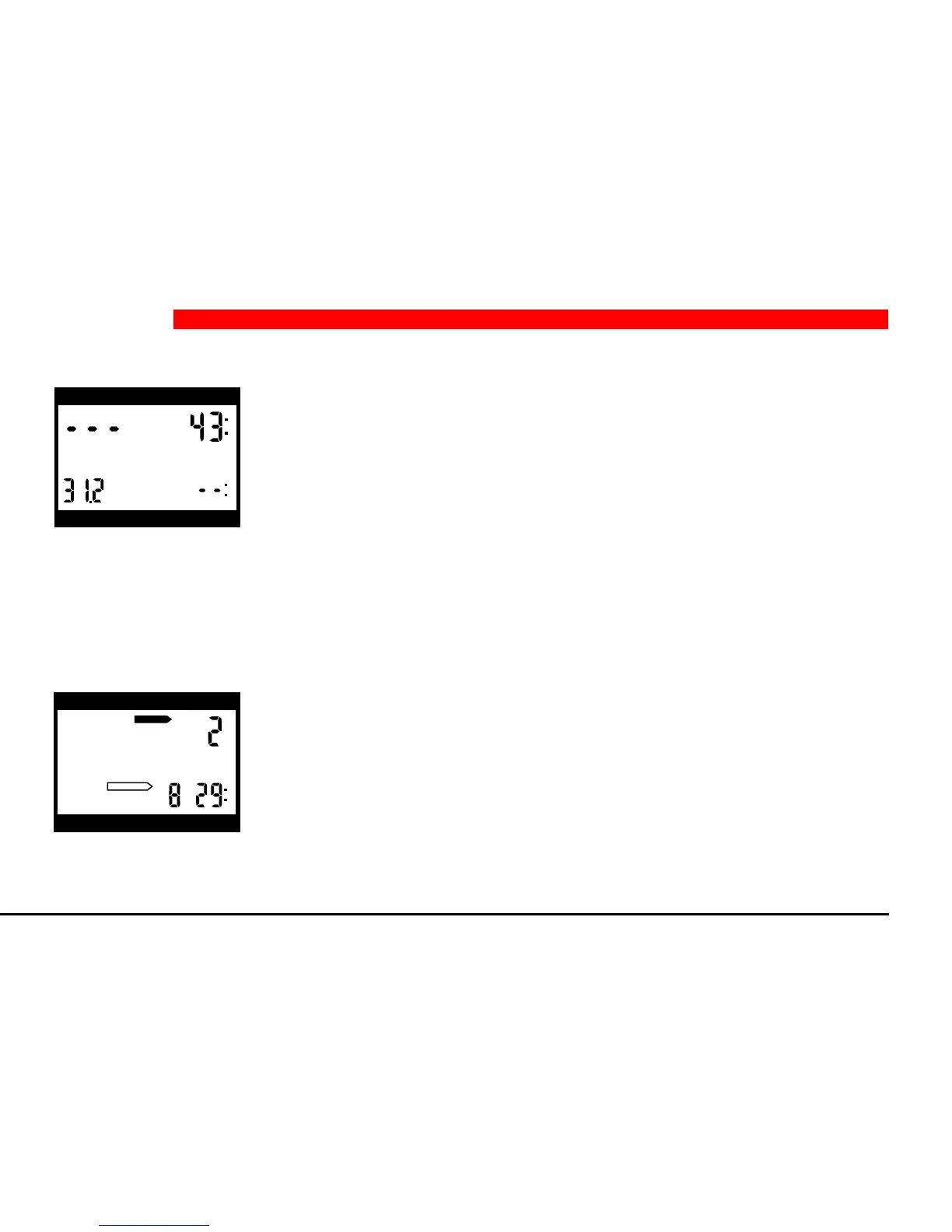
Surface-mode:
Activation: automatically after a dive or when changing altitude.
After a dive has been closed, Aladin
®
Pro is in surface-mode. All data belonging
to the surface interval are calculated: Calculations are made on microbubble
formation, on state of saturation of tissues after allowing for skin temperature
and the assumed diver performance on the surface, on desaturation time and on
no fly interval time.
In order to save energy, Aladin
®
Pro falls into the so called surface-sleep after 3
minutes. The functions of surface-mode are then carried out in the background.
The atmospheric pressure is measured in surface-sleep once every minute. If the
2 Operation
h
h
DO NOT FLY
DESATURATION
depth dive time
max. depth deco info
depth dive time
max. depth deco info


 To Next Page