98
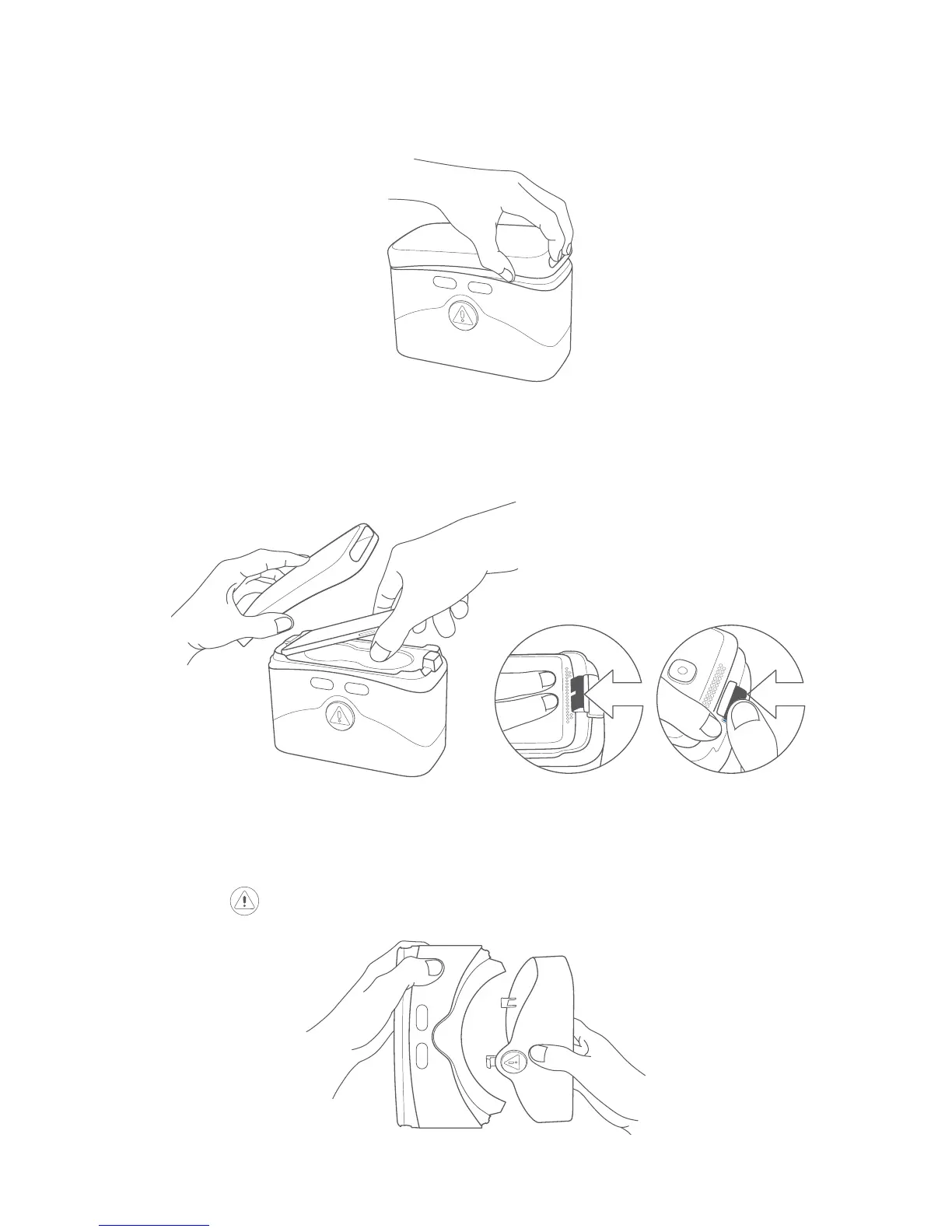
Follow these steps to insert your device into the VR goggles.
1.
Put your fingertips in the hole slot and pull the top cover outward
to open.
2. Firmly press down on the clip to pull it back and insert your device
into the VR goggles. Make sure your device is powered on and the
screen unlocked.
Note: Don’t force the clip or it could break. Make sure it’s locked
tightly, or your device might fall out and be damaged.
3.
Press the button to open the bottom cover.











 To Next Page