39 40
Adding a contact3.3.2
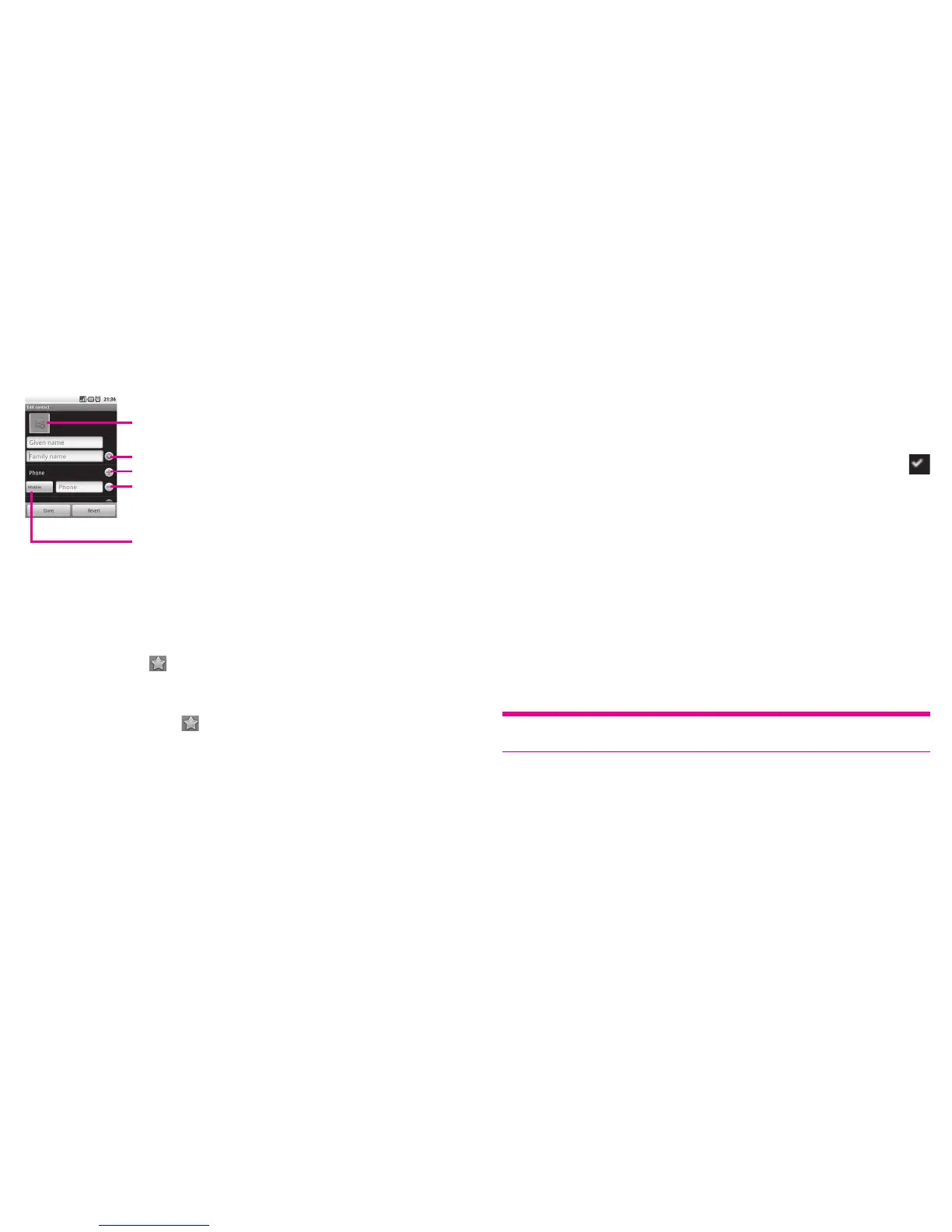
Press Menu key from contacts list screen and touch New contact.
You are required to enter the contact's name and other contact information. By scrolling
up and down the screen, you can move from one field to another easily.
Touch to select a picture for the contact.
Touch to unfold the other predefined labels of this category.
Touch to add other new labels to this category.
Touch to delete the selected label.
Touch to open a menu with preset labels.
When finished, touch Done to save.
Add to/remove from Favourites
To add a contact to favourites, touch and hold a contact to display the contact’s
option menu, then touch Add to Favourites. Or you can also touch a contact to
view details then touch
to add the contact to favourites (the star will turn gold
in color).
To remove a contact from favourites, select Remove from Favourites on the contact’s
option menu or touch gold star
on contact details screen.
Editing your contacts3.3.3
To edit contact information, touch and hold the contact whose information is to be
edited, then touch Edit contact. When finished, touch Done.
Change a contact’s default phone number
The default phone number (the number which has priority when making a call or
sending a message) will always be displayed under the contact name. To change
the default phone number, touch and hold the number you want to set as the default
number from the contact's details screen, then select Make default number. A
appears after the number.
Divert calls to voicemail/Set ringtone for a contact
On the contact's detail screen, press Menu key to display contacts list option menu, and
touch Options, then select Incoming calls or Ringtone.
When one contact has been set to send calls directly to voicemail, if he/she calls,
your phone doesn’t ring and the caller will be sent directly to your voicemail.
Delete a contact
To delete a contact, press Menu key and touch Delete contact from contact details
screen or directly touch & hold a contact from Contacts screen to display contacts list
option menu then touch Delete contact. Touch OK to confirm.
Tip:
The contact you have deleted will also be removed from other applications on
phone or web the next time you synchronize your phone.












 To Next Page