93 94
Gallery 8.2
Gallery acts as a media player for you to view photos and playback videos. In
addition, a set of further operations to pictures and videos are available for your
choice (refer to page 90).
To access this function, touch Application tab from Home screen, then touch
Gallery.
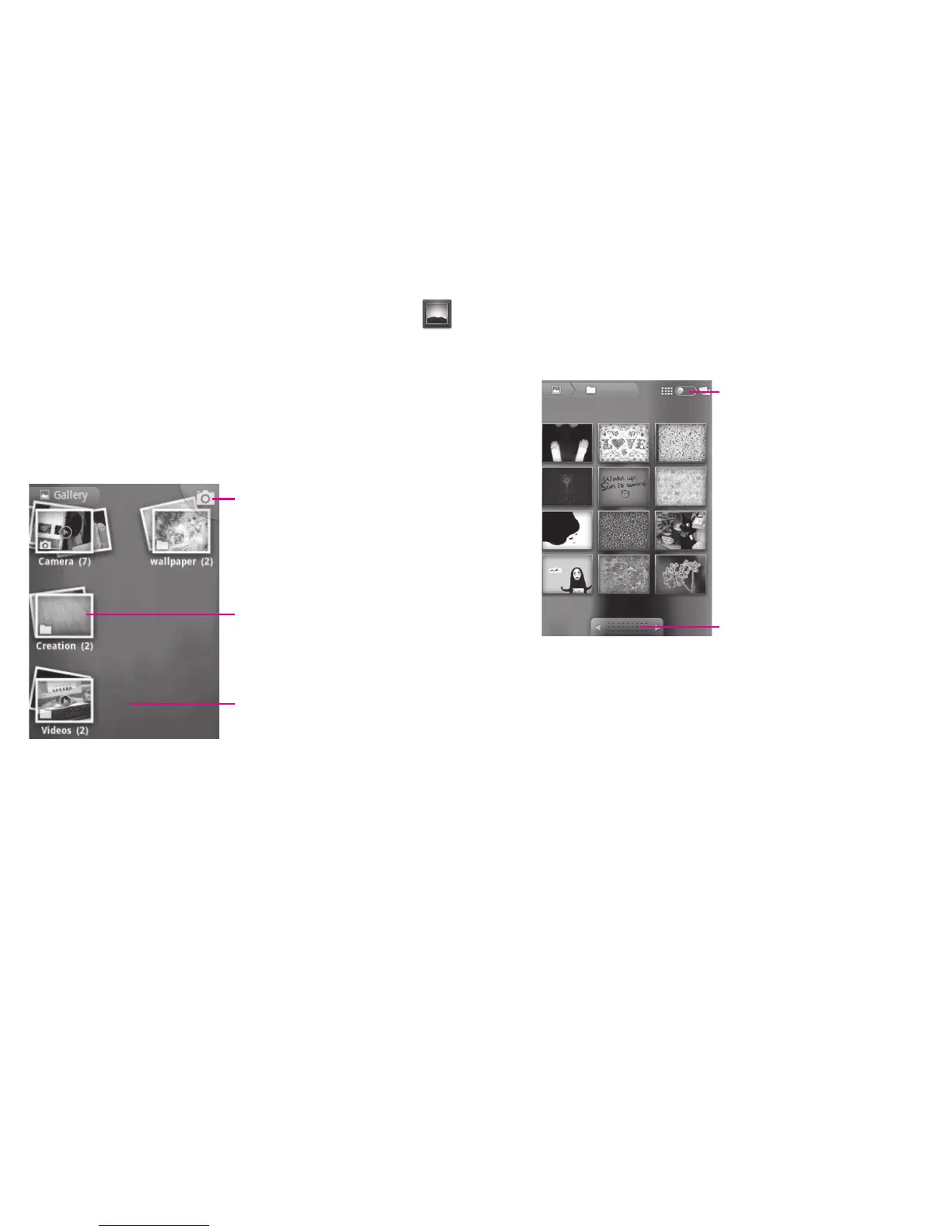
From this menu, you can access Camera or Camcorder for taking a picture or
video.
Touch to open camera.
Spread on the album with two fingers
to preview.
Slide left or right to view more albums.
To view a picture/play a video
Pictures and videos are displayed by albums in Gallery.
Touch and scroll the switch.
This will change the album view from
grid to stack.
Drag left or right to scroll
through the album quickly.
Touch an album, pinch it with two fingers and then all pictures or videos will spread ▪
the screen.
Touch the picture/video directly to view or play it.
▪
Slide left/right to view preview or next one. ▪












 To Next Page