63 64
More
New event To add a new event
My calendars To show or hide, remove or add calendars
Settings To set a series of Calendar settings
Clock 5.2
Your mobile phone has a built-in clock.
To access this function, touch the Application tab from Home screen, then touch
Clock.
Touch
icon at the bottom of the screen. Touch Add alarm to set the alarm. Touch
Set to save.
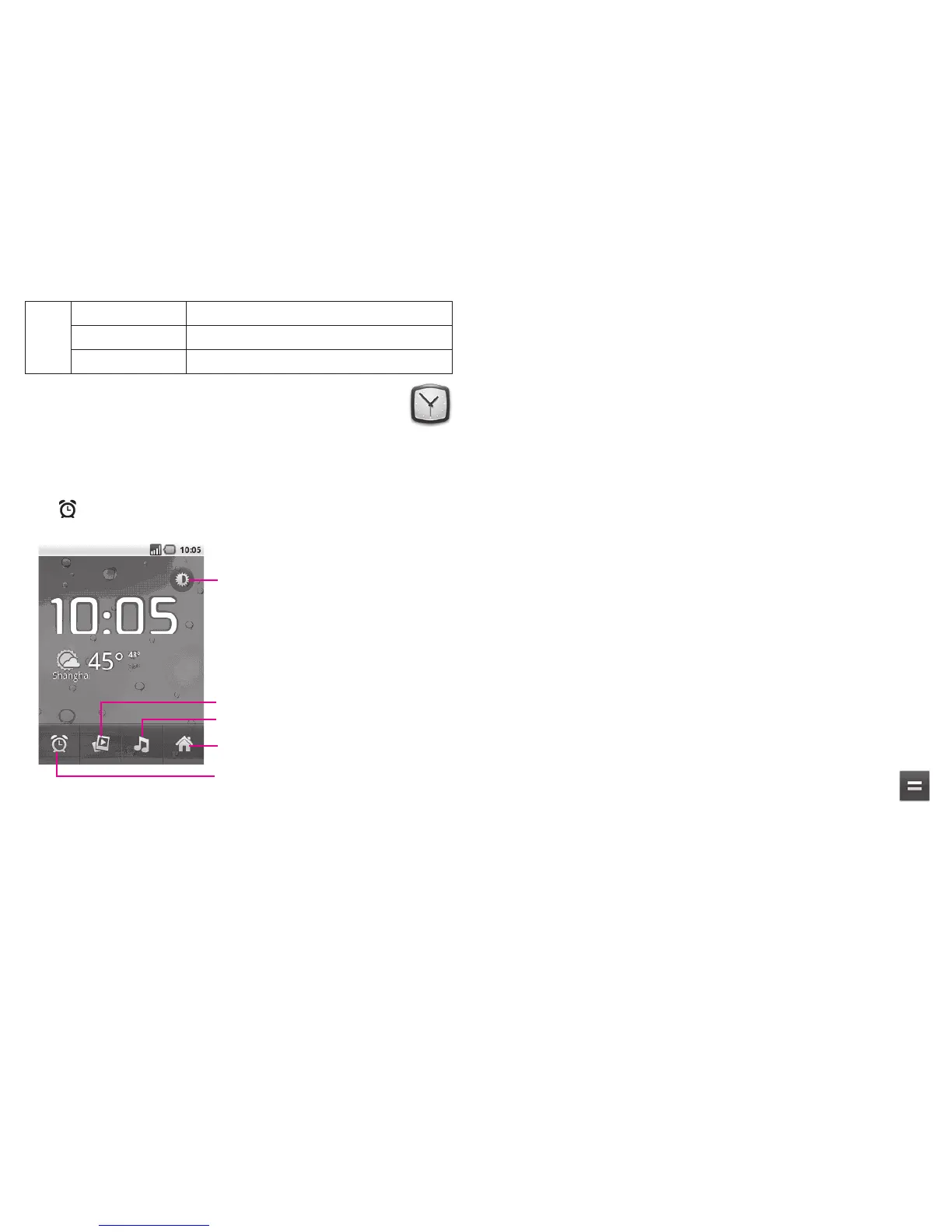
Touch to go back to Home screen.
Touch to dim the screen.
Touch to play music.
Touch to play a slideshow of the pictures
in Gallery.
Touch to add or set an alarm.
To set an alarm5.2.1
From Clock screen, touch a currently existing alarm or press Menu key and touch
Add alarm to enter the alarm editing screen.
Turn alarm on
▪ Select to turn on alarm.
Time
▪ Touch to set time.
Repeat
▪ Touch to select days you want alarm to sound
Ringtone
▪ Touch to select a ringtone for the alarm
Vibrate
▪ Select to activate vibration
Label
▪ Touch to set a name for the alarm
When finished, touch Done to confirm.
To adjust alarm settings5.2.2
Press Menu key from Alarms screen, then touch Settings. The following options can
now be adjusted:
Alarm in silent mode
▪ Select to play alarm with sound or vibration even when
the phone is in Silent mode
Alarm volume
▪ Touch to set volume of alarms
Snooze duration
▪ Touch to set temporary turn off time of an alarm
Side button behavior
▪ Touch to set side Volume up/down key behaviors when
alarm sounds: None, Snooze or Dismiss
Calculator 5.3
With Calculator, you can solve many mathematical problems.
To access this function, touch Application tab from Home screen, then touch
Calculator.
There are two panels available: Basic panel and Advanced panel.












 To Next Page