47 48
Attach options:
Pictures
▪ Access Gallery application or File manager to select a
picture as attachment.
Capture picture
▪ Access Camera to capture a new picture for attaching.
Videos
▪ Access Gallery application or File manager to select a
video as attachment.
Capture video
▪ Access Camcorder to record a new video for attaching.
Audio
▪ Access to select an audio file as attachment.
Record audio
▪ Enter voice message recorder to record a voice message
for attaching.
Contact
▪ Access Contacts to attach a vCard of a contact.
Appointment
▪ Access Calendar to attach an appointment.
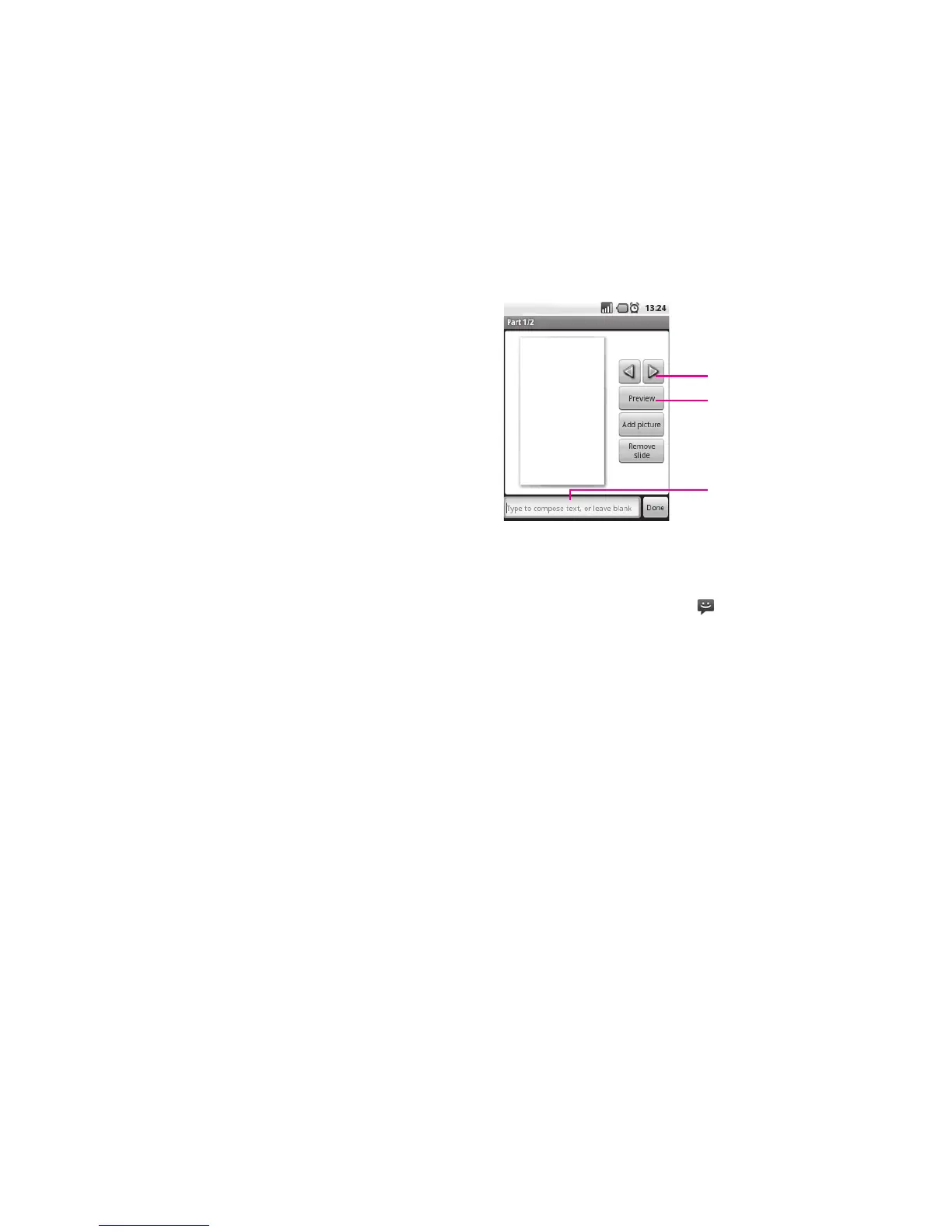
Slideshow
▪ Enter Edit slide show screen, touch Add slide to create a
new slide, and touch currently existing slide to edit it (see
following picture). Press Menu key to get more actions,
like setting the slide duration, adding music, etc.
Touch to go to previous or next slide.
Touch to preview the current slide.
Touch to edit the title of this slide.
Manage messages4.1.2
When receiving a message, an icon will appear on status bar as notification.
Drag down the status bar to open Notification panel, touch the new message to open
and read it. You can also access the Messaging application and touch the message
to open.
Messages are displayed in conversational order.
To reply to a message, touch the current message to enter message-composing
screen, enter the text, then touch Send.
To return to the message list from a text message thread, press Menu key and then
touch More\All threads.












 To Next Page